
Thinkific Plus vs. Moodle
Both Thinkific Plus and Moodle deliver enterprise-grade learning, but on setup complexity, time to value, and total cost of ownership, Thinkific Plus outperforms where it matters most:
- Go live in 30 days — no developers, no servers, no IT team required
- Predictable pricing with no hidden infrastructure, plugin, or maintenance costs
- Native ecommerce tools subscriptions, bundles, upsells, and Buy Now Pay Later included
Get instant access to the on-demand demo




Trusted by 20,000+ teams scaling learning programs










The proof is in the real numbers, from real customers
4.4
176 reviews on Capterra
4.6
211 reviews on G2
4.0
785 reviews on Trustpilot
Summary
Thinkific Plus and Moodle are both enterprise learning platforms — built for different organizations. Thinkific Plus is fully managed and built for businesses that need to launch fast, scale without limits, and generate revenue from learning.
Moodle is open-source and highly configurable, but requires self-hosting, developer resources, and real technical overhead to operate at enterprise scale.
Key takeaways:
- Thinkific Plus is easier to launch and manage — no servers, code or developer resources, or plugin maintenance required, even at enterprise scale
- Thinkific Plus supports monetization out of the box, with native tools for subscriptions, bundles, order bumps, and upsells that Moodle can’t match without custom plugins and integrations
- Thinkific Plus includes AI-powered tools for course creation, quiz building, and learner support — built in and ready to use, no API keys or technical configuration required
- Thinkific Plus pricing scales predictably with your business, unlike Moodle, where infrastructure and maintenance costs are difficult to predict and often catch organizations off guard
- Moodle’s open-source flexibility comes at a cost — implementation, infrastructure, and ongoing maintenance add up fast, and rarely show up in the initial price comparison
Winner by category:
- Best for fast time to launch: Thinkific Plus (go live in 30 days with a fully managed setup, no developer or IT team required)
- Best for revenue-generating organizations: Thinkific Plus (native ecommerce includes subscriptions, bundles, upsells, gifting, and Buy Now Pay Later, with no plugins or custom development)
- Best for total cost of ownership: Thinkific Plus (fully hosted with no infrastructure, maintenance, or hidden implementation costs; self-hosted Moodle TCO typically runs $50,000–$150,000+ over three years)
- Best for open-source flexibility: Moodle (deep configurability for academic institutions and regulated environments with dedicated IT resources to manage it)
Top features
Both Thinkific Plus and Moodle support online learning at scale, but the difference is how you get there. Thinkific Plus handles the infrastructure so your team can focus on growth. Moodle hands you the framework — and the technical work that comes with it.
| Features | Thinkific Plus | Moodle |
|---|---|---|
| Fully hosted — no servers or IT required | – (Self-hosted or via third-party host) | |
| Launch in 30 days or less, no code | – (Weeks to months of dev required) | |
| Unlimited courses, learners, and bandwidth | – (Capped by hosting plan/server) | |
| Native ecommerce (subscriptions, bundles, upsells) | – (Requires plugins) | |
| Enterprise readiness (SSO, SOC 2, SCORM) | (Available via plugins / enterprise add-ons) | |
| AI-powered course creation tools | ⚠️ Limited (plugin-dependent) | |
| AI-driven marketing and sales capabilities | – | |
| Built-in community and course integration | ⚠️ (Forum modules; not business-ready) | |
| Predictable, scalable pricing model | – (Total Cost of Ownership vary widely beyond the license price | |
| No-code setup and administration | – (Technical skills required) | |
| Branded mobile app (white-labeled, in-app purchases) | – | |
| Human-led customer success | ⚠️ (Via partners; varies by host) | |
| Ongoing admin effort | Low | High |
Fit summary
Thinkific Plus wins on the operational features that revenue-generating organizations need. Managed hosting, native ecommerce, no-code setup, and a branded mobile app are all included, without the need for plugins or infrastructure work.
Moodle matches on the compliance fundamentals; however, enterprise-grade configuration typically requires Moodle Workplace licensing and partner services.
“We found that our previous LMS was more expensive with low user limits, and we were looking to really expand the program. We were able to scale with Thinkific Plus easily. The ability to work with the team and have pricing bands instead of per-user costs — in case the program takes off — was key.”
— Anthony Graham, Product Marketing Manager, LANSA (Launched 30 days ahead of deadline and has reached over 5700 learners with 30+ courses)
Setup and time to launch
Thinkific Plus handles infrastructure, security, and updates so your team never has to. A dedicated Customer Success Manager guides migration and onboarding — and no-code customization means your team can start building on day one, and launch within weeks.
Self-hosted Moodle requires server provisioning, theme customization, plugin configuration, and often a Moodle-certified developer or agency before a single learner can log in. Even MoodleCloud (Moodle’s hosted tier) requires technical setup to reach enterprise-ready status.
| Setup & Launch Capabilities | Thinkific Plus | Moodle |
|---|---|---|
| Fully hosted — no server setup required | – (Self-hosted or via third-party) | |
| Launch in 30 days or less | – (Weeks to months) | |
| No-code setup and configuration | – | |
| No developer or IT team required | – | |
| Plugins required to match full platform capabilities | – | |
| Content migration support included | ⚠️ (Partner-dependent) | |
| Custom domain and white-label branding from day one | ⚠️ (Theme/dev work required) | |
| Dedicated onboarding support | ⚠️ (Varies by host/partner) | |
| Platform updates managed automatically | – (Admin-managed for self-hosted) |
“We hit go, we purchased Thinkific Plus, and from there, we spent two weeks ramping our content. We had an incredibly successful rollout. We were utilizing Thinkific Plus within four weeks.”
— Jenn Hunter, Co-Founder at PayShepherd (350+ administrative hours saved in 3 months)
Course creation
With Thinkific Plus, teams can deliver engaging, high-quality branded courses without requiring technical expertise or developer support. Easily build, launch, and update courses with an intuitive course builder and AI-powered course creation tools that generate landing pages and course outlines in minutes.
Moodle’s course editor offers deep configurability, but it comes with a steep learning curve. Theme changes, activity customization, and content management at scale typically require Moodle-specialized agencies or in-house technical support.
| Course Creation Capabilities | Thinkific Plus | Moodle |
|---|---|---|
| Design and technical experience required | Low | High |
| Intuitive no-code course builder | ⚠️ Limited | |
| Unlimited courses and learners | – (Capped by server or hosting plan) | |
| Multiple lesson types (video, audio, text, PDFs, live) | ||
| Downloadable resources, quizzes, and assignments | ||
| SCORM compliant | ||
| Advanced branding and design control (CSS/HTML) | ⚠️ (Theme/plugin required) | |
| AI-generated course outlines, lessons, and quizzes | ⚠️ (Plugin-dependent) | |
| Launch in weeks, not months | – | |
| No developer required for course updates | – |
“Thinkific Plus offers exceptional scalability, enabling businesses to grow their course offerings and student base without any limitations. It can handle unlimited courses, students, and bandwidth, ensuring businesses can expand their e-learning offerings without worrying about technical constraints.”
— Guy Marion, Chief Marketing Officer, Chargebee (8+ online courses, 5,400+ students globally)
Learning experience
Thinkific Plus delivers a cohesive, modern learner experience that supports engagement and retention — communities, live sessions, structured learning paths, and an AI teaching assistant included, with no plugins to manage. Advanced analytics tools give your team a clear view of where learners engage and where they fall off.
Moodle’s learner interface is functional, but dated. Reaching a fully branded experience requires developer support. Forum modules enable community-style interaction, though they weren’t built with business academies or external learner audiences in mind.
| Learning Experience Features | Thinkific Plus | Moodle |
|---|---|---|
| Fully customizable, branded learning experience | ⚠️ (Technical customization required) | |
| Structured learning paths and drip content | ||
| Optimized for all devices | ||
| Live learning (webinars, virtual sessions) | ⚠️ Limited | |
| Unlimited Member-only Communities and spaces | – (Forum modules; not business-ready) | |
| AI-powered teaching assistant | – | |
| Multiple payment and enrollment options | ⚠️ (Plugin required) | |
| Direct messaging between learners and instructors | ||
| Learner profiles and member directories | ⚠️ Limited | |
| In-app and push notifications | ⚠️ (Plugin-dependent) | |
| Built-in learner analytics | ⚠️ (Basic; advanced requires add-on) | |
| Third-party integrations for engagement and assessment | (Plugin ecosystem) |
“Thinkific Plus offers the power and flexibility to help us achieve the business goals that we want. If we had started using Thinkific Plus 1 or 2 years previously, we would have gotten to where we’re at now much faster.”
— Ryan Chynces, Online Education Manager, Hootsuite (500,000+ learners trained, 72,000+ certifications issued across Hootsuite Academy)
Ecommerce and monetization
This is where the gap between Thinkific Plus and Moodle is most decisive.
Moodle was built for instruction, not commerce: it has a basic native course-payment capability (Enrolment on Payment, connected to Stripe or PayPal), but no storefront, bundling, coupons, upsells, subscriptions, or polished checkout. Anything beyond charging for a single course requires third-party plugins (Edwiser Store, a WooCommerce bridge, or similar) — and the bridge approach is widely documented as high-risk for high-growth providers due to payment/enrolment desynchronisation. For any organization whose business model depends on selling education at scale, this is a fundamental platform mismatch.
Thinkific Plus was purpose-built for revenue. Native ecommerce, TCommerce payments, flexible pricing models, AI-generated sales pages, and 90+ marketing integrations are all included — no plugins, no workarounds, no dev dependency.
| Ecommerce & Monetization Features | Thinkific Plus | Moodle |
|---|---|---|
| Create free and paid courses | ⚠️ (Basic native course payment + storefront via plugins) | |
| Subscriptions and paid memberships | ⚠️ (Plugin required) | |
| Order bumps, bundles, and upsells | – | |
| Gifting and coupon codes | – | |
| Buy Now, Pay Later | – | |
| Monetize community memberships | – | |
| AI-generated sales landing pages | – | |
| AI-powered email marketing and copywriting | – | |
| Marketing integrations (HubSpot, Salesforce, Zapier, etc.) | 90+ | ⚠️ (Plugin-based; maintenance required) |
| TCommerce: payments, bookkeeping, and revenue tools | – | |
| Out-of-the-box marketing analytics | – |
| Design & Customization Features | Thinkific Plus | Moodle |
|---|---|---|
| Full design control (CSS/HTML editing) | ⚠️ (Requires technical skill) | |
| No-code design tools | – | |
| White-label learner experience | (With development) | |
| Custom course player appearance | ⚠️ (Theme customization required) |
“We started with a different LMS platform about 10 years ago — it wasn’t quite geared for selling and providing courses. Five years ago, we went on another adventure to find a better solution that fit our needs. That’s where we found Thinkific.”
— Elizabeth Lawhorn, Director of Competition Development, American Paint Horse Association (486% revenue growth since moving to Thinkific Plus)
Mobile App
Thinkific Plus makes it easy for organizations to build a no-code branded mobile app available for learners to download in the Apple App Store and Google Play. Learners download it under your name, buy courses through it, and access content from anywhere. This feature is available as an add-on ($199/month) or included in Plus Gold and Platinum plans.
Moodle Mobile gives learners content access on mobile under Moodle’s brand, not yours. There’s no in-app purchasing, no white-labeling, and no push notification system designed for external academy use.
| Mobile App Capabilities | Thinkific Plus | Moodle |
|---|---|---|
| Available on iOS and Android | ||
| White-labeled branded app | – | |
| In-app purchases | – | |
| Community access in-app | ⚠️ Limited | |
| Push notifications | ||
| No-code app builder | – | |
| Pricing transparency | $199/month add-on; included in Gold & Platinum | Not publicly listed |
“About 45% of our users visit our course through their mobile devices, and it was really easy to set up the Thinkific-branded mobile app.”
— Elizabeth Lawhorn, Director of Competition Development, American Paint Horse Association (486% revenue growth, 1,000+ students across 59+ countries)
AI and Innovation
With Thinkific Plus, AI tools reduce the time and expertise required at every stage of running a learning program. They’re designed to help your team publish courses faster, support learners at scale, and generate revenue without a dedicated marketing team. Each AI-powered tool is built-in, included in the plan with no per-token fees, and ready to use on day one.
Moodle has AI capabilities for text and image generation, course assistance, and summarization — but they require your own AI provider, API key management, and per-call costs to access. Features are unavailable on MoodleCloud standard plans, and quiz generation depends on third-party plugins.
| AI & Innovation Features | Thinkific Plus | Moodle |
|---|---|---|
| AI-generated course outlines | ⚠️ (Native editor text generation; full outline gen via plugin) | |
| AI lesson and content generation | ⚠️ (Native AI text/image generation in editor; provider key required) | |
| AI quiz and assessment builder | ⚠️ (Plugin-dependent; not native) | |
| AI teaching assistant for learners | ⚠️ (Native course assistant; admin-configured) | |
| AI-generated sales landing pages | – | |
| AI-powered email marketing and copywriting | – | |
| Native AI (no plugins or configuration required) | – | |
| AI built into core product roadmap | ⚠️ (Plugin ecosystem; no central roadmap) | |
| Reduces time to publish new courses | – |
“Thinker helps us amplify the learner experience—supporting self-discovery, responding with a more personal tone, and engaging people in ways that reflect how they actually learn. The result is learning that’s more effective, more relatable, and more memorable at a scale we simply couldn’t achieve manually.”
— Stephen Ekstrom, CEO and Co-Founder of Learn Tourism
Support and security
With Thinkific Plus, your team gets a dedicated Customer Success Manager from day one to support your migration, onboarding, and ongoing growth strategy — all included at no extra cost. When your team needs help, it’s always there. When it comes to security, everything is handled for you, with SOC 2 Type II certification, GDPR tooling, and built-in secure payment processing.
Moodle support depends on how you deploy. Self-hosted organizations manage their own support through internal IT or a Moodle Certified Partner. MoodleCloud covers the basics, but enterprise SLAs and dedicated resources require Moodle Workplace licensing at an additional cost. Security and compliance are your team’s responsibility to configure and maintain.
| Support features | Thinkific Plus | Moodle |
|---|---|---|
| Migration and onboarding | ⚠️ (Partner-dependent) | |
| Dedicated customer success team | – (Partner-based) | |
| Ongoing technical and strategic support | ⚠️ (Varies by hosting plan) | |
| No setup or support fees | – | |
| Human-led support experience | ⚠️ (Community forums + partner support) |
| Security features | Thinkific Plus | Moodle |
|---|---|---|
| SOC 2 Type II compliance | ⚠️ (Host-dependent for self-hosted) | |
| SCORM-compliant secure content delivery | ||
| Secure payment processing | ⚠️ (Plugin required) | |
| Single Sign-On (SSO) | (Via plugins or Moodle Workplace) | |
| Built-in security (no add-ons required) | ⚠️ (Self-hosted security is admin-managed) | |
| GDPR compliance tooling |
“When Epoch Education was planning a course launch for over 3,500 participants at once, they turned to their Thinkific Customer Success Manager — who was on standby for the launch, just in case.”
— Thinkific Customer Story, Epoch Education (119,000+ enrollments, 50+ courses)
Site administration
Thinkific Plus gives your admin team visibility and control across courses, learners, communities, revenue, and analytics — all from a single dashboard. Multi-site management means organizations can create multiple branded portals without adding headcount.
Moodle’s admin panel is powerful but steep. User management, enrollment rules, and reporting often require technical configuration. Multi-tenancy, HRIS integrations, and custom reporting are only available through Moodle Workplace, licensed through certified partners at an additional cost.
| Site administration features | Thinkific Plus | Moodle |
|---|---|---|
| Streamlined admin dashboards | ⚠️ (Complex interface with a steep learning curve) | |
| Revenue and order management | – | |
| Course visibility and enrollment controls | ||
| Multi-site / client portals | ⚠️ (Moodle Workplace only; complex setup required) | |
| Built-in course lifecycle management | ⚠️ Limited | |
| API access for custom workflows | ||
| Built-in reporting and advanced analytics | ⚠️ (Basic; advanced requires Workplace/add-on) | |
| Role-based permissions | (Workplace tier only) | |
| Native Zapier integration | – | |
| No-code admin experience | – |
“We wanted something that would allow us and our clients to track what our students were doing, what they were watching, and how many people were watching them. We really wanted to get good analytics and have everything under one roof — which is Thinkific Plus.”
— Erin O’Donnell, Co-Founder and Managing Director, BankersHub (8% revenue growth, 150+ corporate clients, 1M+ course enrollments)
Pricing and total cost of ownership
Thinkific Plus is fully hosted and maintained, with no infrastructure costs, no implementation fees, and no support tiers to unlock. Ecommerce, SSO, analytics, communities, and AI tools are all included. As your learner base grows, your pricing stays predictable.
Moodle’s software is free, but a production-ready deployment rarely stays that way. Hosting, setup, and ongoing maintenance add up fast, and most enterprise deployments reach $10,000–$50,000+* before recurring costs. MoodleCloud removes hosting complexity but caps users at every pricing tier and includes no ecommerce. Moodle Workplace adds multi-tenancy and custom reporting, but pricing is scoped per partner engagement.
| Cost Category | Thinkific Plus | Moodle (Self-Hosted) |
|---|---|---|
| Software license | Included | Free (GPL) |
| Hosting and infrastructure | Included | $80–$500+/month |
| Implementation/setup | Included | $2,000–$25,000+ |
| Ongoing maintenance | Included | $400–$3,500/month |
| eCommerce | Included | Plugin cost and development time |
| Advanced analytics | Included | Add-on or Workplace required |
| Customer success support | Included | Partner fees |
| Estimated 3-year total cost of ownership | Predictable; scales with plan | $50,000–$150,000+ for enterprise deployments |
For organizations where cost predictability matters as much as capability, Thinkific Plus delivers both. No infrastructure surprises, no partner dependencies, and pricing that scales with your plan.
Moodle’s license is free, but the total cost of an enterprise-ready deployment tells a different story.

“Our previous legacy LMS was more expensive with low user limits, and we were looking to really expand the programs. We were able to scale with Thinkific Plus easily.”
Anthony Graham
Product Marketing Manager

Launch in 30 days with zero setup fees
Get started fast. See results sooner. Our user-friendly interface, AI supported content creation and 1:1 onboarding and launch support get you up and running in as little as 30 days — with zero set up fees.

Features designed for fast-moving teams
Get the tools to build, deliver, and scale training programs without relying on developers, IT support, or months of setup.
Content and learning paths
From video and SCORM to live sessions and learning paths — build, sequence, and deliver training all in one place.

Learner and team management
Manage enrolments, team access, and communications at any scale — so the right content always reaches the right people.
Reporting and analytics
Track engagement, completion, and performance with dashboards that help prove ROI.
Enterprise integrations
Connect with Salesforce, HubSpot, and your other existing tools through native integrations and an open API.
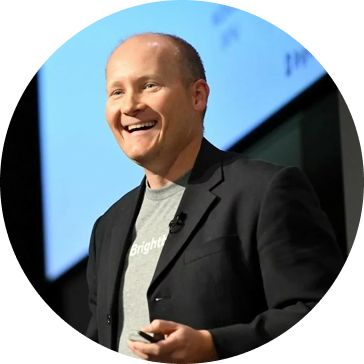
“Thinkific Plus offers exceptional scalability, enabling businesses to grow their course offerings and student base without any limitations. It can handle unlimited courses, students, and bandwidth, ensuring businesses can expand their e-learning offerings without worrying about technical constraints.”
Guy Marion
Chief Marketing Officer
Thinkific Plus FAQs
Which type of organization is best suited for Thinkific Plus vs. Moodle?
Thinkific Plus is best suited for growing businesses, training academies, and enterprise teams delivering internal or external learning — customer and employee education, partner enablement, paid courses, and commercial academies. If your program needs to generate revenue, launch quickly, or scale without a dedicated technical team, Thinkific Plus is built for that.
Moodle is best suited for academic institutions, government agencies, and enterprise organizations with dedicated IT resources that need a deeply configurable, open-source LMS for internal instruction. If your primary use case is compliance training, employee onboarding, or academic course delivery. If you have the technical infrastructure to support it, Moodle may be a fit.
Is Moodle really free?
The Moodle software license is free and open source, but the total cost of ownership for a production-ready, business-grade deployment is rarely free. Self-hosting requires server infrastructure ($80–$500+/month),* implementation ($2,000–$25,000+),* ongoing developer maintenance ($400–$3,500/month),* and plugin licensing. MoodleCloud removes hosting complexity but caps users per tier and limits commerce to basic course payment.
The right comparison is total effort and total cost, not license price. Most enterprise Moodle deployments require internal or partner resources that Thinkific Plus includes in the plan.
How long does it take to launch a training program on these platforms?
Most Thinkific Plus customers launch within 30 days using the no-code course builder and fully managed hosting. Moodle implementations for enterprise use typically take weeks to months, depending on the complexity of customization, theme development, and plugin configuration required.
Does Moodle support selling courses?
Moodle has a basic native capability (Enrollment on Payment) that lets you charge for a single course via Stripe or PayPal, but it offers no storefront, bundles, coupons, upsells, or subscriptions. Those require third-party plugins and ongoing maintenance, and aren’t available on MoodleCloud standard plans.
Thinkific Plus includes a full native commerce suite with subscriptions, bundles, order bumps, gifting, upsells, and Buy Now Pay Later — all with no plugins or development required.
Do both platforms support community features?
Thinkific Plus includes native, monetizable communities integrated directly alongside courses, with member profiles, threaded discussions, direct messaging, spaces, and push notifications. Moodle offers forum-based discussion modules designed for academic use, not for business academies or external learner audiences.
Which platform is better for customer education or partner enablement?
Thinkific Plus. It serves external learner use cases — customer education, partner enablement, field training, and commercial academies — with the sales, marketing, and engagement tools those programs require. Moodle serves internal, institutional instruction and lacks the native commerce and marketing infrastructure most customer education programs need.
How do these platforms handle mobile access?
Thinkific Plus offers a fully white-labeled branded mobile app (Branded Mobile), available as an add-on or included in Gold and Platinum plans, with in-app purchases and no development required. Moodle Mobile gives learners content access on iOS and Android, but it’s not branded, doesn’t support in-app purchases, and requires development work to configure.
What does enterprise support look like on each platform?
Thinkific Plus includes a dedicated Customer Success Manager for all Plus customers, covering migration, onboarding, and ongoing growth strategy at no additional fee. Moodle enterprise support at the Moodle Workplace level runs through Moodle Certified Partners, with pricing and SLAs scoped per engagement. For self-hosted deployments, support is community-driven or dependent on internal IT resources.
How difficult is it to migrate from Moodle to Thinkific Plus?
More manageable than most organizations expect. Every Thinkific Plus customer gets a dedicated Customer Success Manager who guides the migration — from content transfer and platform setup to team onboarding and launch. Most customers go live within 30 days.
The no-code course builder means your content team can rebuild and publish independently, without waiting on developers or agencies. The main lift is rebuilding your course structure in Thinkific’s builder, and for most teams, that’s a shorter timeline than managing Moodle’s technical overhead long-term.

See Thinkific Plus in action