
August was one of our busiest months yet. Three themes stood out, and there’s plenty more below. Quizzes in the new course builder took a big step forward, with reporting, randomization, and surveys all landing together. Learners have real reasons to come back, from guided paths to a study schedule that fits their week. And Thinkific Payments keeps raising the bar on what you can do with it, from new pricing models to stronger revenue protection.
New course builder: assessments that scale, feedback that builds trust
Unified quiz and survey reporting brings results from all your courses into one table, whichever builder you made them in. Separate quiz and survey tabs, filters by course and quiz name, and customizable columns make it easy to find what you need. The survey block arrives in the new course builder alongside it, so the moment you collect feedback, you can see it.
Randomized quiz questions show each learner a random subset of questions in a different order on every attempt. If you run compliance or certification training, this makes it harder for learners to share answers, and every retake feels like a fresh test. Authoring is faster as well: duplicate any question in one click and reorder by drag and drop.
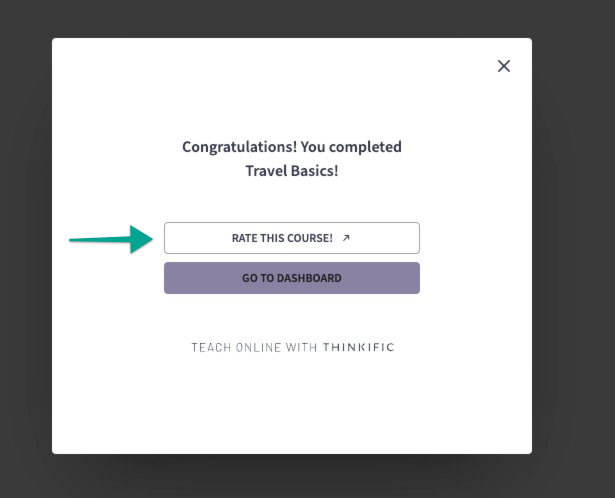
Reviews are one of the strongest trust signals a prospective buyer sees, and a steady source of feedback for improving your next course. Learners can now leave a course review in the new course builder with a clear star rating and a thank-you moment after submitting.
Assignments are now available as a block in the new course builder. Sites created after January 28, 2026 also get a rebuilt review page that brings submissions from all your courses into one place, where you can auto-approve submissions that don’t need a manual look and customize the message learners see while their work is pending.
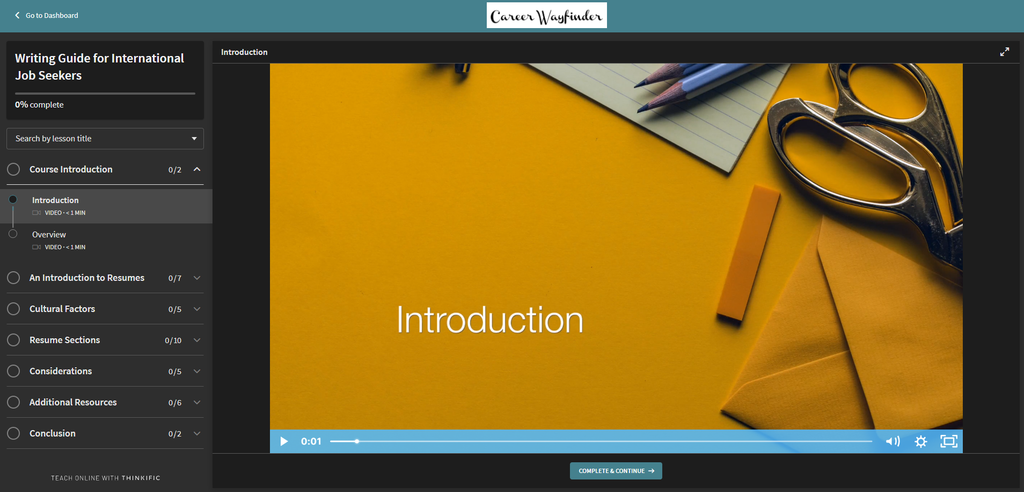
Two more upgrades round it out: Course-level branding lets you set a unique logo, primary color, and font for any individual course, right from its Settings tab. And buyers of a course built in the new course builder now land in a clean after-purchase flow that confirms their order and takes them straight into the course.
Learner Hub: a clear path, a set schedule, and a nudge at the right moment
Even motivated learners drift. Life gets busy, the next step isn’t obvious, and a week slips by. This month’s Learner Hub releases are built for exactly those moments.
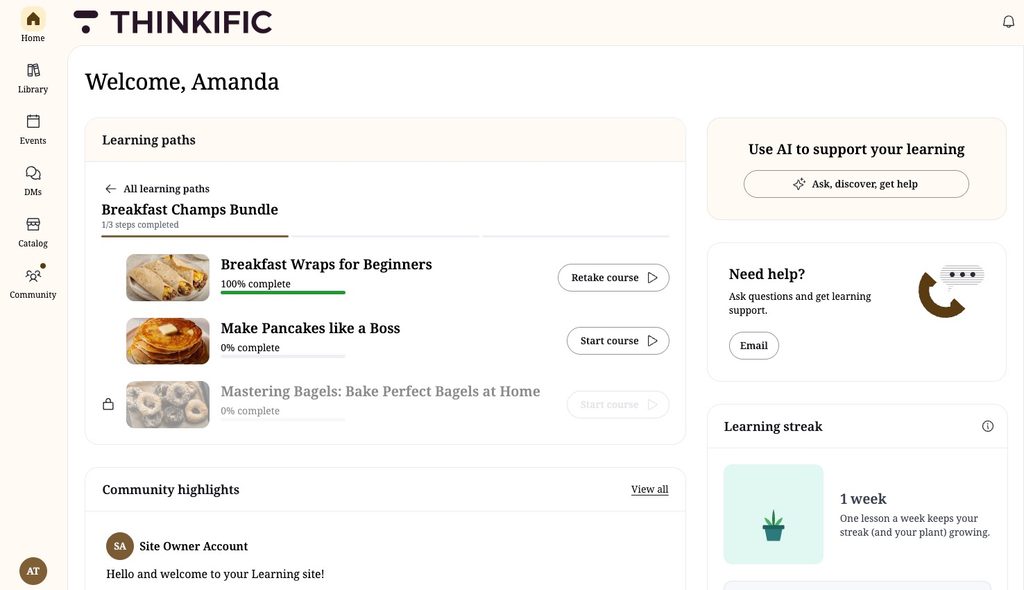
Learning Paths are now built right into the Learner Hub for Thinkific Plus customers, on both desktop and mobile. Upcoming courses show as locked in the library and won’t appear under “Continue Learning” until it’s their turn, so the sequence you design is exactly the sequence your learners follow.
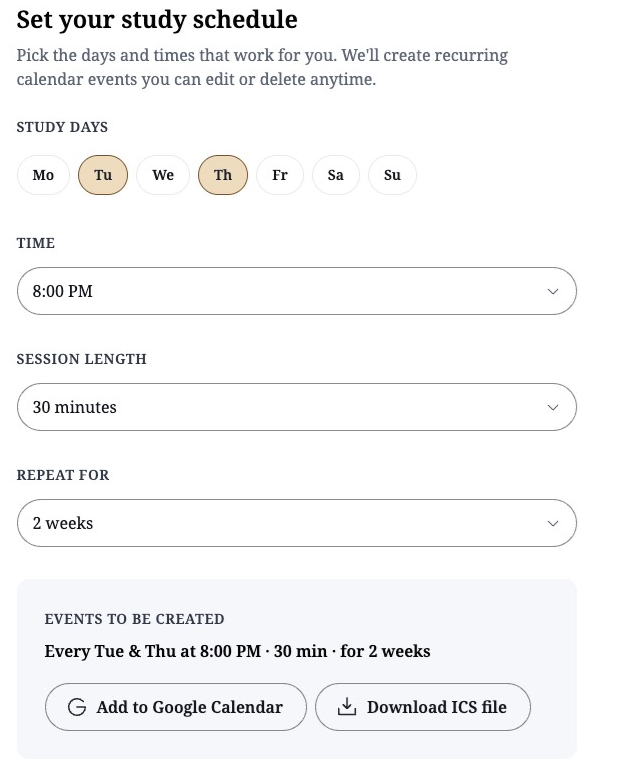
The Study Session Scheduler lets learners create a habit that sticks by setting a study rhythm for each course: the days, time, and session length that fit their week, saved to their own calendar as recurring events that link straight back into the course.
Get started reminder emails are sent to learners who enroll but haven’t made progress within two days, inviting them back to pick up where they left off. It applies to new enrollments only, so no one on an older list hears from you unexpectedly. Turn it on under Manage → Email notifications.
For Thinkific Plus customers, the AI Widget Generator can now pull in live course and learner data, so the widgets you describe in plain language show real, current information instead of fixed content. And the custom widgets you build for the Learner Hub can now be added to lessons in the new course builder as well.
Thinkific Payments: fund your growth, protect your revenue
Business financing is now available to eligible US-based customers through Stripe Capital. If you qualify, you’ll receive a pre-qualified offer, funds go straight to your bank account, and repayment happens automatically as a fixed percentage of your future payouts.
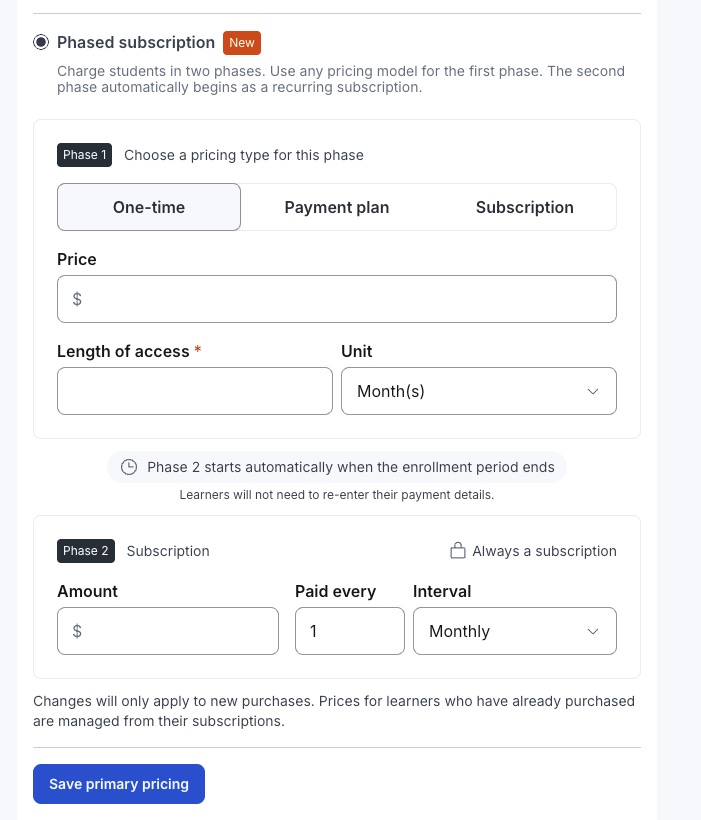
Phased Subscriptions allow Thinkific Plus customers to sell an upfront program that flows into an ongoing membership, with the switch to a recurring subscription handled automatically.
When a learner’s subscription payment fails, Thinkific Plus customers now get 90 days to recover it before it cancels, with a notification the moment it happens. Learners see matching “Past due” and “Unpaid” labels on their billing page, so both sides know exactly where things stand.
Day-to-day subscription management also got smoother with a full refresh to the subscriptions page with new filters for product, status, and price, including a new “Paused” view.
Orders got easier to manage as well. You can now deactivate an unredeemed gift directly from Order Details when a buyer changes their mind, no support ticket needed. And two checkout fixes protect sales at the moment of purchase: when a coupon brings a first payment below the minimum a card can process, the balance rolls into the next invoice instead of showing an error, and declined cards show the real reason so buyers can retry.
We’ve also taken care of two regional requirements so you don’t have to. Learners in the EU who buy a subscription can exercise their 14-day right of withdrawal from their billing page, with the refund, cancellation, and access removal taken care of automatically. And to meet British Columbia’s new requirements, annual subscribers there receive an advance pre-renewal notice.
Communities: conversation where learners already are
Lesson discussions can now connect to a community space. Link a course to a space and learners get a discussion panel on every lesson where they can post, reply, and react without leaving the course. Posts appear on the lesson and in the space at the same time, so learners can chat right where they’re learning, and the conversation still lives in your community.
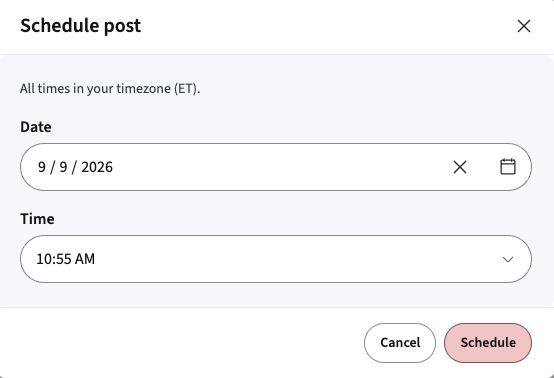
Community managers can now schedule posts to go live at a set date and time . And when a post needs everyone’s attention, @space mentions now reach members by email as well as in-app and push notifications. You can turn space-wide mentions off for a specific space.
Group Experiences: a branded home for every audience you serve
If you train more than one audience (e.g. clients, partners, franchisees), you know the tradeoff: separate sites are expensive to run, and one shared site never feels quite right for everyone. Group Experiences, new and exclusive to Thinkific Plus customers, removes that tradeoff. Each group gets its own branded Learner Hub and a curated catalog of only the products meant for them, while you manage everything from one place.
Managing those catalogs is quick, too. Search, filter, and bulk add or remove products from a group’s catalog, and grab a learner’s express sign-in link right from the group’s Learners tab.
Admin and analytics: see more, set up less
The Certification Dashboard, for customers on Grow plans and above, gives you an at-a-glance view of certification status across your learners. When you assign a Custom Role, you can now give a team member access to an entire bundle in one step, instead of adding each course individually.
The Asset Library now shows you where each asset is used across your site, so you can update or remove a file with confidence. And for the data-driven, two additions: assignment and submission data in custom reports, and an IP address filter on the visitors dashboard so you can exclude your own team’s traffic.
Thinker: conversations that stay organized
Learners can now run multiple conversations with Thinker, your AI Teaching Assistant, instead of one endless thread. Resume an earlier chat, rename or delete it, or start fresh from a new conversation list, so every question has a home and nothing gets buried.
Check back next month for the latest releases that help you retain learners, sell more, and scale without limits.