

September made it faster to build, easier to get learners started, and simpler to run things yourself. The new course builder is now where every new customer starts, with quizzes and discussions built in. Thinkific Plus customers can also author in Articulate and publish to Thinkific in one click, and anyone in the new course builder can let AI draft their quiz questions. New learners get a Get Started checklist and onboarding form to shape their first session. And multi-product enrollment, Mark Complete, and Reset Progress mean more admin work gets done without a support ticket.
Articulate and the new course builder: author where you like, publish in one click
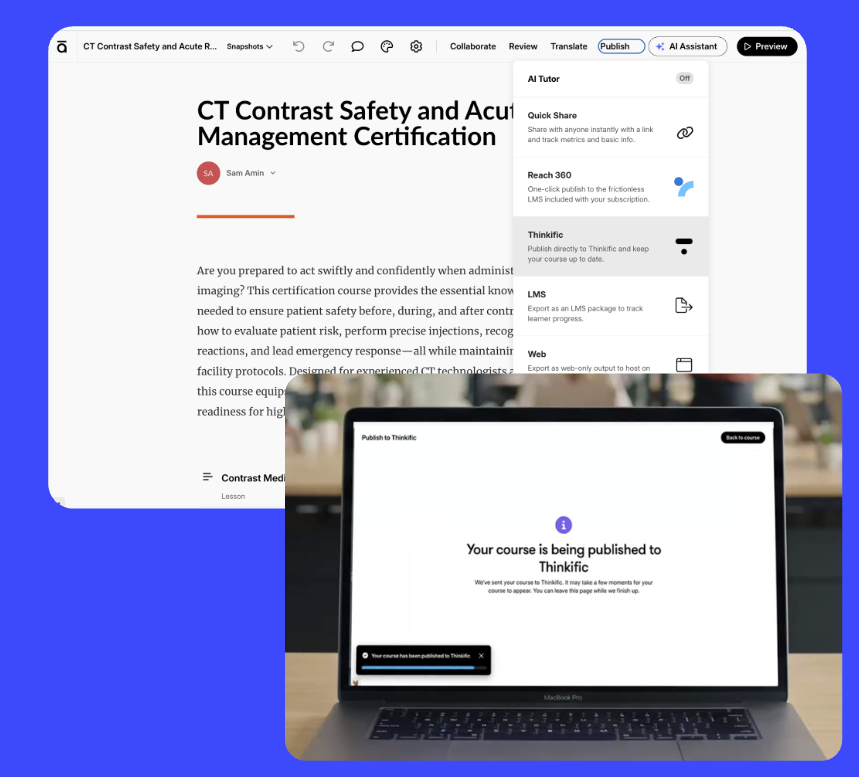
The Articulate integration is live. Author in Articulate 360 AI and publish to Thinkific in one click, with no more SCORM export and re-upload every time your content changes. The Rise 360 tab sits in your Course Management Hub so you can move between the two tools easily, and the SCORM file size limit is now 2GB so full Articulate packages fit.
Assessments got faster to build too:
- AI quiz generator: describe what you want to assess and AI drafts the questions. You edit and publish.
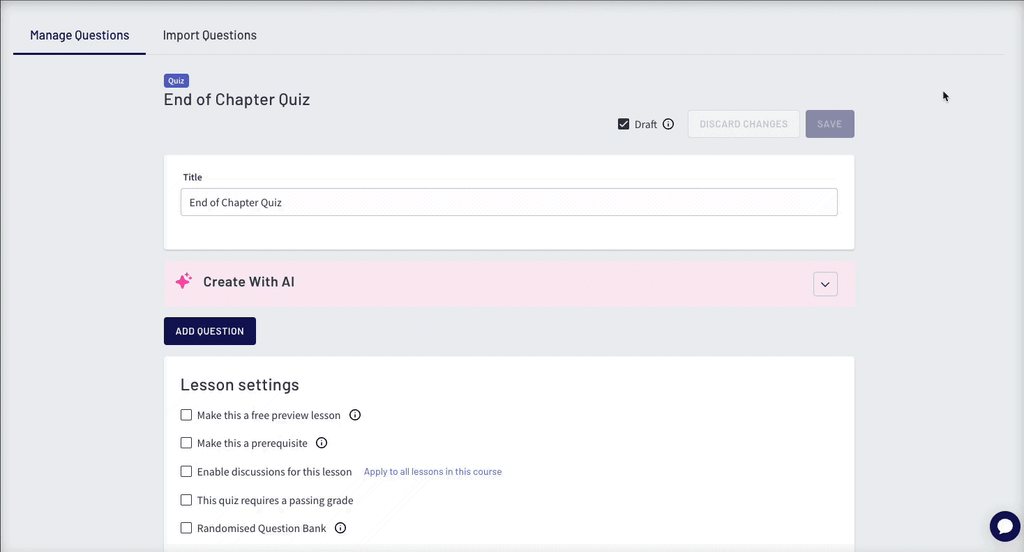
- Bulk quiz question import: bring in an existing question bank from an .xlsx file instead of retyping it.
- Images in quizzes and surveys: add images to questions and answer choices.
- Assignment approvals: approve or reject assignments in bulk and choose whether to notify learners by email.
On-lesson discussions are now in the new course builder. Connect a lesson to a community space and course conversation gets everything Communities offers, including read-only mode, approve and reject, and attachments.
Learner Hub: a stronger first session
The first session often decides whether a learner comes back. Two new tools help you shape it:
- Get Started checklist widget: gives new learners a short list of first steps on the Hub home page, like uploading a photo, completing a lesson, joining the community, or downloading the app. You choose which items appear, and anything that doesn’t apply to your site hides itself. Available on web and mobile apps.
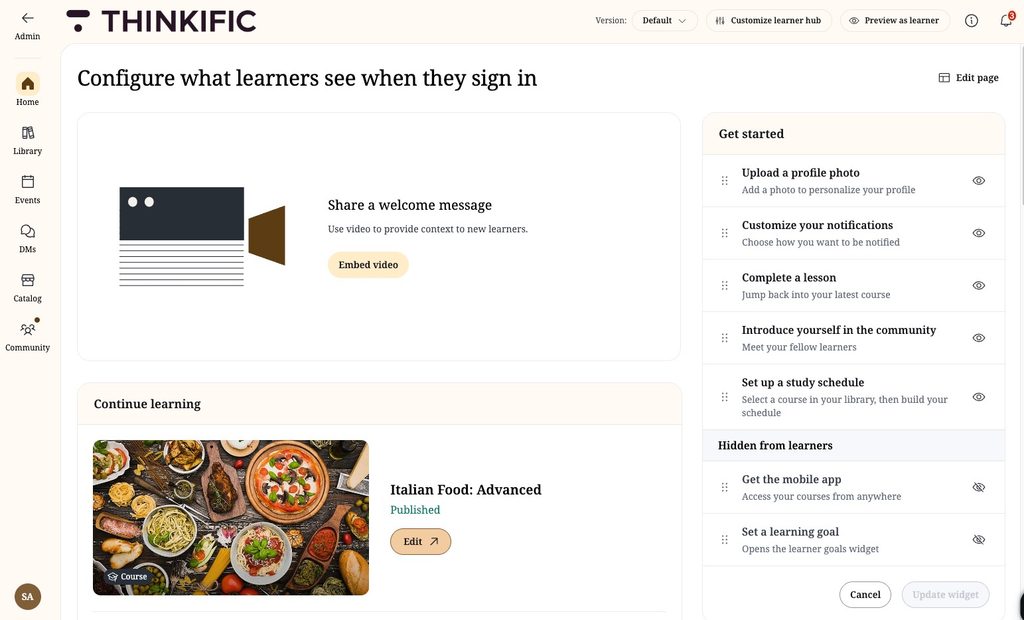
- Learner Onboarding Form (Grow plans and above): ask new learners a few questions the first time they visit the Hub. Answers save to their profile, so you know who your learners are and what they came for.
You can also add a Rich Text widget to Hub pages for styled text, quotes, and code. If you use Group Experiences, you can now preview other Hub versions from the course player.
Thinker: easier to roll out, more of your content covered
- Bulk add courses: sync multiple courses to Thinker in one action instead of one at a time. A “Synced with Thinker” icon shows what’s already indexed.
- PDFs and downloads: Thinker now answers questions from PDFs and files attached to new course builder lessons or uploaded through the Asset Library.
- Asset Library auto-sync: files you upload are indexed into Thinker automatically.
- Better answers in the lesson: Thinker now sees the lesson a learner is viewing, so answers are more relevant.
Thinkific Payments: manage subscribers at scale
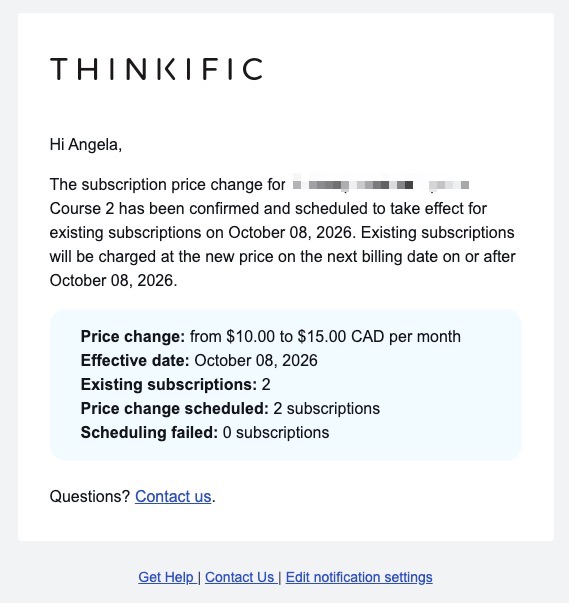
- Bulk subscription price updates: reprice a group of subscribers in one action. Filter by status, product, or price, and each subscriber’s record shows the current price, the upcoming price, and when the change takes effect. Built-in checks flag mistakes like a mixed selection before anything is applied.
- Improved fraud detection: Stripe now loads earlier in checkout, giving it more signals to catch suspicious activity before a payment is attempted.
- Student subscriptions API (Plus): build plan changes into your own custom pages. Learners preview what they’ll pay, upgrades apply immediately with a prorated charge, and downgrades start at the end of the current billing period.
Admin: more you can do without a support ticket
- Multi-product Smart Importer and bulk enrollment (Plus for Smart Importer): create or update users and enroll them in multiple products in one run, or select users on the Users page and enroll them in several products at once.
- Mark Complete and Reset Progress: from the Learners tab in Course Manager, close out or restart learner records, one at a time or in bulk. Mark Complete issues the certificate if the course awards one. Reset Progress keeps the learner’s account and any credentials they’ve already earned.
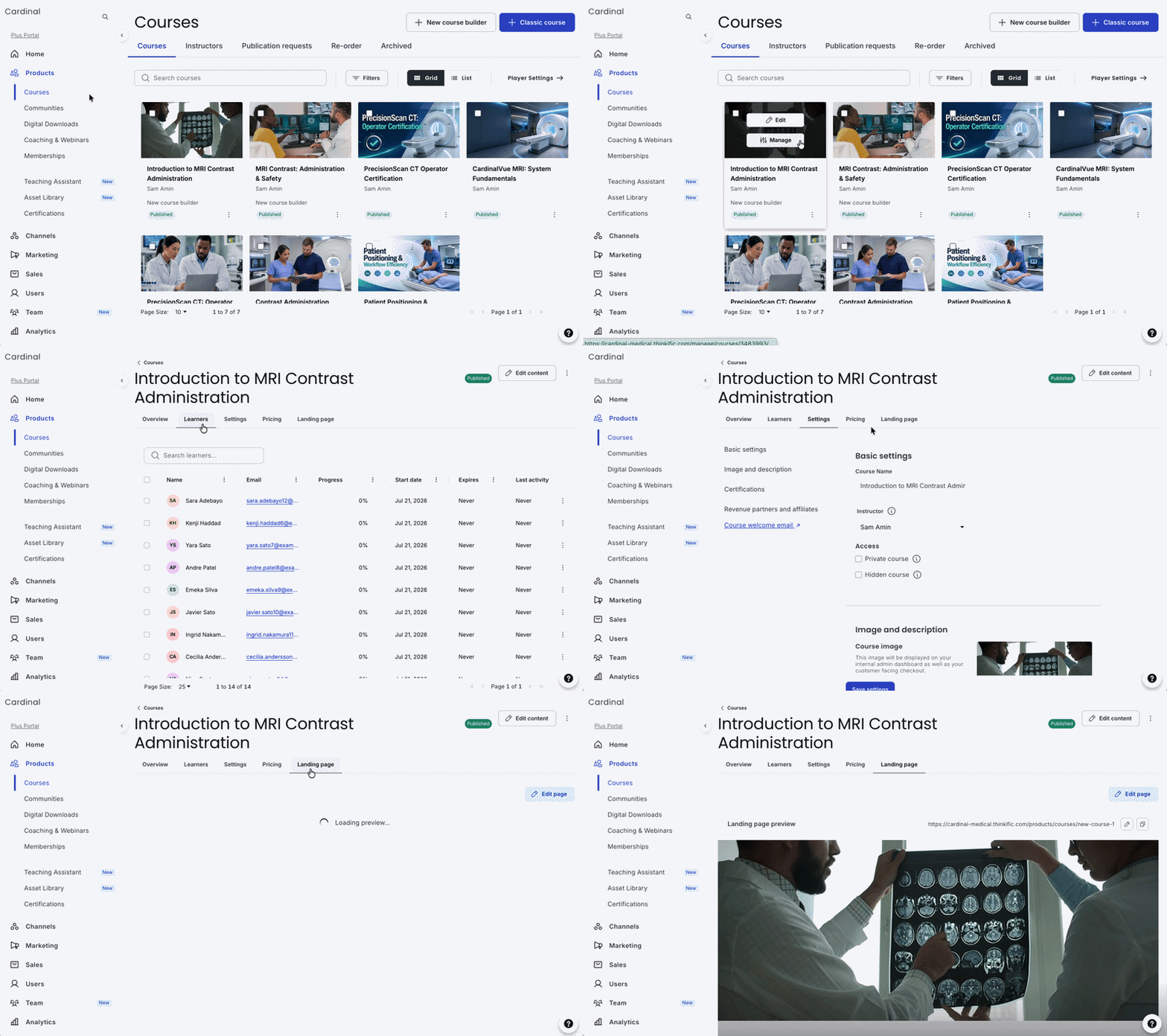
- Relative expiry on free and one-time payment courses: choose whether access starts at enrollment or the first time a learner opens the course, so enrolling a cohort early doesn’t use up their access days.
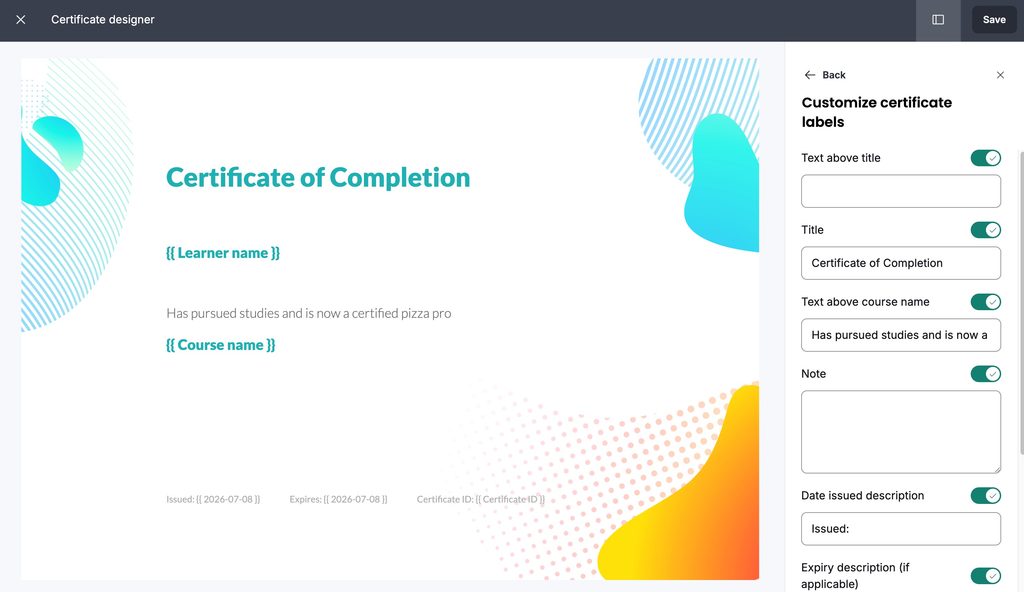
- Certificate design controls: customize font colors, hide the course name, and add custom sign-up field data to certificates. Available to new customers and existing customers who have moved to the new certification feature.
Communities, mobile, and analytics
- Featured panel in every space: members see events and pinned posts from every space they belong to, including private ones.
- Notifications name the lesson: post, reply, and mention notifications in Communities now say which lesson they belong to, and learners can follow or unfollow individual discussion posts in the course player.
- Mobile: learners can jump from a community’s Featured panel into a linked course, and community lists now sort in the order you set on web.
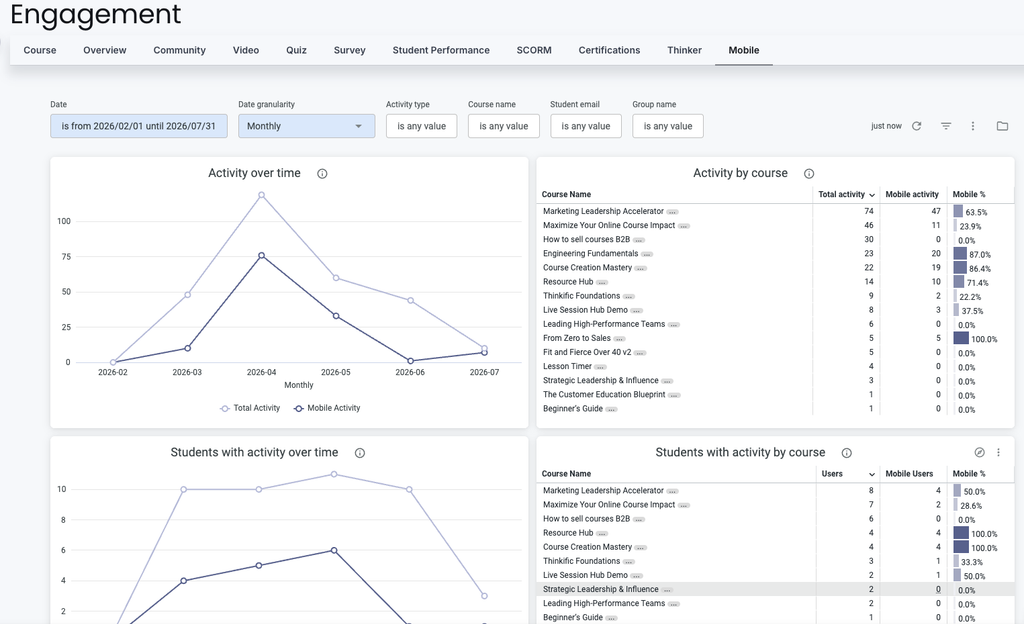
- Mobile Engagement Dashboard (Grow plans and above): see mobile adoption and usage depth compared with web, and where mobile engagement is strongest and weakest across courses and learners.
Check back next month for the latest releases that help you retain learners, sell more, and scale without limits.