

Certification programs look straightforward from the outside: a learner completes the work, earns a credential, and carries it forward professionally. The operational reality is more demanding. Credentials need to be issued consistently, renewal timelines tracked across potentially thousands of learners, continuing education logged, and records maintained in a format that holds up the moment an auditor, client, or regulator asks for them.
That’s the challenge whether you’re designing your first certification program or managing one that’s already outgrown its original setup.
What starts as a manageable process tends to grow into a tangle of spreadsheets, manual reminders, and administrative work that absorbs more of your team’s time than it should. Building it right from the start, or fixing it before it breaks, is what separates a program that builds credibility over time from one that creates more operational problems than it solves.
Certification management software handles the operational side automatically. This blog post covers what it does, which features actually matter, and how to build the renewal workflows and learner records that keep a certification program credible at any stage.
Skip ahead this article:
- What is certification management software?
- Who uses certification management software?
- What managing certifications manually actually costs you
- Core features to look for
- What learner records should capture
- How certification renewal management works
- Top certification management platforms to consider
- How to evaluate your options
- Building a certification program that holds up
- Frequently asked questions
What is certification management software?
Certification management software is a platform that handles the full lifecycle of a professional credential: issuing it when learners complete a course or pass an assessment, tracking expiry dates, managing renewals, logging continuing education credits, and maintaining searchable learner records.
It sits at the intersection of learning program delivery and compliance management, particularly for organizations in regulated industries like healthcare, finance, aviation, and construction. Learners earn, renew, and maintain their certifications in one place, while your team gets a single source of truth for every record an auditor or client might request.
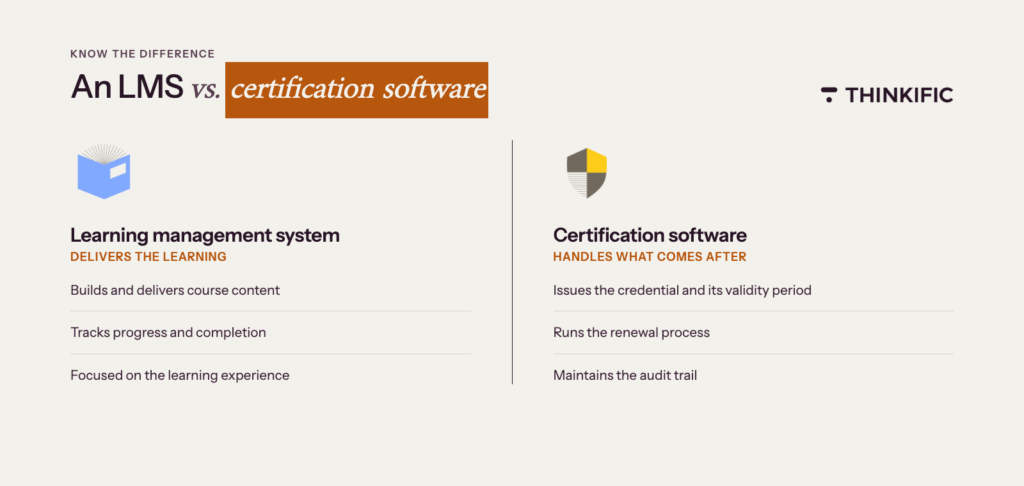
It’s also distinct from a general learning management system (LMS). An LMS delivers and tracks course content. Certification management software handles what comes after: the credential itself, its validity period, the renewal process, and the audit trail. Some platforms combine both functions; others specialize in credentialing and plug into your existing learning infrastructure.
Who uses certification management software?
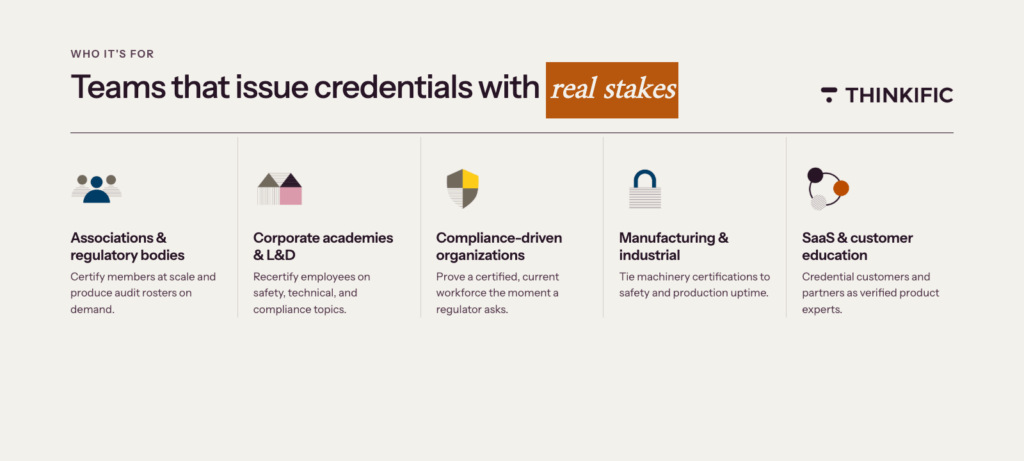
Certification management software is used by any organization that issues credentials with expiry dates and renewal requirements.
Professional associations and regulatory bodies
Associations issue credentials to members at scale and run the programs that keep those credentials valid. A nursing association might certify thousands of practitioners each year, track the continuing education hours each member completes, and produce rosters when accreditation reviewers ask. Certification management software handles the volume and the recordkeeping without the team rebuilding spreadsheets each renewal cycle.
Corporate academies and L&D teams
Internal training teams use certification management software to certify employees on safety, technical, or compliance topics that require regular renewal. A manufacturing company might certify floor staff on equipment safety every six months; a software company might recertify engineers on security protocols annually.
The L&D team needs visibility into who holds active certifications, whose certifications are about to expire, and who belongs in the next renewal cohort, without chasing managers for status updates.
Compliance-driven organizations
Companies in healthcare, finance, manufacturing, and other regulated industries use certification management software because employee certifications get audited.
Hospitals track clinical certifications across thousands of staff. Banks track anti-money-laundering certifications across every customer-facing role. When a regulator asks for proof that the workforce is certified and current, the compliance team needs to produce it quickly and accurately, not piece it together from emails and shared folders.
Manufacturing and industrial operations
In manufacturing and machinery environments, certifications aren’t just professional credentials: they’re safety requirements tied to regulatory compliance.
Equipment operators, technicians, and floor staff need to be certified on specific machinery, and those certifications need to be renewed on a defined schedule. A lapsed certification in this context isn’t just an administrative gap; it can mean a worker is legally unable to operate a piece of equipment, creating both safety risk and production downtime. Certification management software gives operations and safety teams real-time visibility into who is certified, who is approaching renewal, and who needs to be pulled from a role until they recertify.
SaaS companies and businesses running customer education or partner enablement
SaaS companies increasingly use certification programs to drive product adoption, reduce churn, and create a credentialed community of customers and partners who can be recognized as experts in the platform.
A customer certification validates that a user has reached a meaningful level of proficiency, which has direct value for their career and for the business relationship. Partner certification programs work similarly: they ensure that resellers, integrators, and implementation partners meet a consistent standard before they represent your product to their own customers. For these organizations, certification management software handles the credential lifecycle at scale while making credentials shareable and verifiable, so the certification carries real professional weight beyond the issuing platform.
What managing certifications manually costs you
Most certification programs start with a spreadsheet. For a small program with predictable renewals and a team member who owns the file, that works fine.
The problem isn’t the spreadsheet. It’s what happens when the program grows.
Consider what this looks like in practice. A compliance manager runs a mandatory safety certification for 400 employees across three sites. Renewals are annual. The spreadsheet tracks who’s certified and when they expire, but reminder emails go out manually. One quarter, the team lead who owns the process goes on parental leave and the reminders stop going out. Three months later, 40 employees show up to an audit with lapsed certifications. Fixing it takes two weeks and a lot of difficult conversations.
That’s the visible cost. As programs grow from 50 to 500 to 5,000 learners, three quieter problems compound the issue.
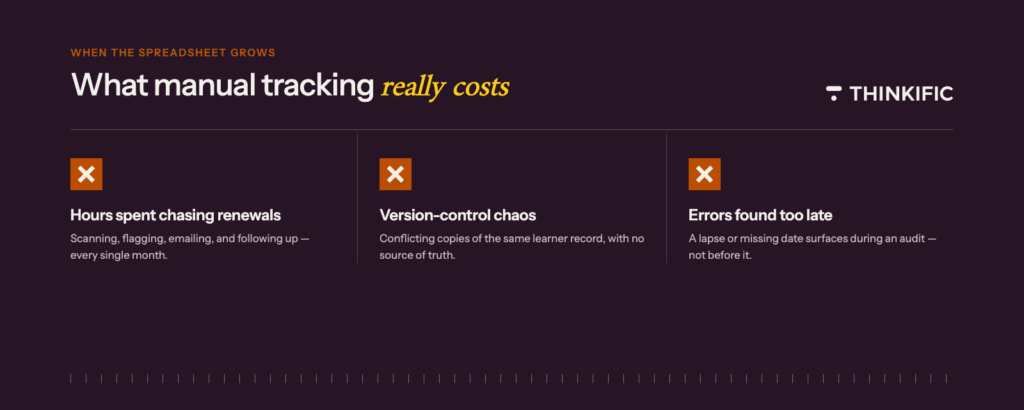
- Hours spent chasing renewals.
Someone has to manually scan the spreadsheet each month, flag expiring certifications, email learners, follow up with those who don’t respond, and update the file whenever someone renews. Multiply that by hundreds of learners, and it absorbs several hours of your team’s week. - Version-control problems with learner records.
As the learner list grows, different team members start keeping their own versions of the file. You end up with conflicting records for the same learner and no clear way to know which version is accurate. - Errors that go unnoticed until they matter.
During audits, you might find that a renewal date was never recorded, CE credits were tracked in a separate file, or a certification lapsed three months ago and nobody caught it. In industries where certifications carry regulatory weight, those errors become compliance issues fast.
Certification management software doesn’t replace your program. It removes the operational drag of running it, and the low-level anxiety of not knowing whether your records would hold up if someone asked tomorrow.
Core features to look for in certification management software
The right platform should handle every stage of the certification lifecycle without your team stitching together separate tools.
Automated certificate issuance
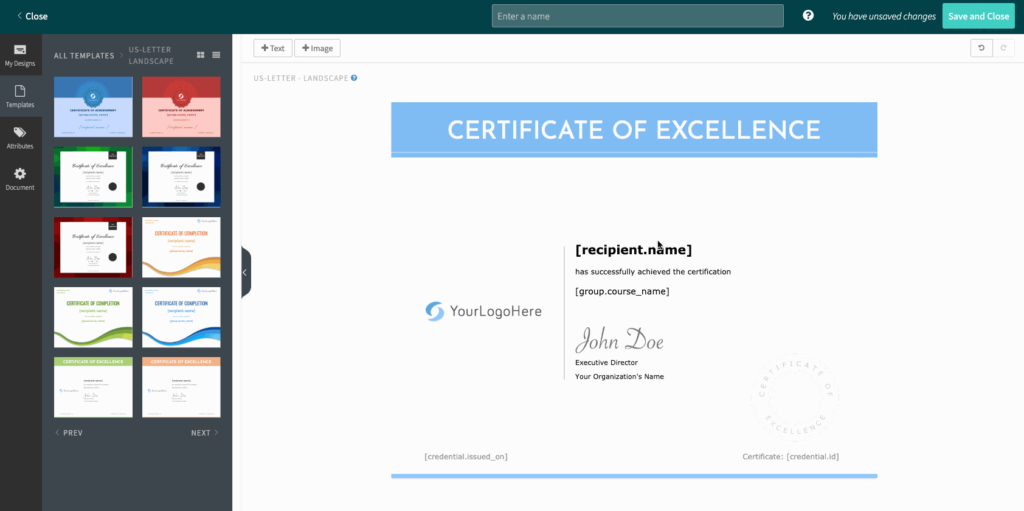
When a learner completes a course or passes an assessment, the platform generates and delivers their certificate without manual steps. Look for platforms that trigger certificates based on configurable completion conditions, such as a passing score above a set threshold. The certificate itself should be customizable: branded templates with dynamic fields that populate the learner’s name, completion date, and score. Certificates should be available as downloadable PDFs, shareable digital credentials, and verification links so anyone can confirm authenticity without contacting your team.
Automated workflows and approvals
For programs that require an application or review step before certification, the platform handles the workflow end-to-end. Applicants submit their information, the appropriate reviewer is notified, and approvals are either issued automatically when predefined criteria are met or routed for sign-off. Your team isn’t manually forwarding emails or updating spreadsheets to keep the process moving.
Applicant and learner portal
A secure online portal where each learner can log in, check their application status, view active certifications, and access their full credential history reduces the volume of inbound requests to your team. When learners can see everything themselves, fewer of them email in asking for updates.
Centralized learner records
Every credential your program issues should live in one searchable, auditable location.
Administrators should be able to pull up a specific learner’s history in seconds, filter records by program or expiry status, and export a compliance report without rebuilding it from scratch each time. Role-based access controls determine what each team member, program manager, or auditor can see.
Renewal tracking and automated workflows
This is where most manual processes break down, and where certification management software earns its value. A solid renewal system lets you set an expiry date at issuance.
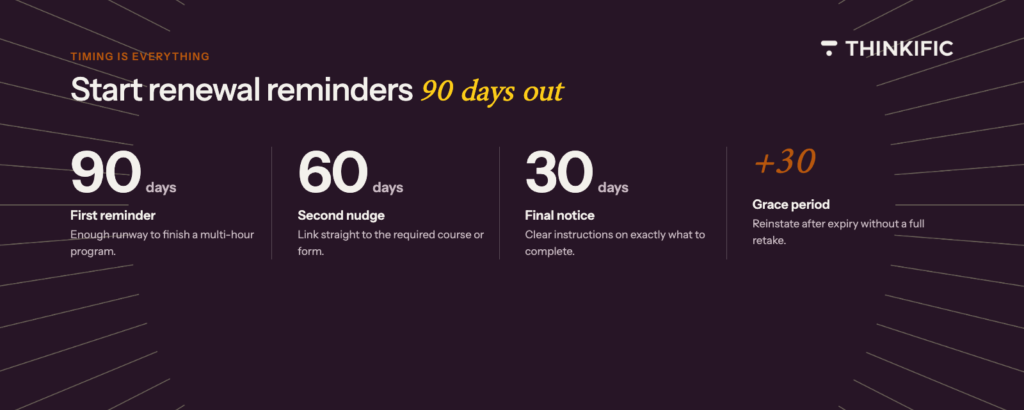
The platform monitors that date and triggers a reminder sequence at intervals you define, typically 90, 60, and 30 days before expiry, with a follow-up after a certificate lapses. Renewal pathways should be flexible: some programs require a full retake, others accept continuing education credits, a refresher module, or a supervisor sign-off.
Continuing education management
The platform tracks CE hours or credits against the requirements for each certification.
Learners can submit evidence of external learning and check how many credits they have left before renewal. Your team doesn’t have to manually log credits or follow up on missing documentation.
Digital credential sharing and verification
Learners want to share what they’ve earned.
A certificate that lives as a PDF in someone’s inbox doesn’t help them professionally. Look for platforms that generate shareable credential links, support QR code verification, and integrate with LinkedIn so learners can add credentials to their profiles directly. When learners share credentials, other professionals in their network see them and associate the issuing organization with credibility.
Compliance reporting and audit trails
Look for platforms that generate compliance reports by team, cohort, program, or date range, and that maintain a full audit trail for each certificate issued, renewed, or revoked.
Unique certificate IDs and tamper-evident records mean anyone with the verification link can confirm a credential’s authenticity without contacting your team.
Integrations with your existing stack
Your certification platform shouldn’t require manual data entry from other systems. When a learner completes a course in your LMS, that completion should flow automatically into your credential system. When an employee joins or leaves your HRIS, your certification records should reflect that. Look for native integrations with the tools your team already uses, as well as open API access for custom connections.
What learner records should your certification program capture?
One of the most common gaps in certification programs is under-specified learner records. The program issues certificates, but the underlying data doesn’t capture what an auditor, regulator, or client would actually need.
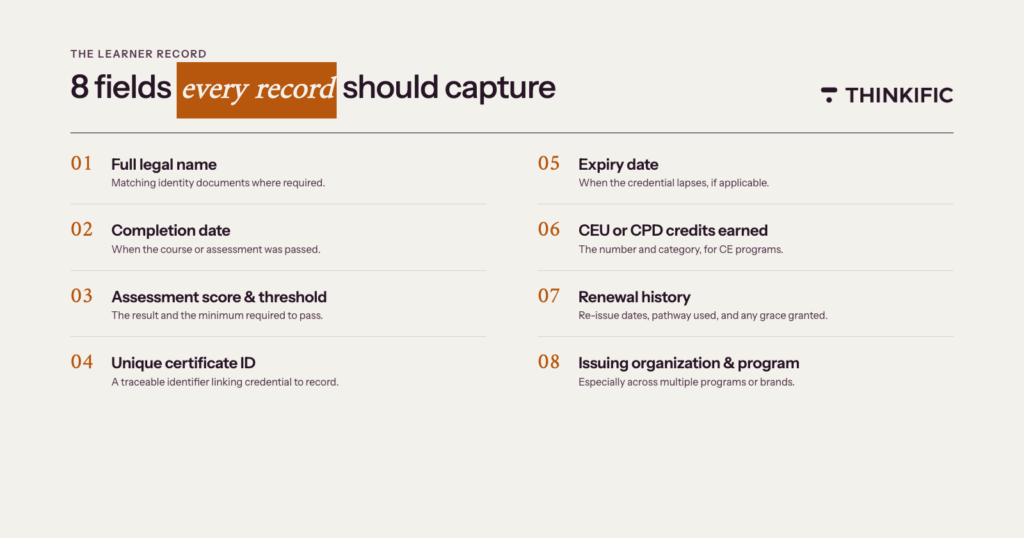
Every certification record should include:
- Full legal name: the name on the credential, matching identity documents where required
- Completion date: when the learner finished the course or passed the assessment
- Assessment score and pass threshold: the result and the minimum required to pass
- Unique certificate ID: a traceable identifier linking the credential to the record
- Expiry date: the date the credential lapses, if applicable
- CEU or CPD credits earned: for programs that issue continuing education credits, the number and category
- Renewal history: dates of re-issuance, the renewal pathway used, and any grace period extensions granted
- Issuing organization and program name: particularly important if you run multiple programs or operate under different brand names
Industry-specific considerations
Regulated industries have requirements beyond these eight fields. In healthcare, records often need to document which version of the training content a learner completed, since clinical guidelines update regularly, and align with state licensing board standards. In finance, records typically need to capture the specific regulatory module completed, the date, and the content version in effect at the time. In construction, safety certification status usually needs to be accessible by job site and available for spot inspections.
The specifics vary by industry and jurisdiction. The principle is consistent: your records should be detailed enough to answer any compliance question without going back to the learner.
How long to retain records
Retention requirements depend on your industry and the purpose of the certification. Many organizations retain records for a minimum of three to seven years. In regulated industries, requirements can extend to the duration of employment plus several years beyond. Work with your legal or compliance team to confirm what applies to your program before setting retention policies.
How certification renewal management works
Renewal management is the part of certification programs that most software handles poorly. It’s also where programs create the most operational problems when it fails.
The renewal lifecycle
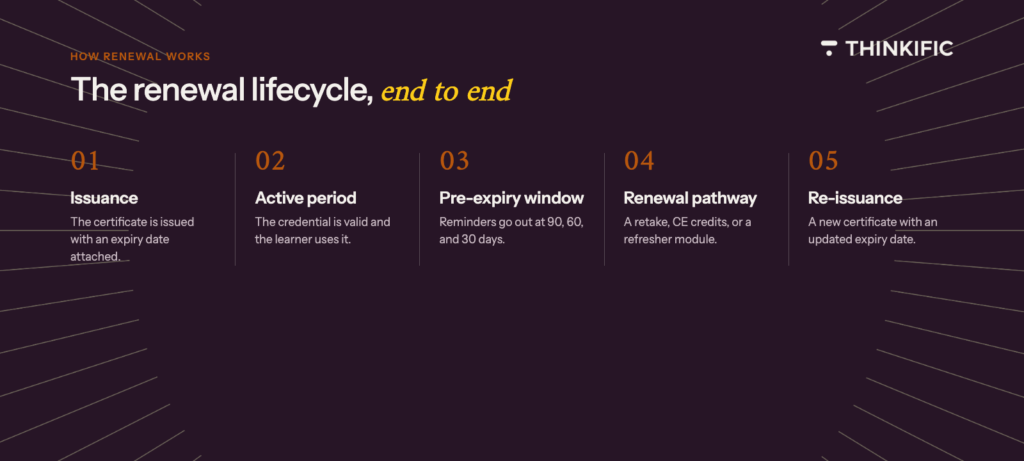
A well-run renewal process moves through five stages:
- Issuance: the certificate is issued with an expiry date attached
- Active period: the credential is valid; the learner uses it
- Pre-expiry window: reminders go out at set intervals before the expiry date
- Renewal pathway: the learner completes the required action (retake, continuing education credits, or refresher module)
- Re-issuance: a new certificate is issued with an updated expiry date
If the learner doesn’t act during the renewal window, the certificate lapses. Good software handles this clearly: the learner receives a notification, understands what they need to do to reinstate their credential, and can complete the process without contacting your team.
Setting up renewal rules
Before you launch a certification program, define these parameters:
- Expiry period: how long the credential is valid (one year, two years, ongoing)
- Renewal window: when the renewal process opens before expiry (90 days is standard)
- Grace period: whether there’s a window after expiry during which the learner can still renew without a full retake
- Renewal pathway options: what the learner must complete to renew
These rules should be configured at the program level in your platform, not managed manually for each learner.
Multi-pathway renewals
Not all certification programs use a single renewal route. A safety certification might require a full retake every two years. A professional development credential might accept 20 hours of continuing education credits from any approved source. A compliance certification might allow a short refresher module instead of a full course.
When your platform supports multiple pathways, learners complete the one that applies to their situation, and the platform records which pathway was used. That record matters when an audit comes.
Common mistakes to avoid
Sending renewal reminders too late is the most frequent issue. A single reminder two weeks before expiry doesn’t give most learners enough time to complete the required coursework, especially if it’s a multi-hour program. Start your reminder sequence 90 days out.
Unclear renewal requirements cause unnecessary delays. If learners don’t know exactly what they need to do, they’ll wait. Renewal communications should link directly to the required course or credit submission form, not just notify them that a deadline is approaching.
A hard cutoff on the expiry date creates compliance gaps for learners who are traveling, on leave, or simply missed a notification. A 30-day grace period protects both the learner and your program’s compliance record.
Top certification management platforms to consider
| Platform | Best for | Free trial? | Free plan? | Pricing |
| Thinkific | Organizations that use Thinkific to deliver online courses/training programs and want to manage certifications without using a separate tool. | ✅ | ❌ | Paid plans range from $74/month to $374/month, billed annually. Custom pricing plan called Thinkific Plus is available for enterprises. |
| Accredible | Associations, universities, and enterprises that need to issue secure, verifiable digital badges and certificates that learners can share directly on LinkedIn. | ❌ | ❌ | Paid plans start at $45/month (billed monthly). Custom plans available for growing and high-volume programs. |
| Certifier | Training providers, L&D teams, and event organizers that need fast, automated certificate and badge issuance at scale. | ❌ | ✅ | Paid plans range from $42/month (Starter) to $339/month (Advanced). This increases as you scale. |
| Certemy | Regulated organizations and certification boards that need a budget-friendly platform to track, verify, and manage professional licenses/credentials. | ❌ | ❌ | Paid plans start at $2.40/user/month. The platform also charges $0.80 per Primary Source Verification (PSV). |
| CE App | Professional associations, certifying bodies, and organizations in regulated fields that need to track continuing education credits. | ✅ | ❌ | Paid plans start at $5/month (for Individuals) and $89/month (for Organizations). Custom plan available for enterprises, governmental orgs, and public entities. |
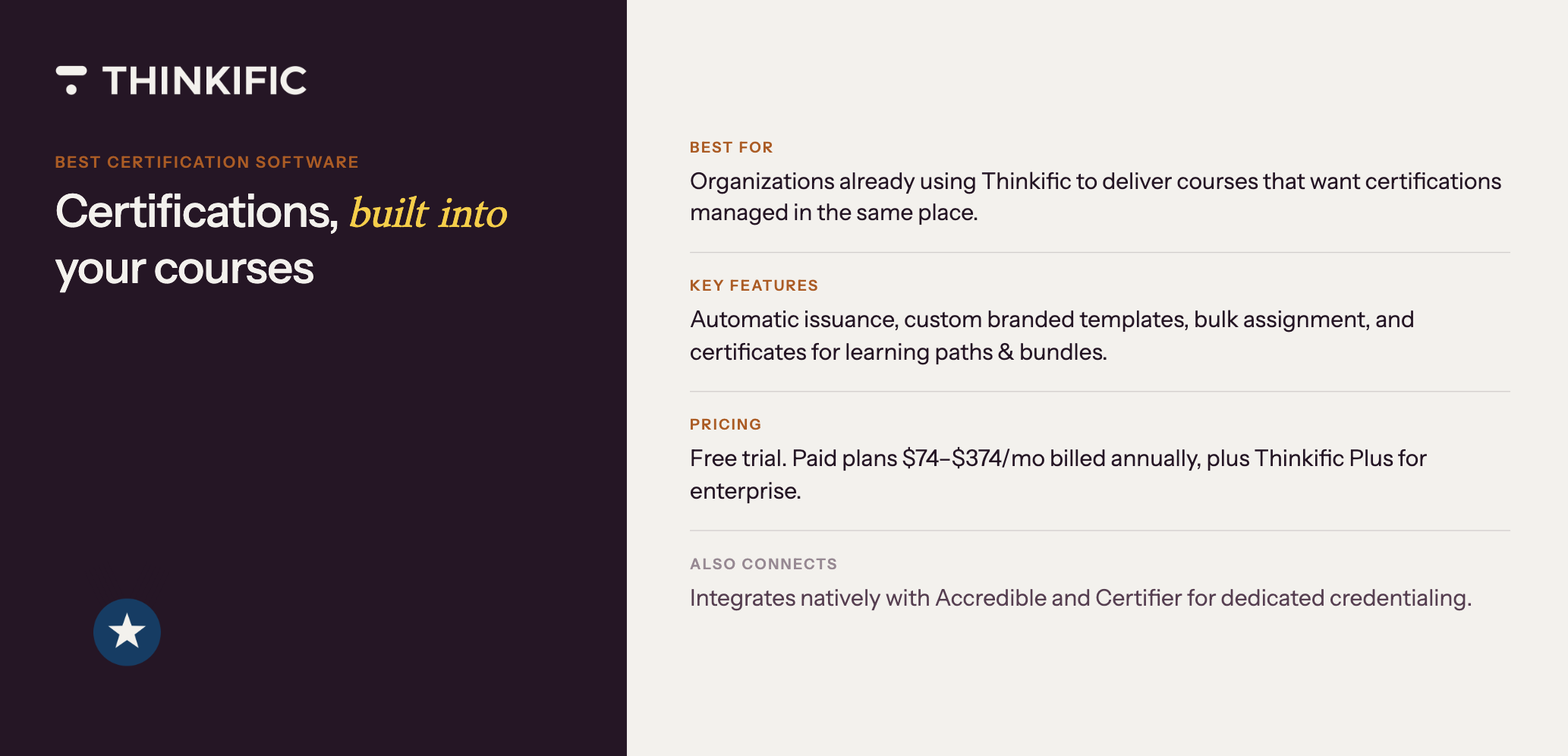
Best for: Organizations of all sizes that use Thinkific to deliver online courses/training programs and want to manage certifications without using a separate tool.
Thinkific is a learning platform that lets organizations build, deliver, and sell online courses, training programs, and academies under their own brand.
If your organization already uses Thinkific to deliver courses, the platform also handles the certificate side. When a learner finishes a course or learning path, Thinkific automatically issues a branded certificate, and you can manage the entire certification experience from the same dashboard you use to run your courses.
Key features
- Automatic certificate issuance:
Thinkific automatically issues certificates the moment a learner hits 100% completion in a course, with no manual approval or admin work needed on your end. - Custom certificate templates:
Design certificates that match your organization’s branding, with auto-populated fields for student name, course name, completion date, expiry date, and any custom fields you’ve set up. - Bulk template assignment:
Create a certificate template and assign it to multiple courses at once, or build unique templates for each course based on your program’s needs. - Certificates for learning paths and bundles:
Issue a certificate when learners complete a full learning path, so you can recognize multi-course programs and stackable credentials, rather than just individual courses. - Built-in certificate management:
View, download, and update issued certificates directly from each student’s profile, with the ability to make case-by-case updates without affecting other learners.
Pricing
Thinkific offers a free trial. The paid plans range from $74/month to $374/month, billed annually. There’s a custom pricing plan called Thinkific Plus for high-growth businesses and enterprise training programs.
Learn more about Thinkific Certificates →
Best for: Associations, universities, and enterprise training programs that need to issue secure, verifiable digital badges and certificates that learners can share directly on LinkedIn.
Accredible is a digital credential platform built for organizations that issue and manage verifiable certificates and badges. It handles the full credential lifecycle from design and issuance to verification, sharing, and analytics, and works alongside an LMS rather than replacing one.
Over 2,300 organizations use it, including Google, McGraw-Hill, the University of Cambridge, and Skillsoft, and the platform has issued more than 130 million credentials since 2013. It’s ideal for programs where credentials carry brand weight and need to be shareable, verifiable, and trackable across social and professional networks.
Key features
- Certificate and badge designer.
Design branded credentials using a drag-and-drop builder (or choose from pre-made templates) and pull in recipient data through custom attributes that populate automatically. - One-click acceptance and social sharing.
Let recipients share their credentials on LinkedIn, X, and 30+ other platforms without first creating an Accredible account. - Verification and blockchain options.
Give third parties a public verification page to confirm any credential is authentic, and issue blockchain-verified credentials for tamper-proof records. - Analytics and engagement tracking.
Track credential views, shares, and recipient engagement in real time to measure how far your program is reaching. - White-labeling and customization.
Build brandable landing pages, emails, vanity URLs, and learner directories so the entire credential experience feels like an extension of your organization. - Integrations.
Connect Accredible to your existing tech stack, including tools like Thinkific, Teachable, Salesforce, HubSpot, Skilljar, and Microsoft Azure AD.
Pricing
Accredible uses per-recipient pricing rather than per-credential pricing, with plans starting at $45/month (billed monthly) for 50 recipients. There are custom plans for growing and high-volume programs that unlock advanced features like white-labeling, digital wallet cards, and dedicated customer support.
Best for: Training providers, L&D teams, and event organizers that need fast, automated certificate and badge issuance at scale without long setup or annual contracts.
Certifier is a digital credential platform that helps organizations easily create, issue, manage, and verify certificates and badges in bulk.
If you’re running a hackathon, an online course, or a corporate training cohort and need to send 5,000 branded certificates by Friday, Certifier is the kind of tool you can spin up on Monday and have up and running by Tuesday.
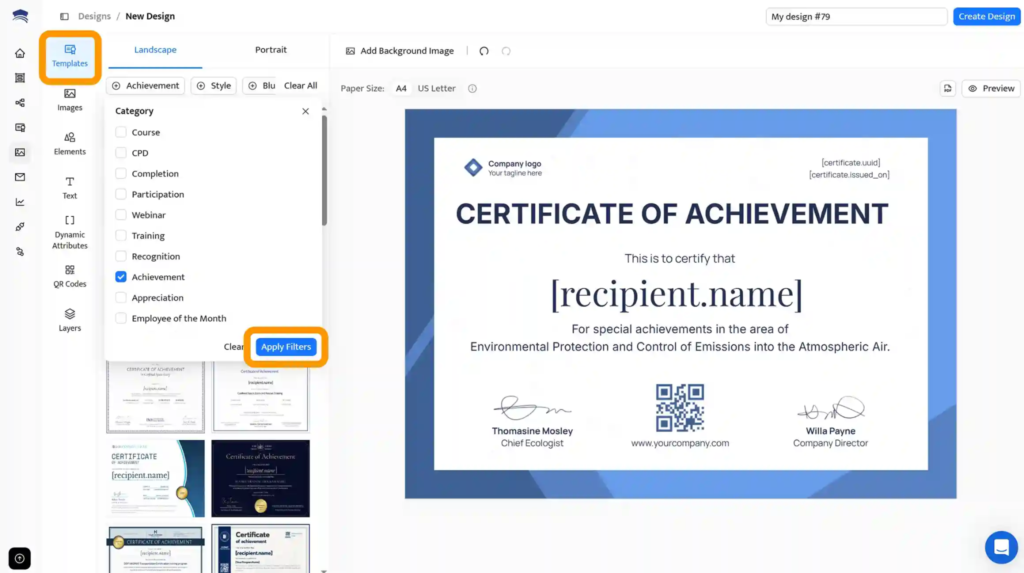
The interface is designed so that a non-designer can put together a professional credential in minutes, and the bulk generator handles the heavy lifting from there.
Key features
- Drag-and-drop certificate designer. Build branded certificates and badges using over 2,000 professionally designed templates, or design your own from scratch with custom fonts and dynamic fields.
- Bulk issuance and email delivery. Upload a recipient list and generate hundreds or thousands of certificates in one go, then send them through branded email templates with custom sender details.
- Credential renewals and expiration tracking. Set expiration dates on credentials, trigger automatic renewal reminders, and reissue expired certificates.
- Dynamic QR codes and verification. Add a QR code to every credential, so third parties can verify authenticity instantly, even on printed or downloaded versions.
- Branded Credential Portal. Host your certifications on a fully branded portal under your own domain, with verification options and a public directory of certified members.
Pricing
Certifier offers a free Starter plan for up to 250 credentials per year. Paid plans start at $42/month (Starter) for 1,000 credentials, $67/month (Professional) for 1,000 credentials, and $339/month (Advanced) for 3,000 credentials. Plans are billed annually, and custom enterprise pricing is available for higher volumes.
Best for: Regulated organizations and certification boards that need a budget-friendly platform to track, verify, and manage professional licenses/credentials across employees, jurisdictions, and facilities.
Certemy is a workforce compliance platform built for organizations where employee licenses and certifications carry regulatory weight, e.g., a multi-state healthcare provider keeping tabs on thousands of clinical licenses, a field service company tracking trade permits across jurisdictions, or a certification board running its own credentialing program.
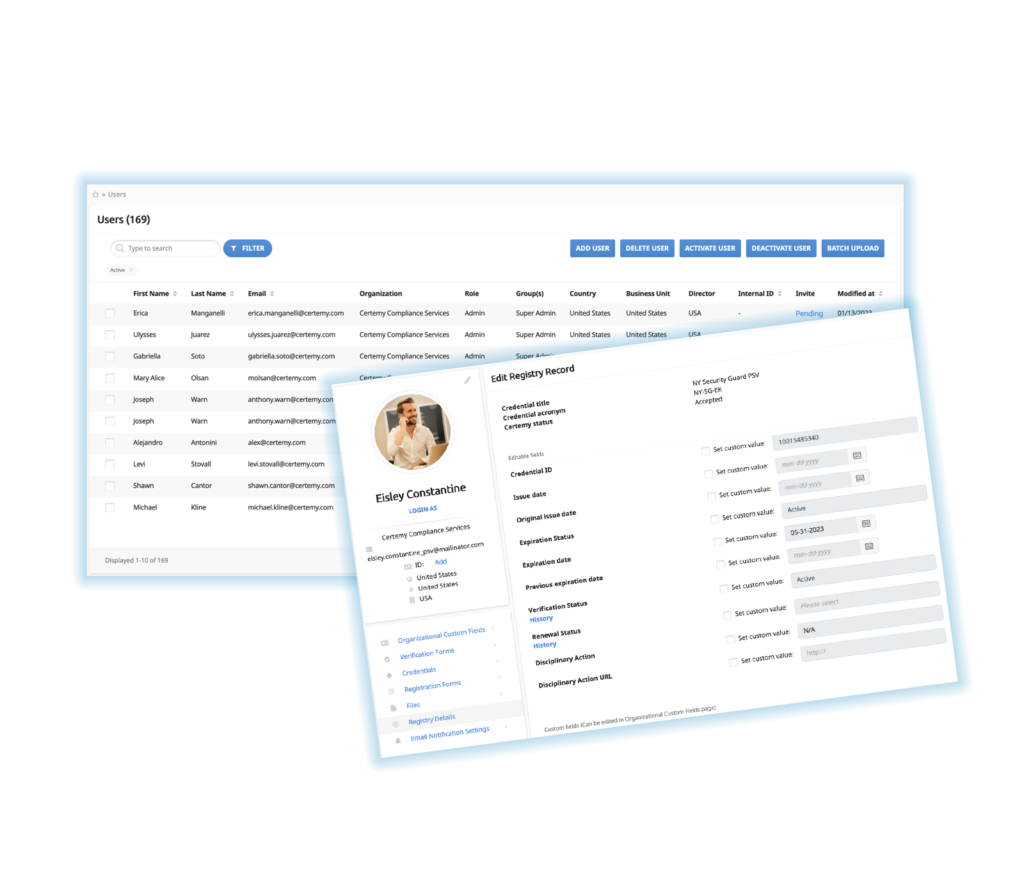
Certemy gives you one place to track every credential, automate the application and renewal processes, and pull primary-source verification directly from licensing authorities.
Key features
- License tracking and dashboards.
Get real-time visibility into every license, certification, permit, and registration across your workforce, with status views you can filter by employee, role, or jurisdiction. - Primary source verification. Verify credentials directly with licensing boards and regulatory authorities, so you don’t have to rely on employee self-reporting or outdated PDFs.
- Configurable workflows for applications and renewals. Use pre-built workflows that walk employees step by step through obtaining and maintaining licenses, and adjust them to fit your organization’s specific processes.
- HRIS and SSO integrations. Connect Certemy with BambooHR, Workday, Paycor, and other systems your team already uses, so credential data flows in without manual entry.
- Credentialing Engine for boards. Run your own certification program with tools for application processing, recertification, and a public registry that lets third parties verify any credential you’ve issued.
Pricing
Certemy does not have a free plan. Paid plans start at $2.40/user/month (Track) to track employee licenses, certifications, and training. The platform also charges $0.80 per Primary Source Verification (PSV).
Best for: Professional associations, certifying bodies, and organizations in regulated fields that need to track continuing education credits.
CE App is a continuing education tracking and management platform that helps professionals and their organizations stay compliant with CE requirements. Members can log courses from any provider, see exactly which requirements they’ve met (and which they still need to meet), and get reminders before deadlines hit.
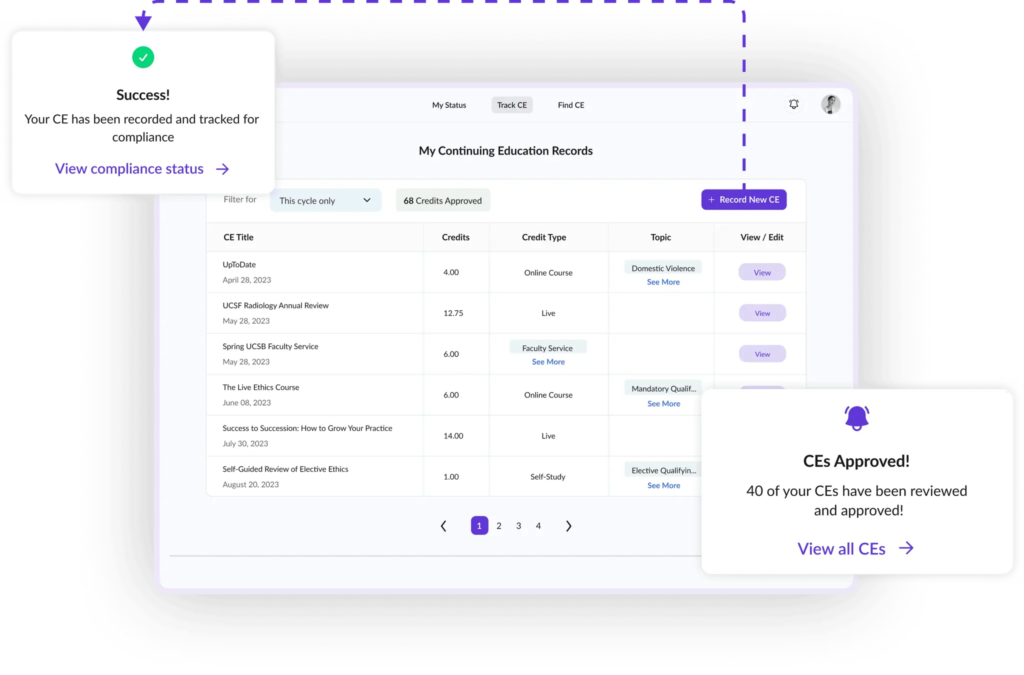
For associations and certifying bodies, this means fewer support tickets from members asking about their credit totals, and a clearer picture of compliance across the whole membership.
Key features
- Centralized CE tracking from any provider.
Log educational activities from any source, not just your own programs, so your members have a complete view of their credits in one place. - Requirement matching and engagement.
Automatically match each member’s outstanding CE requirements to relevant courses and surface them at the right time. - Compliance reporting at scale.
Manage hundreds of thousands of credentials and requirements across professions, with reporting that gives leadership a clear view of compliance rates. - Automated event certificates.
Generate custom CE certificates for online or in-person events and use them to re-engage attendees. - Admin suite with custom permissions.
Give managers admin accounts to oversee compliance, approve CEs, or sign in as users when troubleshooting.
Pricing
CE App offers a 14-day free trial. Paid plans start at $5/month (for Individuals) and $89/month (for Organizations). There’s a custom plan for enterprises, governmental orgs, and public entities.
How to evaluate certification management software
Several platforms operate in this space, and the feature lists can look interchangeable. These are the questions that surface the real differences.
Does it handle your certification lifecycle end-to-end?
Some platforms only cover part of what you need. Some issue certificates well but leave renewals to a separate tool; others handle renewals but not continuing education. Map out every stage of your certification lifecycle and confirm the platform covers each one natively: certificate issuance, renewal tracking, continuing education management, learner records and transcripts, and reporting. If any stage requires a workaround or a third-party add-on, factor that into your evaluation.
Can it scale with your learner volume?
A platform that works well for 500 learners may not hold up at 5,000. When evaluating, ask how the platform performs at your projected learner volume over the next two to three years, how pricing changes as your learner count grows, and whether there are limits on certifications, learners, or administrators. Confirm that bulk certificate issuance and renewal reminders will still run smoothly at higher volumes.
Does certificate issuance trigger automatically on course completion, or is it manual?
Automatic issuance is the baseline. Any platform that requires an administrator to manually issue each certificate will create bottlenecks as your program grows. If the answer is anything other than fully automatic, press the vendor on specifics.
Can you configure multi-pathway renewal rules?
Many platforms support basic expiry tracking. Fewer support flexible renewal pathways. If your program issues credentials with different renewal options for different learner types, confirm this capability before committing.
What learner record data does it capture, and how is it retained?
Ask specifically which fields are captured, whether they’re editable after issuance, and what the platform’s data retention policy is. Confirm you can export records in a format your compliance team can actually use.
How customizable are certificates and the learner experience?
Your certifications carry your organization’s name. If the platform forces generic templates or a learner portal that doesn’t match your brand, your program ends up looking less credible than it actually is. Check whether you can customize certificate templates, the learner portal, renewal email language, and the structure of the learner dashboard.
What does reporting actually look like?
Most platforms claim to have reporting, but quality varies. Request a demo using your actual use cases and confirm: Can you generate a roster of active certificate holders by date? Can you pull a list of learners with expiring certifications in the next 90 days? Can you export everything to CSV or PDF in a format auditors will accept? Can you schedule reports to run automatically? If the demo feels clunky, day-to-day reporting will feel worse.
Does it integrate with the tools your team already uses?
Certification data is only useful if it flows into the systems your organization runs on. Make a list of every tool that needs to connect to your certification platform, then check the vendor for native integrations, open API access, and a track record of integrations staying stable as both platforms update.
What does implementation look like, and what support is included?
Ask about implementation timelines, data migration support, and ongoing customer success. A platform is only as useful as your ability to get it running and keep it that way. Compliance deadlines don’t wait, so confirm what support is available when something breaks.
Building a certification program that holds up
A certification program is only as credible as what’s behind it. The credential itself is visible to learners, clients, and regulators. The renewal workflows, learner records, and audit trail are not visible, but they’re what the program’s reputation depends on.
The right certification management software removes the operational weight of keeping those systems running. Renewals trigger automatically. Records stay current without anyone maintaining them by hand. When an auditor asks for a compliance report, your team produces it in minutes, not hours.
That’s what a certification program looks like when the infrastructure is doing its job.
Run your certification program on Thinkific
If you’re already using Thinkific to deliver courses, the certification side runs from the same dashboard. Thinkific handles automatic certificate issuance, custom branded templates, and certificates for full learning paths and bundles, so your credential program and your learning program aren’t split across separate tools.
If your program requires dedicated credentialing infrastructure alongside your LMS, Thinkific integrates natively with Accredible and Certifier, and connects to most other tools in your stack through Zapier.
Start a free trial or book a demo
FAQs
What is the difference between certification management software and an LMS?
A learning management system delivers and tracks course content. Certification management software handles what comes after course completion: issuing credentials, tracking expiry dates, managing renewals, and maintaining auditable learner records. Many platforms combine both functions within one system.
What data should a learner certification record include?
Every learner certification record should include the full legal name, completion date, assessment score and pass threshold, a unique certificate ID, the expiry date, any CEU or CPD credits earned, renewal history, and the issuing organization’s name. Industries with regulatory requirements, such as healthcare or finance, may require additional fields.
How does certification renewal management work?
Certification renewal management involves setting an expiry date at issuance, sending automated reminders before the credential lapses, defining the renewal pathway (retake, continuing education credits, or a refresher module), and re-issuing the certificate once the learner completes the required action. The best platforms automate this entire sequence without manual intervention from your team.
How long should certification records be retained?
Retention requirements vary by industry and jurisdiction. A general baseline for most organizations is three to seven years. Regulated industries like healthcare and finance often have longer requirements. Work with your legal or compliance team to confirm what applies to your program.
Subscribe to
Think About It
Our monthly newsletter with insights and actionable tips for scaling your business with online learning. Sign up for free.