
Everything we shipped in July points at one goal: helping you scale your learning business without scaling the busywork.
Certifications: credentials that carry real weight
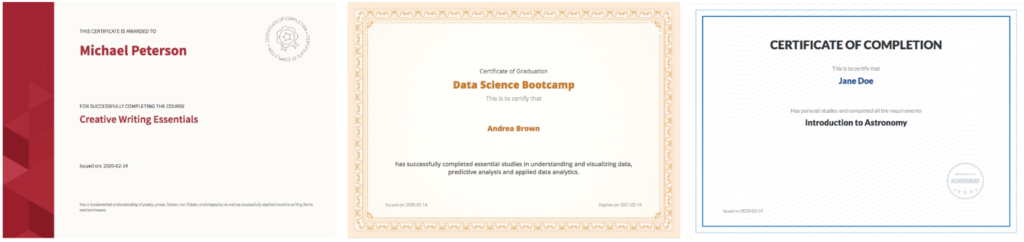
Certifications now have their own creation flow and a redesigned certificate designer, built for programs where credentials are the outcome. Continuing education unit (CEU) and credit value fields match accrediting body requirements, and Plus customers can report on each learner’s certification status for compliance. Learn more.
Custom Roles: give your team the right keys
No more choosing between full admin access or nothing. Custom Roles allows customers on Plus plans to build named roles with exactly the permissions each person needs, scoped to specific courses, communities, or groups.
Managing your team is simpler too. The Team Members page makes it easier to control who has access to what: search across courses, groups, and communities, or remove team members in bulk. Licenses now come from one shared pool, so you’re no longer limited by per-role caps. The new Course Manager brings course settings, pricing, and publishing together in one view, and you can now create, add, and remove course categories right from the courses list, individually or in bulk.
Learner Hub: built to bring learners back
A learning business grows when learners come back, and what we’ve released in July gives them reasons to. Engagement Streaks make consistency visible: complete a lesson each week and a plant on the Learner Hub home page grows a new leaf. The idea is simple but powerful: when learners can see their progress as something tangible, they come back to protect it, and that week-over-week habit is what drives course completion. It’s on by default, no planting required. Learn more.
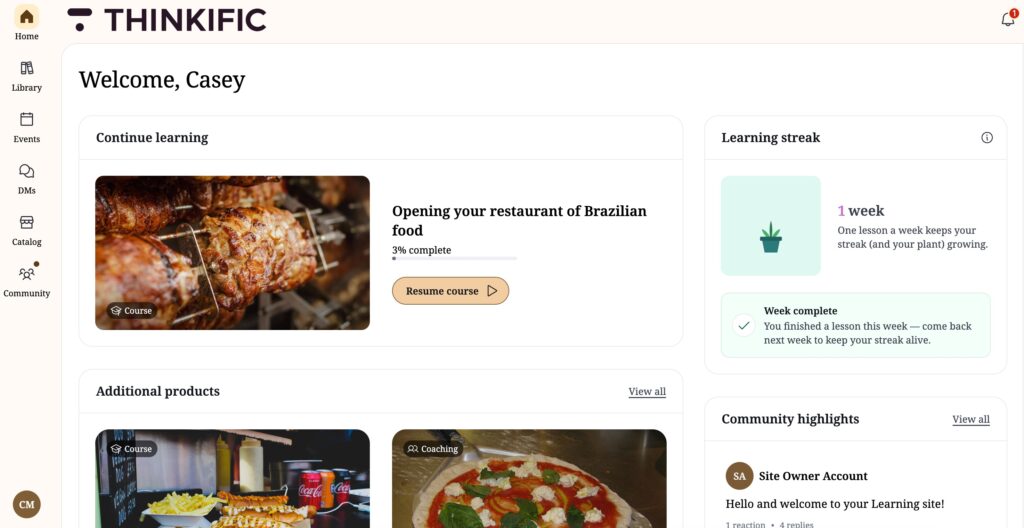
For customers on Plus plans, Personalized Goals give each learner a reason of their own: three AI-suggested goals based on their enrolments, or one they write themselves, enabled via the Goals widget in your Learner Hub.
The Hub itself is also easier to make yours. For customers on Plus plans, the AI Widget Generator turns a plain-language description into a widget styled to your brand, and Custom Pages are now on all plans, so you can build up to 100 pages with mobile preview before publishing. Custom pages and widgets now work in the mobile app too, so the experience you build travels with your learners.
New course builder: closing the biggest gaps
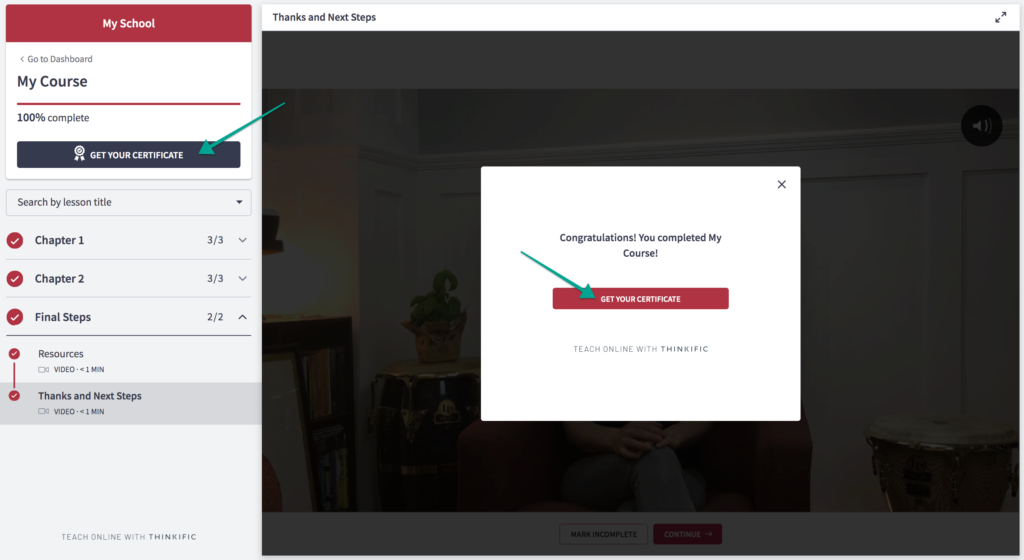
Drip scheduling has arrived in the new course builder: control exactly when content unlocks, by calendar date or days after enrolment, built for cohorts, compliance programs, and paced journeys. Quizzes took a big step up alongside it, with select-all-that-apply questions, per-answer explanations that teach learners why an answer is right or wrong, minimum passing grades, and text formatting in questions. And when a learner finishes their final lesson, a new completion moment celebrates the milestone, with a “Get your certificate” prompt for courses that issue one.
Everyday course management got faster too. Duplicate an entire course in one click, copy any lesson from one course into another, and rename, hide, or delete lessons right from the redesigned course tree. No rebuilding from scratch, no navigating away. The new Downloads block attaches files like worksheets, templates, PDFs, and slide decks directly to lessons. And the Asset Library now works across all your courses, giving you one consistent place to upload, browse, and reuse media, with support for more file types. Explore what’s new in the course builder.
TCommerce: sell more, bill clearly, no surprises
Shop with Cart leads the way: buyers can now add multiple products to a single cart and pay once through Thinkific Payments, getting one receipt and one order record. One of our most requested commerce capabilities ever, and it’s now a simple toggle in your Settings.

Subscriptions got clearer across the board. Monthly subscribers now receive a renewal reminder 7 days before their next charge, which means fewer failed payments and fewer surprises. Subscription Repricing exports now include each learner’s new-price billing date. And learners now get a clearer picture of their free trial, with an updated receipt that spells out the renewal price, billing frequency, trial end date, and how to cancel. Fewer surprises for them, fewer disputes for you.
Thinker: smarter, roomier, and ready to sell
Thinker now works inside SCORM courses (including those built in Articulate), automatically bringing AI-powered learner support to that content for the first time. It also indexes video and multimedia lessons when a course is added, so it can reference material it was previously blind to. For a more immersive or comprehensive conversation, learners can expand Thinker from the side panel into a full-screen view and back with one click.
For customers on Plus plans, Thinker is also now something you can sell. Include it in any bundle or membership, with access following each enrolled learner rather than switching on site-wide, so you can package it as a premium add-on.
Communities: reach everyone, keep things tidy
@space notifications let you notify everyone in a community space with a single mention, the fastest way to re-engage members and bring them back.
You can now also archive and delete communities the same way you manage courses: archived communities no longer appear on catalog pages, and ones you no longer need can be removed for good.
Check back next month to see the latest releases that help you retain learners, sell more and scale without limits.