

If you run learning at scale, the platform underneath you should adapt to your business, not the other way around. That’s the thread running through everything we shipped in June: more control over how your content is built, how your learner experience looks and behaves, and how your revenue works. Here’s the story.
A course builder that keeps up with your content
The new course builder picked up three big improvements in June, each one giving your lessons more polish and pull. Audio Blocks mean you can upload audio straight into a lesson, no workarounds or external embeds, whether that’s expert interviews, guided practice, or full audio modules. Free Preview brings one of the most effective conversion tools on the platform into the new course builder: mark individual lessons as free previews and let prospective learners experience your teaching before they buy. And text formatting (font styles, colours, highlighting) means your lessons now better reflect your brand. Learn more.
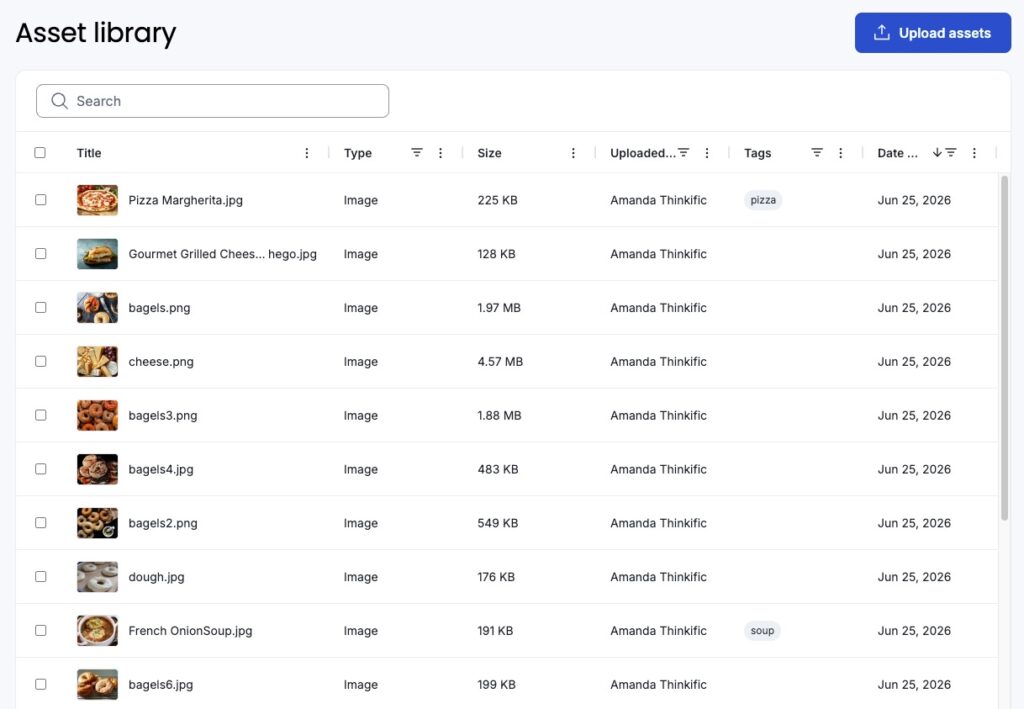
Behind the scenes, the new Asset Library means you no longer have to hunt through all your individual courses for that one video or PDF. Media assets that you’ve uploaded across your courses now live in a single searchable home where you can edit titles and descriptions, or clear out what you no longer need. Available to customers on the new course builder.
A learner experience shaped around your audience
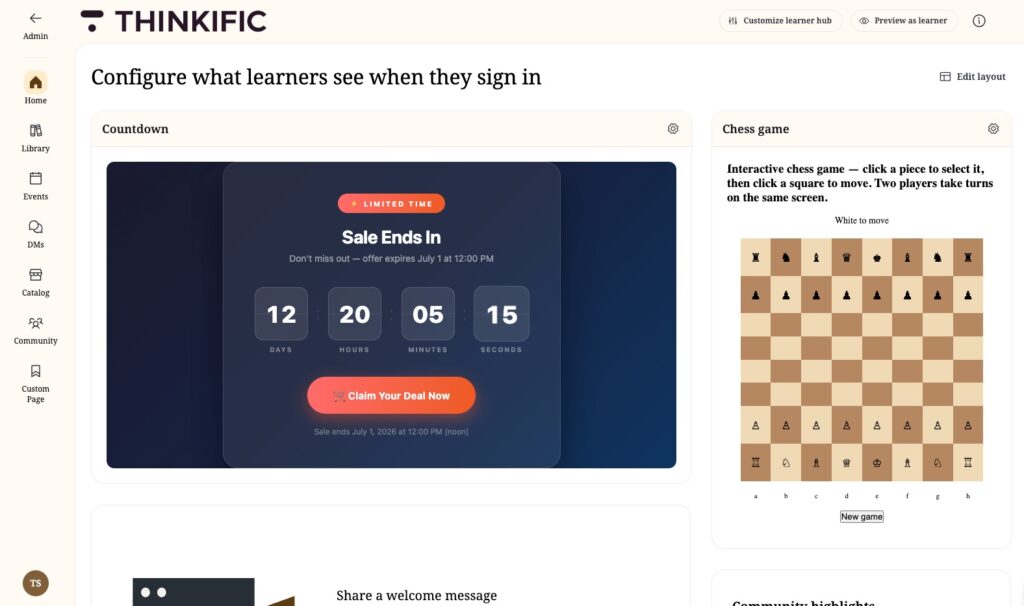
The Learner Hub took its biggest step yet toward feeling truly yours. Custom pages let you extend the Learner Hub’s navigation with your own destinations: pages built natively in the Learner Hub, links to external resources, or embedded existing pages. When the built-in options don’t cover a use case, custom widgets let you build your own: drop in your code, preview it live, and place it anywhere in the Learner Hub — from leaderboards to habit trackers to the CTA only your business would think of. Both are available on Plus plans. The Learner Hub is rolling out to customers in stages, so if you don’t see it in your account yet, it’s on the way. Learn more.
And because a branded experience is more than looks, Site Footer Code now extends across the Learner Hub and new Course Builder, so the tracking and integrations your operation depends on come with you, with opt-in control over where your code runs.
On branded mobile, in-app purchases now include Communities, Digital Downloads, and Events, so your customers’ entire buying journey can happen seamlessly on mobile.

Revenue tools that work the way you do
For businesses built on recurring revenue, June delivered the change you’ve been asking for: Subscription Repricing. Until now, a price change applied to new signups only, and updating existing subscribers meant per-learner manual work. Now you choose whether a new price applies to new signups or to everyone. Changes are scheduled 30 days out, apply at each learner’s next billing date, and come with a downloadable list of affected learners for your own outreach. Available to TCommerce customers on Start plans and above.
Checkout got more flexible at both ends for TCommerce customers. You can use our API to generate a single checkout link covering multiple products, prices, and quantities, processed as one transaction with one receipt. Available on Plus plans. And when a buyer abandons their cart before purchasing, you can now trigger your own follow-up automatically, such as an email sequence or retargeting offer, using the tools you already have.
Learners who get help the moment they need it
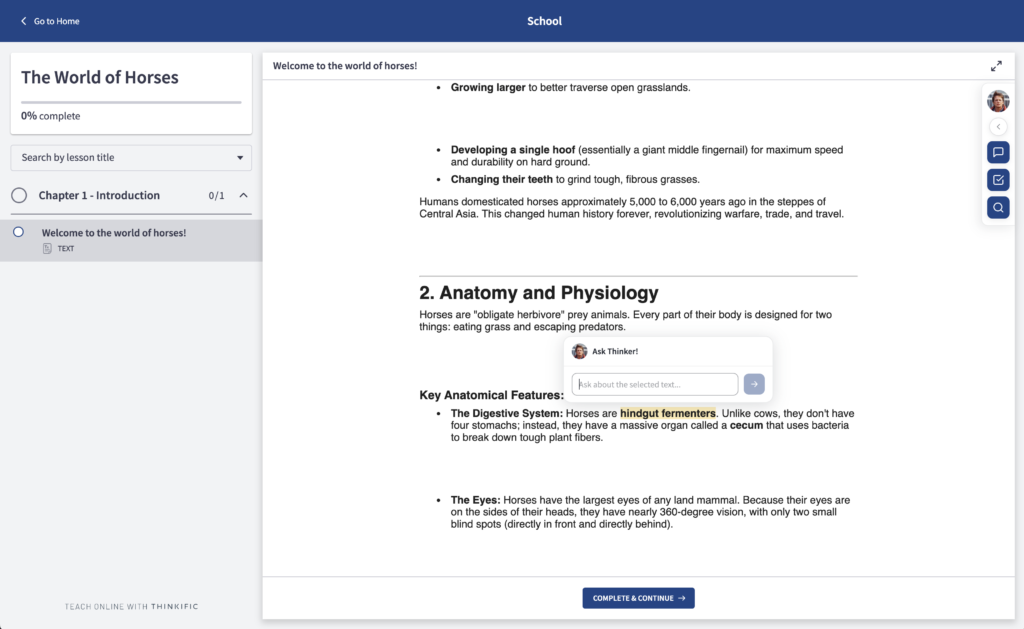
Thinker moved from “a chat you can open” to one that meets learners where they’re stuck. Learners can now highlight any text in a lesson and ask Thinker about it: a small composer appears right beside their selection, and Thinker answers with the text as context. No copy-paste, no losing their place, and it’s fully keyboard and screen-reader operable. Conversations feel faster too: responses now stream in as they’re generated, and prompt suggestions help learners know what to ask first.
That same support now shows up after assessments. With Post-Quiz Review, a learner who gets questions wrong can now quickly learn why and keep moving. Thinker reviews their incorrect answers, explains the concepts being tested, and links them back to the exact lessons to revisit, turning a frustrating moment into a path forward. Live for all learners on Thinker-enabled sites as of June 19.
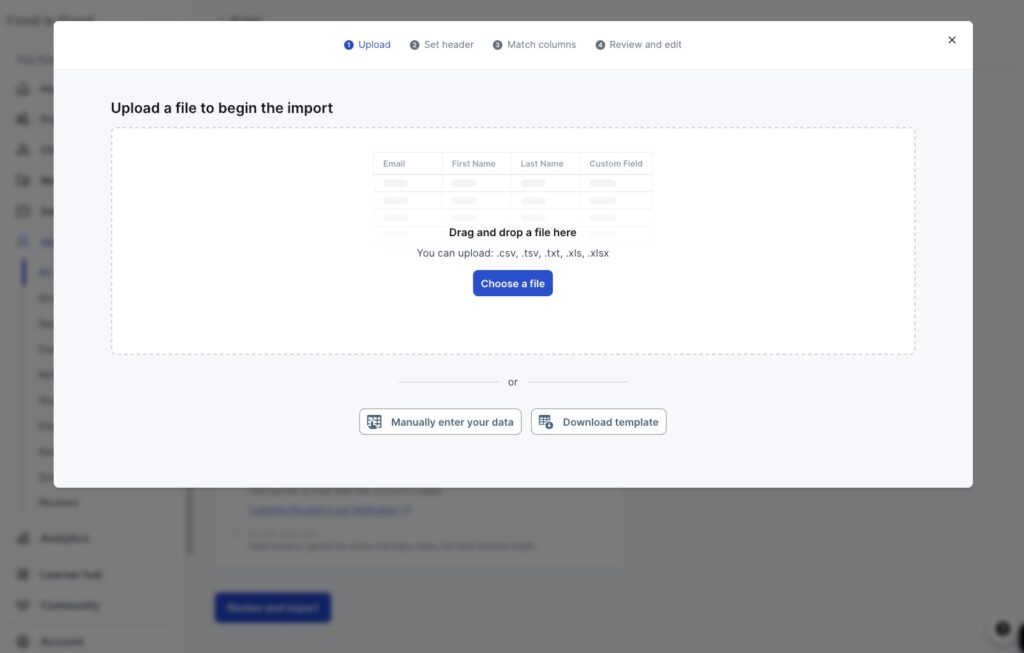
Within Communities, when a learner comments, replies, or likes a post, they’ll automatically follow it and get notifications for new activity. For your operations team, Communities now support bulk enrollment and unenrollment via Smart Importer, the same flow you already use for courses and bundles, so onboarding a large cohort into everything happens at once. Available on Grow plans and above.
These roundups land every month, covering everything we’ve released and what it makes possible for your business. July is already taking shape, and we’ll be back next month with more.