

Not every learning management system is built to deliver continuing education (CE).
If you’re a professional body, association, or regulated organization running a CE program, your needs go far beyond hosting courses, enrolling learners, and tracking completions. Which means you need a continuing education LMS that can manage the rules, records, and reporting behind credit-bearing education.
This guide explains what to look for in a continuing education LMS, especially regarding credit tracking, attendance verification, certificates, learner records, and reporting, so your training team can choose a platform that effectively handles the learner experience and the administrative work that supports it.
Skip ahead:
- What is the difference between a continuing education LMS and a general-purpose LMS?
- Features to look for when choosing a continuing education LMS
- The top 5 continuing education LMS for professional training
- How to evaluate CE LMS platforms for your continuing education program type
- The right CE LMS removes the operational weight from your program
- Continuing education LMS FAQs
What is the difference between a continuing education LMS and a general-purpose LMS?
The difference between a continuing education LMS and a general-purpose LMS is specialization around credit-bearing education.
A general-purpose LMS is built to deliver, track, and manage training across many use cases, and is primarily optimized for course delivery and learner progress tracking. A continuing education LMS, on the other hand, is built for professional training that needs to count toward credits, licenses, certifications, renewals, or accreditation requirements.
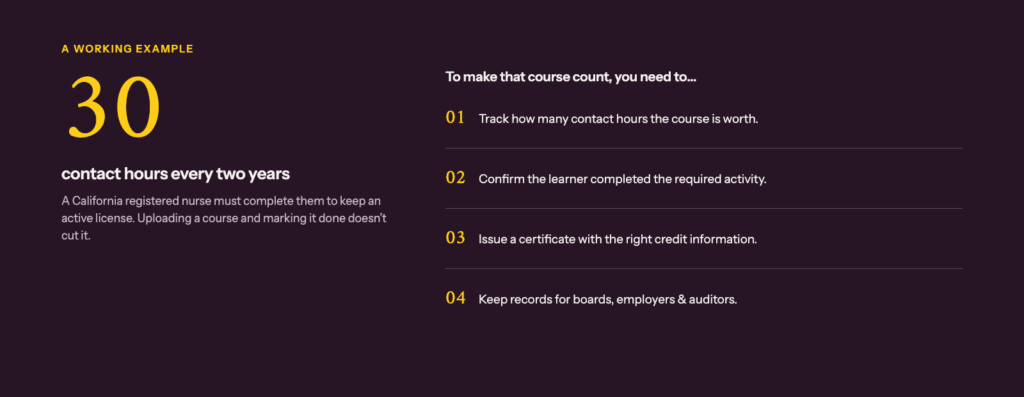
Take nursing, for example. In California, registered nurses need to complete 30 contact hours of continuing education every two years to maintain an active license. So if you run a continuing education program for nurses, it is not enough to simply upload a course, mark it complete, and issue a generic certificate.
You need to track how many contact hours the course is worth, confirm that the nurse completed the required learning activity, issue a certificate with the right credit information, and keep records in case the learner, employer, licensing board, or accrediting body needs proof later.
That is where a continuing education LMS is different from a general-purpose LMS. A general LMS can help you deliver the course, but a continuing education LMS helps you manage the credit, documentation, and compliance layer around the course.
Here are some other differences between a continuing education LMS and a general-purpose LMS:
| Continuing education LMS | General-purpose LMS | |
|---|---|---|
| Credit tracking | Tracks the number and type of credits earned, such as CEUs, CPE credits, CME credits, contact hours, or professional development hours. | Tracks whether a learner completed a course. |
| Attendance verification | Verifies whether the learner met the attendance or participation requirements needed to earn credit, especially for webinars, live sessions, and hybrid events. | May show that a learner logged in, viewed content, or finished a lesson. |
| Certificates and transcripts | Issues certificates with credit details, completion dates, provider information, accreditation details, and other information learners may need for license renewal or employer records. | Issues basic completion certificates. |
| Compliance records | Maintains records that may need to be reviewed later by an accrediting body, licensing board, employer, or auditor. | Stores learner activity and completion data. |
| Reporting | Reports on credits awarded, eligible completions, attendance, evaluations, certificate status, and learner records across reporting periods. | Reports on course progress, completion rates, quiz scores, and learner engagement. |
Features to look for when choosing a continuing education LMS
When choosing a continuing education LMS, you still need the standard features you would expect from any strong learning platform, including an easy learner experience, mobile-friendly courses, quizzes, discussion tools, analytics, and content management.
Think of these as table stakes.
On top of that, you’ll also need to prioritize features that help you manage the administrative and compliance requirements that come with continuing education: tracking credits, verifying participation, issuing accurate certificates, maintaining learner records, and reporting on completions when needed.
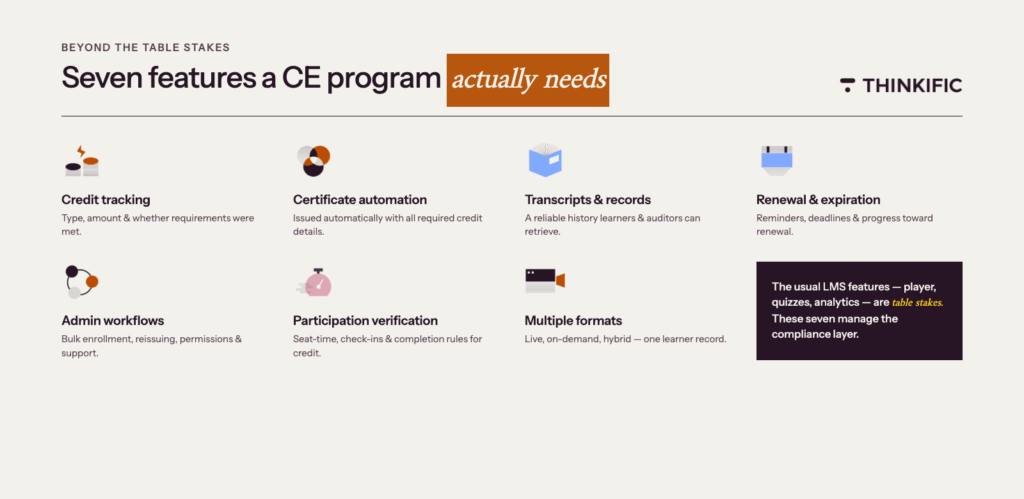
1. Credit tracking
Your LMS should track exactly what type of credit each learner earned, how many credits they earned, and whether they met the requirements to earn them. This makes it easier to issue accurate certificates, maintain reliable learner records, and prove that learners earned valid credit if they need documentation for accreditation purposes.
For example, if a learner attends a two-hour webinar, completes the required evaluation, and passes the post-test, the LMS should be able to record that they earned the correct number and type of credits. If they only attend part of the webinar or skip the evaluation, the LMS should prevent the certificate from being issued until the requirements are met.
2. Certificate automation
Learners often need certificates for license renewal, employer records, association requirements, or professional audits. Your LMS should automatically issue certificates once learners complete the required steps.
Those certificates should include key details such as the learner’s name, course title, completion date, credit hours, provider information, accreditation or approval details, and any required language.
3. Learner transcripts and records
A continuing education LMS should give learners access to a reliable record of completed courses, credits earned, and certificates received.
This also helps your team. If a learner, employer, licensing board, or accrediting body asks for proof later, you should be able to retrieve the right records without digging through spreadsheets, emails, webinar exports, or disconnected systems.
4. Renewal and expiration tracking
If learners use your courses to maintain a license, certification, or credential, your LMS should help them track progress toward renewal.
Useful features include renewal reminders, expiration dates, required credit tracking, and learner dashboards that show what has been completed and what is still outstanding.
5. Admin workflows and supportability
Your LMS should make it easy for your team to manage the operational work behind continuing education. Look for bulk enrollment, mass updates, role-based admin permissions, learner impersonation, certificate reissuing, notification controls, course versioning, and responsive support.
These features may not sound as exciting as learner engagement tools, but they make it easier to manage continuing education at scale and keep learner records accurate without relying on external systems like spreadsheets.
6. Attendance and participation verification
Your LMS should help you prove that learners attended or participated enough to earn credit.
For live webinars, workshops, conferences, and hybrid events, it may not be enough to know that someone registered. You may need to confirm that they attended the required portion of the session or completed the activities needed to qualify for credit.
Look for features like attendance tracking, webinar integrations, check-ins, seat-time requirements, poll participation, and completion rules.
7. Support for multiple learning formats
Continuing education is rarely limited to self-paced online courses. Many programs include live webinars, in-person workshops, hybrid events, annual conferences, on-demand courses, and bundled learning paths. Each format can have different requirements for attendance, participation, assessment, credit eligibility, and certificate issuance.
A strong continuing education LMS should keep the full learner record in one place, regardless of how the education is delivered. That way, your team can track who attended, what they completed, which credits they earned, and which certificates were issued across all learning formats.
The top 5 continuing education LMS for professional training
Now that you know the features to look for in a continuing education LMS, here are some of the most widely used options.
1. Thinkific
Best for: Professional associations, regulated organizations, and CE providers that want to package and deliver credit-bearing courses through a branded learning experience, without the complexity of a purpose-built CE system.
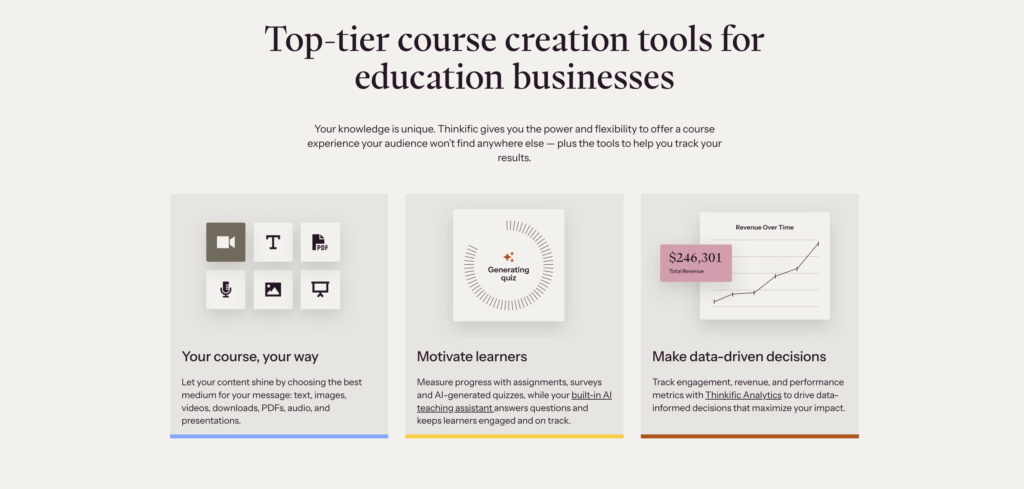
Thinkific is a strong fit for continuing education providers that want to build, manage, and deliver professional training through a polished online learning experience. If your program needs learners to complete structured courses, meet completion requirements, receive credit-bearing certificates, and access their records in one place, Thinkific handles that workflow without requiring a dedicated LMS administrator to keep it running.
For CE programs with more advanced needs, Thinkific Plus also supports SCORM, learning paths, integrations, API access, onboarding support, and customer success support. That can be helpful if you need more control over content formats, learner pathways, reporting, and integrations as your program grows.
Here’s how Carrick Institute, a global leader in Neuroscience education, uses Thinkific to manage course delivery at scale.
Why choose Thinkific for continuing education?
- It gives your CE program a credible, professional home. Continuing education still has to feel worth completing. Thinkific lets you build a branded learning environment with structured courses, assessments, certificates, and mobile-friendly access, so learners take the experience seriously and your organization’s name carries weight behind the credential.
- It handles the certificate and enrollment workflow without heavy setup. If your CE program needs learners to complete courses, meet completion requirements, and receive a certificate, Thinkific manages that end-to-end. No manual certificate issuing. No spreadsheet tracking. No separate tool for enrollment.
- Thinkific Plus covers more complex needs as your program grows. For CE programs that need SCORM, learning paths, API access, multi-site administration, and dedicated customer success support, Thinkific Plus gives you the infrastructure to scale without switching platforms.
Thinkific Pricing: From $74/month. Thinkific Plus has custom pricing available on request.
2. CE21
Best for: Associations and professional education providers that need a CE-specific platform for managing courses, credits, certificates, events, and learner records.
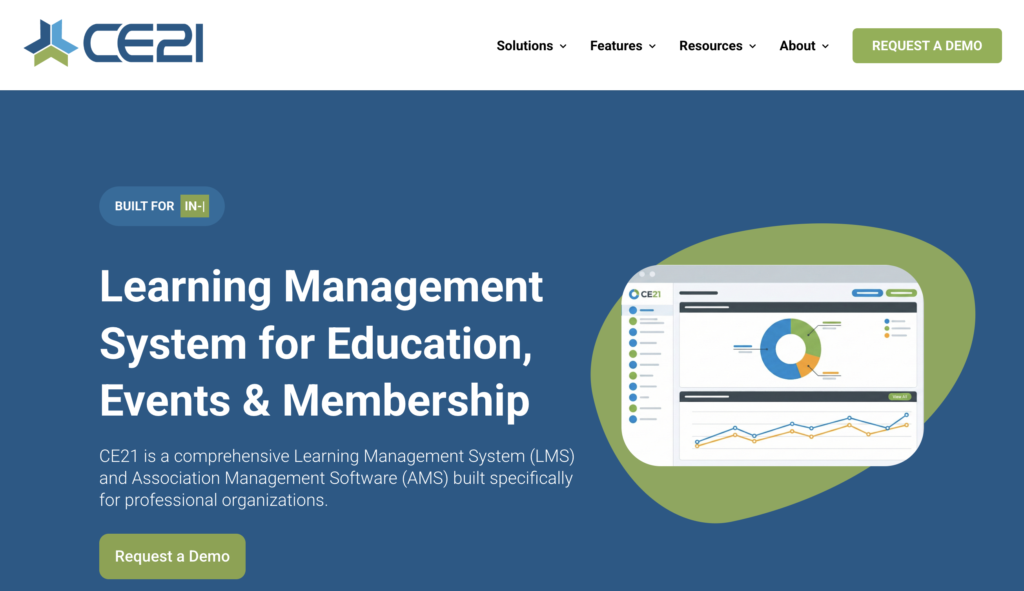
CE21 is worth considering if your continuing education program runs on live events, webinars, conference sessions, and on-demand replays, not just self-paced courses.
This is the kind of platform that makes sense when your team needs to answer questions like:
- Did this person attend the webinar long enough to earn credit?
- Has the replay been turned into an on-demand course?
- Did the learner complete the evaluation before getting a certificate?
- Can we pull the right credit and attendance records if someone asks for proof?
Overall, CE21 works well for organizations that need to manage the moving parts around continuing education, especially event registration, live and on-demand learning, attendance tracking, certificates, credits, and learner records.
Its features include:
- Live, virtual, hybrid, and on-demand learning. CE21 combines a learning management system, member management, and event platform into one central tool.
- Live learning engagement tools, including live chat, Q&A, polls, and forums, to support learner participation.
- AMS and membership integration, which can be useful for associations that want member data, event attendance, education records, and certification status connected in one system.
- Automated credit tracking for professional credit types like CME, CLE, CEU, and CPE.
Why choose CE21 for continuing education?
- Your CE program has a lot of moving parts. CE21 makes the most sense when you are not just selling self-paced courses. If your team runs webinars, live sessions, replays, conferences, certification programs, and on-demand education, CE21 is designed for that kind of setup.
- Your admins and learners both need the platform to be easy to use. Multiple customer reviews specifically note that CE21 is user-friendly on both the administrative and learner sides, which matters for CE programs where staff are managing records and learners need a clear path to completion, certificates, and proof of credit.
- You want strong and reliable support when something breaks or needs to be configured. Reviews repeatedly point to CE21’s support team as a major strength.
- You want fewer disconnected systems. CE21 is especially relevant if your team is tired of pulling attendance from one tool, issuing certificates from another, tracking credits in spreadsheets, and managing events somewhere else. Its value is in bringing the CE workflow closer together.
CE21 pricing: Custom pricing plans available on request.
3. TopClass LMS
Best for: Associations, nonprofits, and certification bodies that need CE, certification management, member learning, e-commerce, and AMS-connected workflows.
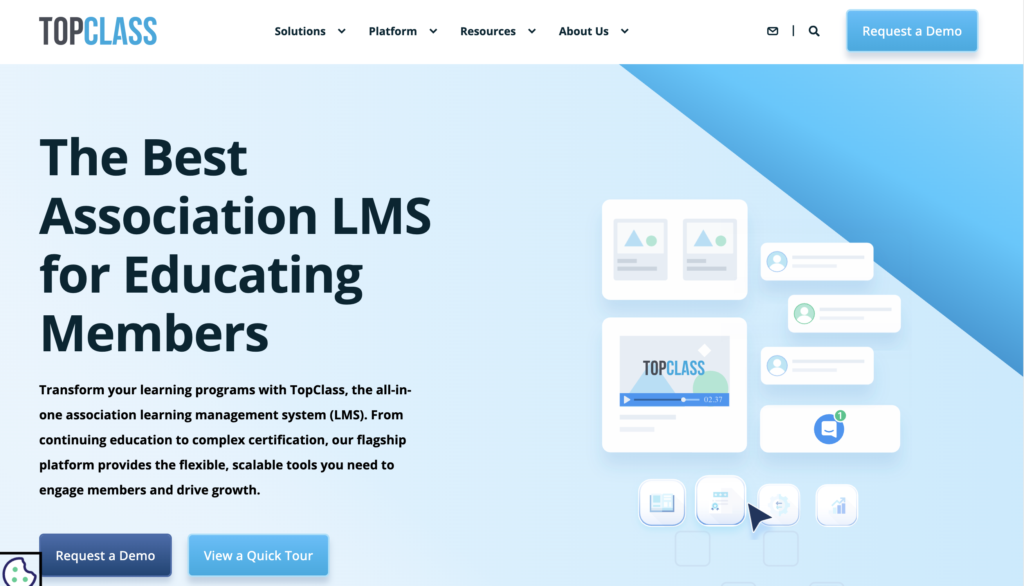
TopClass LMS works well for organizations where continuing education is part of a larger member or certification ecosystem. That’s why it’s commonly used by associations, credentialing bodies, nonprofits, and professional education organizations that need to manage more than course delivery.
For these organizations, the LMS often has to connect member records, CE credits, certification progress, renewals, e-commerce, and reporting. TopClass is built for that kind of setup, helping learners complete courses, and also helping organizations manage the relationship between learning, membership, and credentials.
TopClass LMS features include:
- AMS and CRM integrations. TopClass integrates with association and CRM systems like iMIS, Salesforce, Personify, and NetForum, which helps organizations connect learning data with member records, pricing, access rules, and reporting.
- Standards-based content support. TopClass supports industry standards like SCORM and xAPI, which is useful if your organization already has formal training content or needs to import courses from external authoring tools.
- Flexible learning formats. TopClass supports online courses, live events, instructor-led training, blended learning, microlearning, self-study, assessments, social learning, and interactive video.
- E-commerce support for education programs. Organizations can sell courses, certifications, bundles, and professional development programs using payment options, discounts, coupons, promotional bundles, and multiple currencies.
Why choose TopClass LMS for continuing education?
- Your CE program is part of a member journey. If learners are also members, certificants, volunteers, or association customers, TopClass helps connect learning activity with member data instead of treating education as a separate system.
- Certification and renewal are central to your program. TopClass is designed for organizations that manage structured certification paths, credentials, digital badges, micro-credentials, expiration dates, renewal rules, and maintenance requirements.
- Professional development is a revenue stream. TopClass supports e-commerce for courses, certifications, bundles, discounts, coupons, multi-currency payments, and course fees, which matters if your organization uses education to grow non-dues revenue.
- TopClass LMS pricing: Custom pricing. Use the pricing calculator on their site to get an estimate based on your required features and number of users.
4. LearnUpon
LearnUpon is worth considering if you need a professional training LMS that can scale across different audiences without becoming too difficult for your team to manage.
While it isn’t specifically built for CE training, LearnUpon works well when continuing education is part of a broader training operation, for example, when you need to train members, customers, partners, employees, or certified professionals from one system.
You can manage courses, learning paths, certificates, live training, reports, integrations, and learner groups in one place. It also supports professional development credits, including CPD, CEU, CME, and custom credit types.
LearnUpon features include:
- Learning credits. LearnUpon lets organizations set up credits for CPD, CEU, CME, or custom professional development systems, then assign those credits to courses.
- Certificates and certificate sharing. Admins can create certificates for successful learners, and learners can download or share them on LinkedIn.
- Recertification workflows. LearnUpon can automatically re-enroll learners before certificates expire, which is helpful for organizations that deliver training tied to ongoing compliance, professional qualifications, or renewal cycles.
- SCORM and xAPI support. LearnUpon supports SCORM 1.2, SCORM 2004, and xAPI, making it easier to use formal eLearning content created in external authoring tools.
- Reporting. LearnUpon includes reporting tools for learner progression, exam results, survey responses, training histories, and other learning data.
Why choose LearnUpon for continuing education?
You train more than one audience. LearnUpon works well when your CE program is not limited to one learner group. If you need separate experiences for members, customers, partners, employees, or certified professionals, its portal and group management features can help keep those audiences organized.
You want CE tracking without a highly specialized CE platform. LearnUpon supports professional development credits including CPD, CEU, CME, and custom credit types, making it useful for programs that need to track credits and certificates without a platform built only around complex accreditation workflows.
You expect the program to grow. LearnUpon makes sense if your continuing education program may expand across more courses, learner groups, regions, teams, or training use cases over time.
LearnUpon pricing: Custom pricing plans. Third-party research suggests pricing starts at around $15,000 per month.
5. Path LMS
Best for: Associations, nonprofits, and professional education teams with webinar- or conference-driven CE programs.
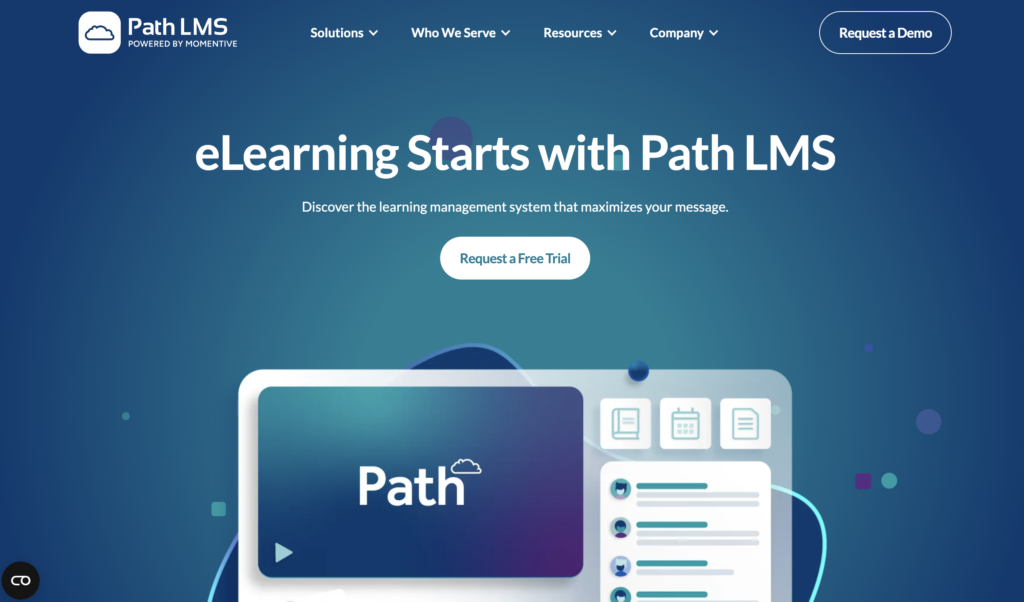
Path LMS is a good fit for associations and professional education providers that want to get more value from webinars, conferences, and live programs.
Its strength is turning event-based education into a longer-running CE catalog. For example:
- A webinar can become an on-demand course.
- A conference session can become part of a member learning library.
- A live training program can be tied to completion rules, credits, certificates, and learner records.
That makes Path LMS useful for organizations that already produce a lot of educational events and want a better way to package, track, and reuse that content after the live session ends.
Path LMS features include:
- Live and on-demand learning. Path LMS supports live webcasts, webinars, virtual events, online courses, and on-demand content.
- CE credit management. Teams can manage continuing education credits, set completion requirements, and issue credits when learners meet the right criteria.
- E-commerce and member pricing. Organizations can sell learning content through a built-in shopping cart, offer coupons, and support member group pricing.
- Reporting. Path LMS includes reporting tools for learner activity, attendance, completion, certificates, and credits.
- Custom certificates. Path LMS lets organizations create custom certificates for completion or CE credit, so learners can get documentation that reflects the course, credit type, provider, and completion requirements.
- Attendance and completion tracking. The platform helps teams track who attended, what they completed, and whether they met the requirements to receive credit or a certificate.
Why choose Path LMS for continuing education?
- You want to keep learning and events connected. Path LMS makes the most sense when your education program includes both formal courses and event-based learning, rather than treating webinars, conferences, and on-demand content as separate experiences.
- You serve association members or professional communities. Path LMS is a natural fit for organizations where education is part of member engagement, professional development, and non-dues revenue.
- You want fewer one-off learning experiences. Instead of treating every webinar or conference session as a standalone event, Path LMS helps you organize that content into a structured learning catalog learners can return to over time.
- Path LMS pricing: Custom pricing plus a free trial. Third-party sources suggest pricing starts at around $800 per month.
How to evaluate CE LMS platforms for your continuing education program type
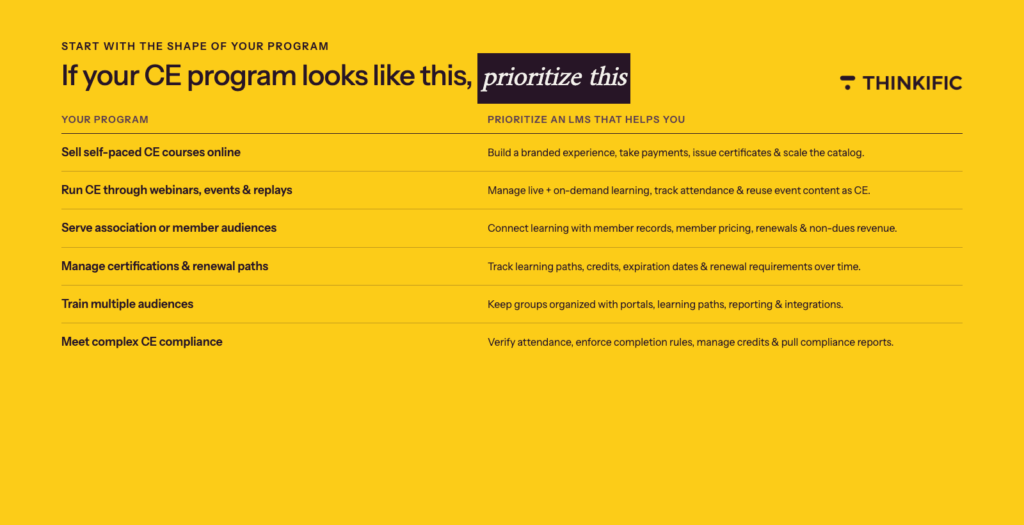
The best continuing education LMS depends on the type of CE program you run. A platform that works well for a self-paced professional training business may not be the right fit for an association running webinars, annual conferences, certification renewals, and member education.
Before comparing features, start with the shape of your program.
| If your CE program looks like this… | Prioritize an LMS that helps you… | Platforms to consider |
|---|---|---|
| You sell self-paced CE courses or professional training online | Build a branded course experience, sell courses, manage payments, issue certificates, and scale your catalog without a heavy technical setup. | Thinkific |
| You run CE through webinars, conferences, live events, and replays | Manage live and on-demand learning, track attendance, turn event content into reusable CE, and keep credits and certificates connected. | Path LMS, CE21 |
| You are an association or member-based organization | Connect learning with member records, member pricing, certification progress, renewals, and non-dues revenue. | TopClass LMS, Path LMS, CE21 |
| You manage certifications, credentials, or renewal paths | Track structured learning paths, CE credits, expiration dates, renewal requirements, certificates, and learner progress over time. | TopClass LMS, Path LMS, CE21 |
| You train multiple audiences, such as customers, partners, employees, members, or certified professionals | Keep different learner groups organized with portals, groups, learning paths, certificates, reporting, and integrations. | LearnUpon |
| You have complex CE compliance requirements | Verify attendance, enforce completion rules, manage credits, generate certificates, maintain records, and pull compliance reports with less manual work. | CE21, TopClass LMS, Path LMS |
Once you know your program type, use these questions to evaluate fit.
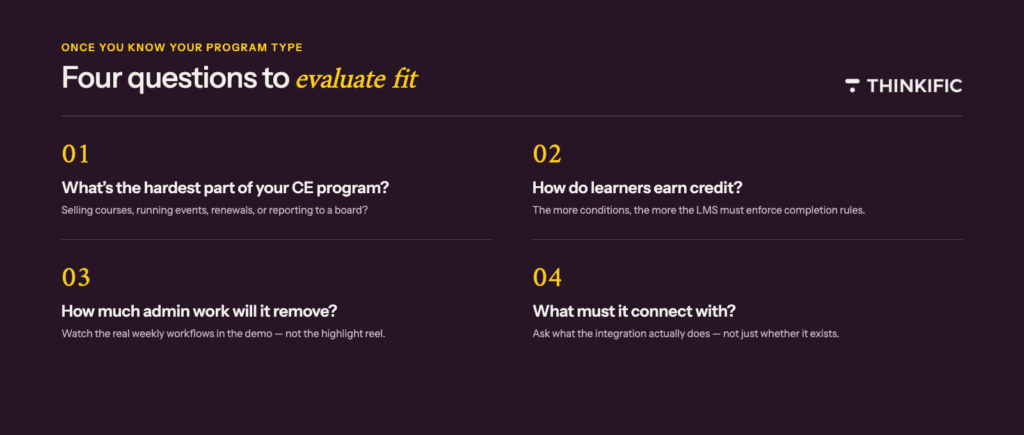
1. What is the hardest part of your CE program?
If your hardest problem is launching and delivering CE courses, prioritize course creation, learner experience, and certificates. If your hardest problem is managing webinars, events, replays, attendance, and CE records, prioritize event-based learning workflows.
If your hardest problem is certification renewal, prioritize learning paths, credits, expiration dates, renewal rules, and learner transcripts. If your hardest problem is reporting to a board, employer, association, or accrediting body, prioritize reporting, recordkeeping, and data exports.
2. How do learners earn credit?
Every CE program has rules for when a learner should receive credit. Your LMS should be able to support those rules without forcing your team into manual checks.
Ask:
- Does the learner need to complete a course?
- Attend a live session?
- Stay for a minimum amount of time?
- Pass a quiz or post-test?
- Complete an evaluation?
- Submit proof of outside learning?
- Complete a series of courses before earning a certificate?
The more conditions you have, the more important it is to choose an LMS that can enforce completion rules and keep credit records accurate.
3. How much admin work will the LMS remove?
During the demo, ask the vendor to show the admin workflows your team will use every week. For example:
- Enrolling a group of learners
- Reissuing a certificate
- Updating a learner record
- Pulling a credit report
- Creating a webinar-based course
- Turning a live session into an on-demand course
- Tracking renewal progress
- Exporting learner and credit data
If the demo looks easy but your real workflows require workarounds, that is a warning sign.
4. What systems does the LMS need to connect with?
Your LMS may need to work with payment tools, webinar platforms, CRMs, association management systems, email tools, reporting systems, or credentialing platforms.
Don’t stop at asking whether the LMS “integrates” with those tools. You need to know what the integration actually does. For example:
- Does registration data sync automatically?
- Does attendance data flow into the LMS?
- Can credits write back to your AMS or credentialing system?
- Can learner groups update automatically?
- Can certificates or completion records be exported easily?
- Will the integration require custom development?
The right CE LMS removes the operational weight from your program
Not every LMS is built for continuing education, and the difference shows up where it matters most: credit records, attendance verification, certificate automation, and compliance reporting. The platforms in this guide each address a different version of that problem, so the right choice depends less on a feature checklist and more on where your current setup is creating manual work for your team.
That’s what choosing a CE platform looks like when you start with the problem, not the feature list.
Deliver your CE program on Thinkific
Thinkific is built for professional associations and regulated organizations that need to deliver credit-bearing courses, manage completion requirements, and issue certificates from one place. For programs with more complex requirements, Thinkific Plus adds SCORM, API access, multi-site administration, and dedicated customer success support so your program can scale without switching platforms.
Start a free trial or book a demo with the Thinkific Plus team.
Continuing education LMS FAQs
1. What specific features should I prioritize when evaluating different continuing education LMS options?
Prioritize features that help you track, prove, and manage learning outcomes. Look for credit tracking, certificate generation, compliance reporting, learner progress reports, automated reminders, e-commerce, and support for live, on-demand, or blended learning.
2. Are there any recommended continuing education LMS platforms that excel in credit tracking and compliance?
Platforms like Thinkific, CE21, TopClass LMS, LearnUpon, and Path LMS are commonly used for continuing education programs. The best choice depends on your needs, but look for a platform that can track credits, issue certificates, store learner records, and generate compliance-ready reports.
3. How can I effectively transition from a general-purpose LMS to a continuing education LMS?
Start by identifying where your current LMS creates manual work, especially around credits, certificates, reporting, and compliance. Then map your existing courses, learner records, and credit requirements before migration. Test the new LMS with a small group first, confirm that tracking and reporting work correctly, then roll it out fully.