Home
|
Vs the competition
Thinkific Plus vs. Moodle: Which LMS is right for you?
Both Thinkific and Moodle are built for organizations running learning at scale, but Thinkific leads on time to value, ease of use, and native ecommerce capabilities. This comparison is designed to highlight the similarities and core differences between the platforms to help you choose the right LMS for your business.
Summary
Thinkific is a fully managed enterprise-ready LMS built for businesses that need to launch fast, generate revenue from learning, and scale without a dedicated technical team. Moodle is an open-source software that’s highly configurable but requires self-hosting, developer resources, and ongoing IT maintenance. Moodle is designed for academic institutions and large organizations with rigid data control needs. Thinkific includes built-in ecommerce and award-winning dedicated support, while Moodle doesn’t.
Thinkific and Moodle are LMS platforms, but differ in who they’re built for, how the platforms are structured, and how much technical overhead is needed. Thinkific is fully managed and designed for scaling organizations that want to generate revenue from learning programs and ones that prioritize operational speed without technical dependency. Moodle is open-source and highly configurable, but requires self-hosting and significant technical lift to operate at enterprise scale.
This guide covers the key differences across the capabilities that matter most to organizations choosing an LMS.
Key takeaways:
- Thinkific is easier to launch and manage. According to G2, Thinkific scores higher for ease of setup versus Moodle, with no servers, developer resources, or plugin maintenance required at any scale
- Thinkific supports monetization with native tools for subscriptions, bundles, order bumps, and upsells that Moodle can’t match without custom plugins and integrations
- Thinkific includes built-in AI-powered tools for course creation, quiz building, and learner support, all ready to use with no API keys or technical configuration required
- Thinkific pricing scales predictably with your business, unlike Moodle, where infrastructure and maintenance costs are difficult to predict and often catch organizations off guard
- Moodle’s open-source flexibility is practical for organizations with dedicated IT resources, but implementation and ongoing maintenance costs add up fast and are rarely factored into initial costs
Winner by category:
- Best for fast time to launch: Thinkific. Most businesses go live in 30 days with a fully managed setup that doesn’t require technical resources
- Best for revenue-generating organizations: Thinkific. Native ecommerce includes subscriptions, bundles, upsells, gifting, and Buy Now Pay Later, with no plugins or custom development
- Best for total cost of ownership: Thinkific. Fully hosted with no infrastructure, maintenance, or hidden implementation costs compared to Moodle’s self-hosted TCO, which typically runs $50,000–$150,000+ over three years
- Best for open-source flexibility: Moodle. Academic institutions and regulated environments that have dedicated IT resources benefit from deep configurability capabilities
At a glance: Thinkific vs Moodle
Here’s how Thinkific and Moodle compare on the features that matter most to learning businesses like yours.
Thinkific | Moodle | |
|---|---|---|
| Best for | Revenue-generating organizations, external training, customer and partner education | Academic institutions, government agencies, organizations with dedicated IT resources |
| Pricing Model | Tiered pricing, fully managed, predictable | Free software, but variable costs for hosting, maintenance, and plugins |
| Implementation time | Up to 2 months, but most customers launch within 30 days | 6 weeks to 6 months depending on complexity |
| Ease of use | Intuitive interface and no-code needed | Steep learning curve, technical skill required |
| Enterprise readiness (SOC 2, SCORM, xAPI) | SOC 2 Type II, SCORM on Plus plan | SOC 2 host-dependent, SCORM, and xAPI |
| SSO | Via plugins or Moodle Workplace | |
| Native integrations | Zapier, HubSpot, Salesforce, Zoom, Mailchimp, Stripe/PayPal via Thinkific App Store | Plugin-dependent (self-hosted only), no native Zapier, Salesforce, or CRM integrations |
| Built-in ecommerce/checkout | — | |
| Analytics dashboard | Basic only | |
| White-label branding | Theme work required | |
| Custom domain | Requires setup | |
| API access | ||
| Open-source flexibility | — | |
| 24/7 customer support | — |
Ecommerce and Monetization
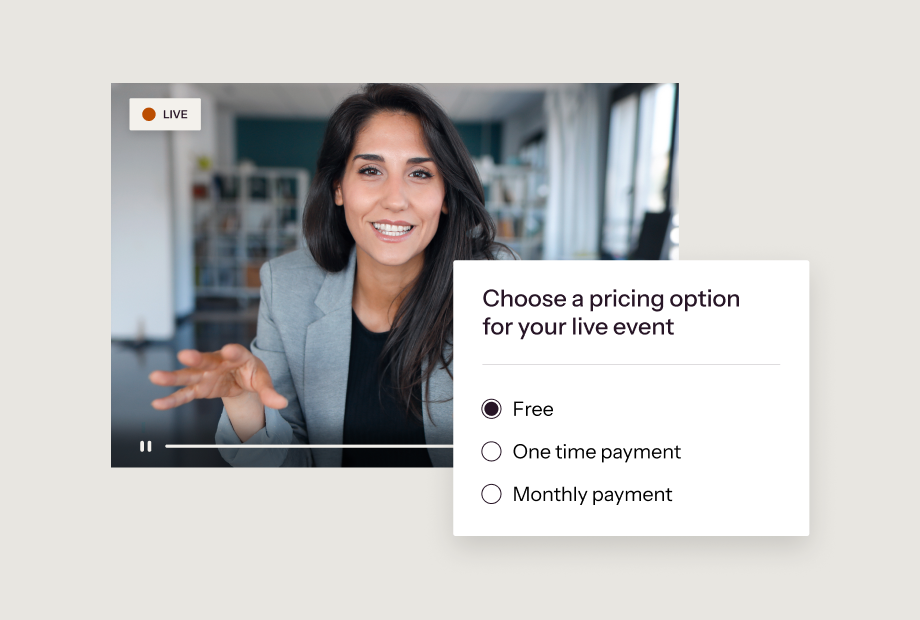
How do Thinkific and Moodle compare for selling and monetizing learning?
Ecommerce and monetization tools give organizations the ability to generate revenue from their external training and customer education programs.
When it comes to ecommerce capabilities, the main difference between Thinkific and Moodle is who each platform is built for. Because Thinkific is purpose-built for revenue-generating and external learning organizations, Plus tier customers get full access to TCommerce, a built-in suite of powerful ecommerce and selling tools.
Moodle, on the other hand, is built for organizations where selling courses isn’t a primary use case. Because of this, its ecommerce capabilities are limited to simple course sales using Stripe or PayPal plugins.
| Feature | Thinkific | Moodle |
|---|---|---|
| Built-in checkout | — | |
| One-time payment pricing | Basic via enrollment | |
| Subscription pricing and payment plans | Requires plugins | |
| Order bumps, upsells, and bundles | — | |
| Coupons and discounts | Requires plugins | |
| Buy Now, Pay Later plans | — | |
| Gifting | — | |
| Tax collection | — | |
| Stripe and PayPal integration | Requires plugins | |
| AI-generated sales landing pages | — |
Fit summary
Thinkific is best suited for organizations that need their learning programs to generate revenue. For Thinkific Plus customers, TCommerce removes the barriers between your content and a paying customer.
Moodle is a better fit for academic institutions and government agencies that don’t require built-in sales tools. Teams that need to monetize learning will likely need custom plugins to do so.
“We’ve seen 486% growth in the last five years since moving to Thinkific Plus.”
— Elizabeth Lawhorn, Director of Competition Development at APHA
Implementation and Time to Launch
Does Thinkific or Moodle offer easier setup and faster time to launch?
Implementation timelines impact how quickly an organization can launch their learning programs. Thinkific is designed for fast-moving businesses looking for a fully managed platform where infrastructure and security are handled for them. A dedicated Customer Success Manager guides migration and onboarding, and no-code customization means your team can start building on day one and go live within weeks.
Self-hosted Moodle requires server provisioning, theme customization, plugin configuration, and often a Moodle-certified developer or agency before the first learner can log in. Even MoodleCloud (Moodle’s hosted tier) requires technical setup to reach enterprise-ready status.
| Implementation and Launch Capabilities | Thinkific | Moodle |
|---|---|---|
| Fully hosted with no server setup required | Self-hosted or third-party | |
| Launch in 30 days or less | Six weeks to six months | |
| No-code setup and configuration | — | |
| No developer or IT team required | — | |
| Plugins required to match full platform capabilities | — | |
| Content migration support included | Partner-dependent | |
| Custom domain and white-label branding from day one | Theme and development work required | |
| Dedicated onboarding support | Varies by host or partner | |
| Platform updates managed automatically | Admin-managed |
Fit summary
For organizations prioritizing a fast launch, Thinkific Plus removes blockers like provisioning, agency search, or waiting on developers. According to G2, Thinkific scores 8.5 for ease of setup versus Moodle’s 7.5.
Moodle’s implementation timeline depends on your deployment model and available technical resources. For organizations with in-house Moodle expertise or an established partner relationship, the setup investment is manageable, but most business teams struggle to absorb it without dedicated IT support.
“We hit go, we purchased Thinkific Plus, and from there, we spent two weeks ramping our content. We had an incredibly successful rollout. We were utilizing Thinkific Plus within four weeks.”
— Jenn Hunter, Co-Founder, PayShepherd (350+ administrative hours saved in 3 months)
Course Creation
How do course creation tools compare with Thinkific vs. Moodle?
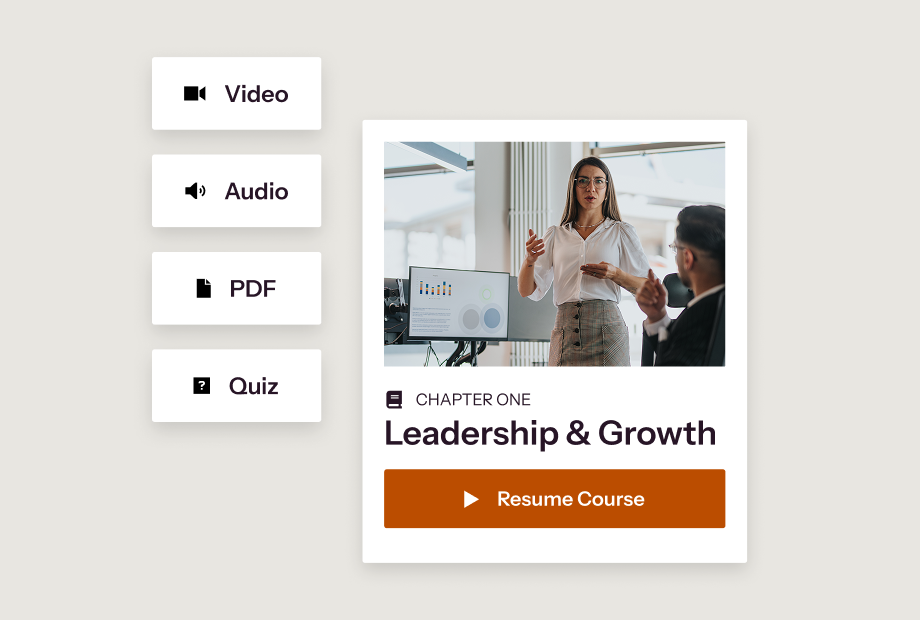
Course creation represents the foundation of a successful learning program. With Thinkific, teams can scale and deliver engaging, high-quality branded courses without requiring technical expertise or developer support. Teams can build, launch, and update courses with an intuitive course builder and AI-powered course creation tools that generate landing pages and course outlines in minutes.
Moodle’s course editor offers deep configurability, but comes with a steep learning curve. Theme changes, activity customization, and content management at scale typically require Moodle-specialized agencies or in-house technical support.
| Course Creation Capabilities | Thinkific | Moodle |
|---|---|---|
| Design and technical experience required | No | Yes |
| Intuitive no-code course builder | Limited | |
| Unlimited courses and learners | Capped by server or hosting plan | |
| Multiple lesson types (Video, audio, text, PDFs, live) | ||
| Downloadable resources, quizzes, and assignments | ||
| SCORM-compliant | ||
| Bulk content import | — | |
| Content migration support | Partner-dependent | |
| Advanced branding and design control (CSS/HTML) | Theme or plugin required | |
| AI-generated course outlines, lessons, and quizzes | — | |
| No developer required for course updates | — | |
| Multi-language content support |
Fit summary
Thinkific Plus is best suited for organizations that want to build and update course content without dedicated technical teams, developers, or agency support. The no-code course builder and AI-powered creation tools reduce production time, making it especially valuable for teams producing content at volume.
For organizations with the budget and dedicated resources to configure and maintain a highly flexible platform, Moodle is a strong option.
“Thinkific Plus offers exceptional scalability, enabling businesses to grow their course offerings and student base without any limitations. It can handle unlimited courses, students, and bandwidth, ensuring businesses can expand their e-learning offerings without worrying about technical constraints.”
— Guy Marion, Chief Marketing Officer, Chargebee (8+ online courses, 5400+ students globally)
Learning Experience
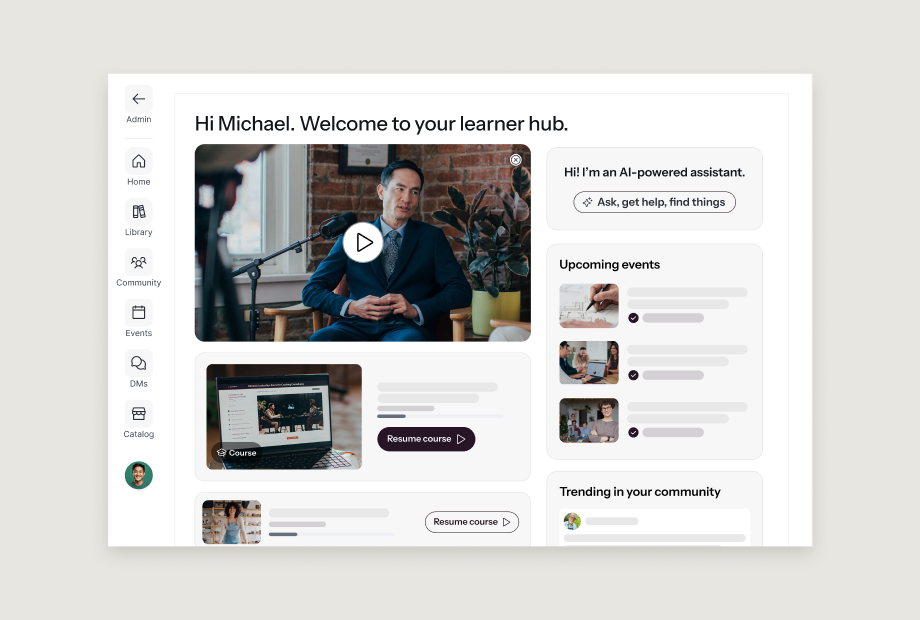
How do Thinkific and Moodle compare on learner-facing experiences?
A cohesive, modern learning experience directly impacts learner outcomes like engagement, completion, and retention. Thinkific supports those outcomes with an easy-to-use modern interface, structured learning paths, and built-in communities.
Moodle’s learner interface is functional but dated. Reaching a polished, fully branded learning experience requires significant developer support. Forums enable community-style interaction, though they weren’t built with external learner audiences in mind.
| Learning Experience Features | Thinkific | Moodle |
|---|---|---|
| Fully customizable, branded learner portal | Technical customization required | |
| Intuitive, modern learner interface | Theme-dependent | |
| Structured learning paths, drip content, and progress tracking | ||
| Completion certificates | Plugin required for custom design | |
| Accessibility (WCAG compliance) | ||
| Optimized for mobile | ||
| White-labeled branded app | Included with Thinkific Plus and available as an add on in Gold and Platinum plans | — |
| Live learning (webinars, virtual sessions) | Limited | |
| Unlimited member-only communities and spaces | Forums only | |
| Learner notifications | ||
| Third-party integrations for engagement and assessment | Plugin ecosystem |
Fit summary
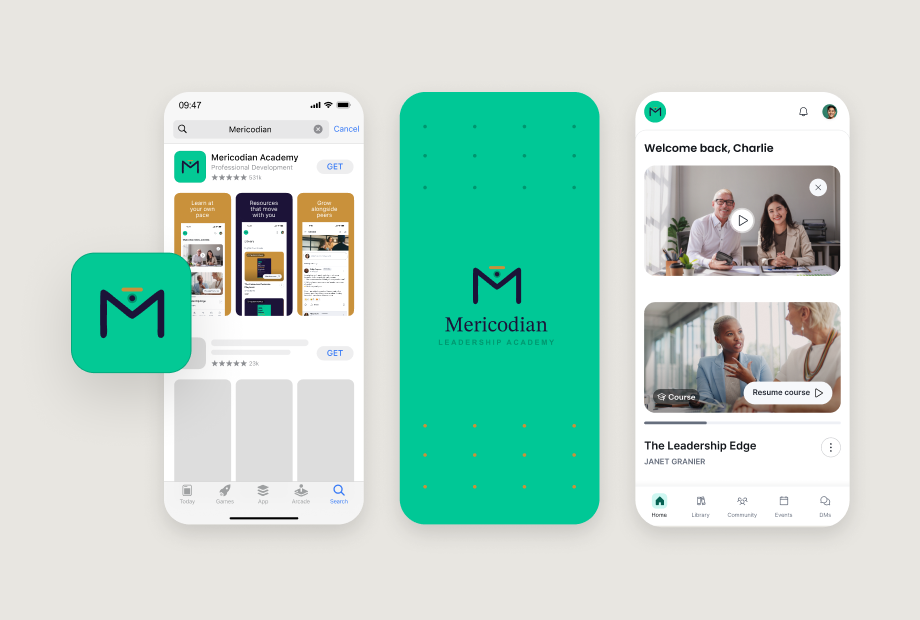
Thinkific is a strong fit for organizations and academies delivering customer education and partner training programs where the learner experience is part of the product. Learners are met with an intuitive branded interface that’s easy to navigate and supports engagement and completion, while a white-labeled mobile app allows learners to access content from anywhere, anytime.
Moodle is better suited to training contexts where consistency matters more than brand. For external use cases, expect additional investment to get there.
“Thinkific Plus offers the power and flexibility to help us achieve the business goals that we want. If we had started using Thinkific Plus 1 or 2 years previously, we would have gotten to where we’re at now much faster.”
— Ryan Chynces, Online Education Manager, Hootsuite (500,000+ learners trained, 72,000+ certifications issued across Hootsuite Academy)
AI and Innovation
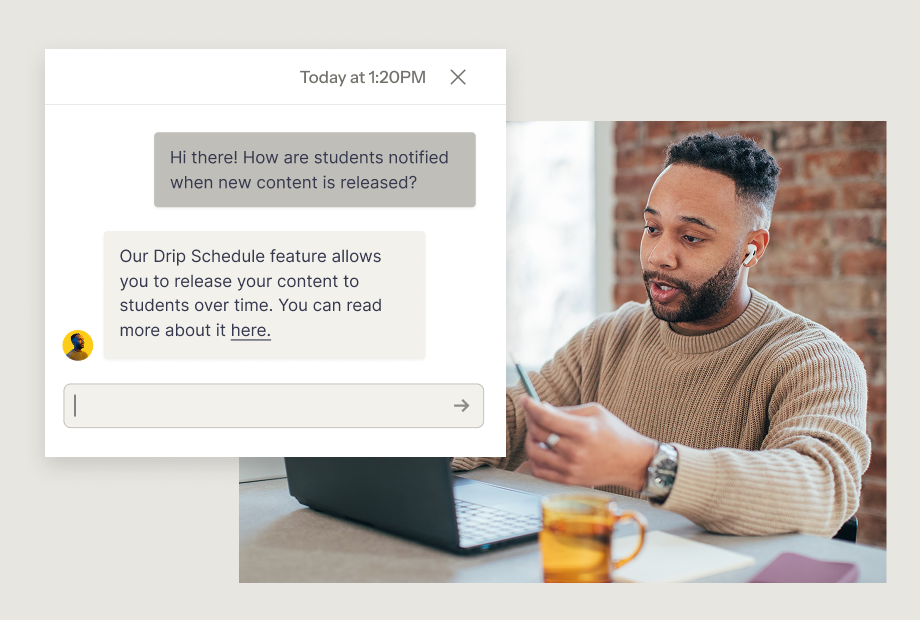
Does Thinkific Plus or Moodle offer better AI tools to support learning?
With Thinkific, AI tools reduce the time and expertise required at every stage of running a learning program. They’re designed to help your team publish courses faster, support learners at scale, and generate more revenue. Each AI-powered tool is built-in, included in the plan with no per-token fees, and ready to use on day one.
Moodle has AI capabilities for text and image generation, course assistance, and summarization — but they require your own AI provider and API key management to access. Features are unavailable on MoodleCloud standard plans, and quiz generation depends on third-party plugins.
| AI and Innovation Features | Thinkific | Moodle |
|---|---|---|
| AI-generated course outlines | Native text generation only, full outline generation requires a plugin | |
| AI lesson and content generation | Native text and image generation available, provider key required | |
| AI quiz and assessment builder | Plugin-dependent and not native | |
| Thinker, AI teaching assistant for learners | Native course assistant available, admin configuration required | |
| AI-generated sales landing pages | — | |
| AI-powered email marketing and copywriting | — | |
| Native AI (No plugins or configuration required) | — | |
| AI built into core product roadmap | Plugin ecosystem only | |
| Reduces time to publish new courses | — |
Fit summary
For organizations that want to scale faster, support more learners, and generate more revenue without adding technical complexity, the AI tools available through Thinkific deliver immediate value.
Moodle’s AI framework gives technically resourced teams plenty of flexibility, however many teams find that the setup, maintenance, and provider costs can offset the benefit.
“Thinker helps us amplify the learner experience—supporting self-discovery, responding with a more personal tone, and engaging people in ways that reflect how they actually learn. The result is learning that’s more effective, more relatable, and more memorable at a scale we simply couldn’t achieve manually.”
— Stephen Ekstrom, CEO and Co-Founder of Learn Tourism
Support and Security
Does Thinkific or Moodle offer better support and security?
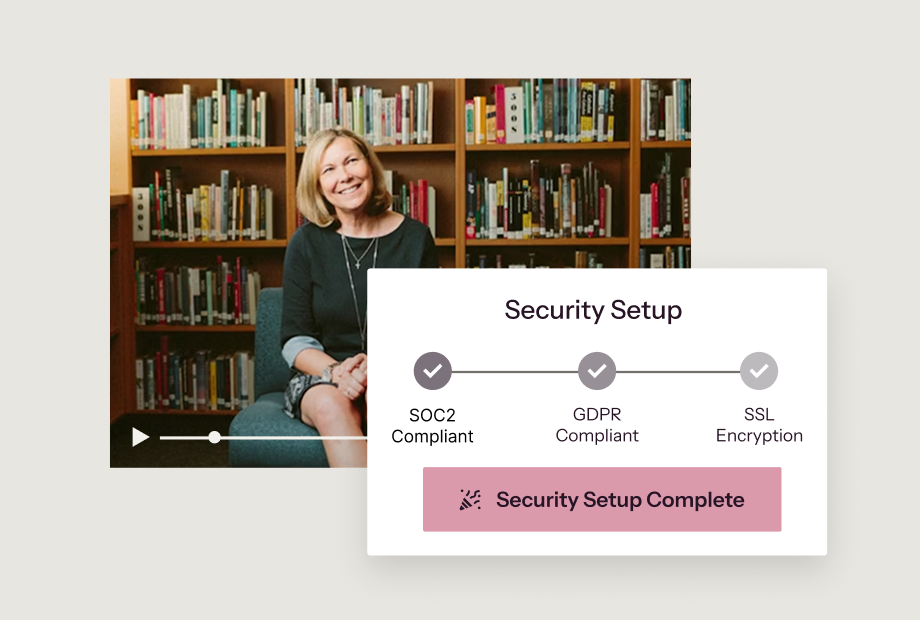
Thinkific assigns your team a dedicated Customer Success Manager on day one to support your migration, onboarding, and ongoing growth strategy. When it comes to security, everything is enterprise-ready and handled for you.
Moodle support depends on how you deploy. Self-hosted organizations manage their own support through internal IT or a Moodle Certified Partner. MoodleCloud covers the basics, but enterprise SLAs and dedicated resources require Moodle Workplace licensing at an additional cost. Security and compliance are your team’s responsibility to configure and maintain.
| Support Features | Thinkific | Moodle |
|---|---|---|
| Migration and onboarding included | Partner-dependent | |
| Dedicated Customer Success Manager | Partner-based | |
| Ongoing technical and strategic support | Varies by hosting plan | |
| No setup or support fees | — | |
| Human-led support experience | Community forums and partner support |
| Security Features | Thinkific | Moodle |
|---|---|---|
| Enterprise readiness (SOC 2, SCORM, xAPI) | SOC 2 host-dependent | |
| SSO | Via plugins or Moodle Workplace | |
| SCORM-compliant secure content delivery | ||
| Data encryption | Encryption at rest and in transit, managed | In transit via HTTPS; at rest is host-dependent |
| Secure payment processing | Plugin required | |
| Role-based access controls | ||
| Built-in security (no add-ons required) | Admin-managed | |
| GDPR compliance tooling | ||
| Two-factor authentication |
Fit summary
For organizations that need an LMS that meets compliance requirements and comes with award-winning support, Thinkific delivers.
Moodle’s support model works well for organizations with internal Moodle expertise or an established partner relationship, but the dependency on third parties can add cost and unpredictability.
“When Epoch Education was planning a course launch for over 3,500 participants at once, they turned to their Thinkific Customer Success Manager — who was on standby for the launch, just in case.”
— Thinkific Customer Story, Epoch Education (119,000+ enrollments, 50+ courses)
Site Administration
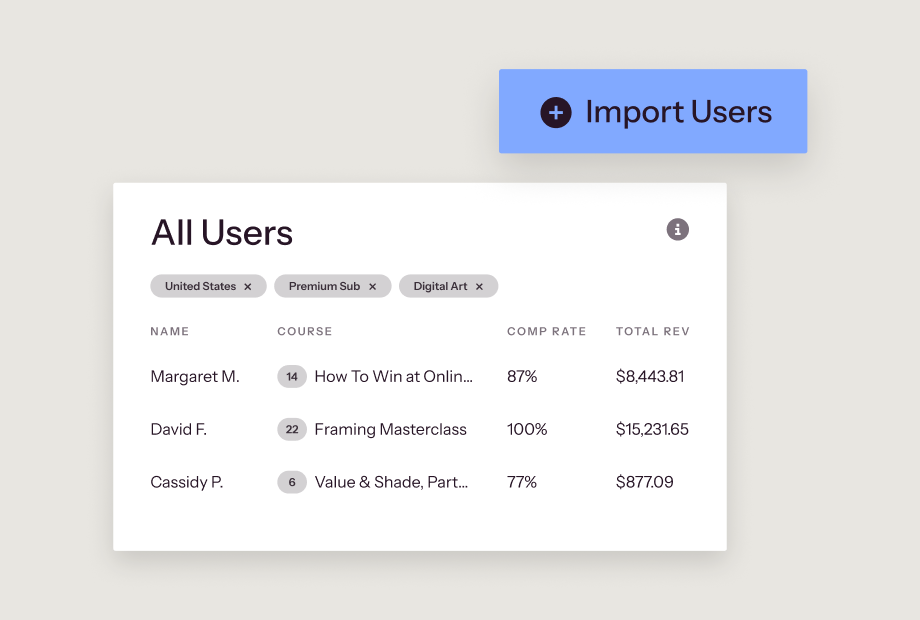
How do Thinkific and Moodle compare when it comes to managing users and sites?
Thinkific gives your admin team full visibility and control across courses, learners, communities, revenue, and analytics. Additionally, multi-site management means organizations can easily create multiple branded portals.
Moodle’s admin panel is extensive, but operates on the assumption that organizations have dedicated administrators with technical familiarity to configure and manage it.
| Site Administration Features | Thinkific | Moodle |
|---|---|---|
| Centralized admin dashboards | ||
| Clean, intuitive interface | Complex interface with a steep learning curve | |
| Revenue and order management | — | |
| Course visibility and enrollment controls | ||
| Multi-site / multi-tenant management | Moodle Workplace only, complex setup required | |
| Built-in course lifecycle management | Limited | |
| API access | ||
| Built-in advanced reporting and analytics | Standard reporting only, deeper analytics require Workplace or an add-on | |
| Custom user roles and permissions | Workplace tier only | |
| Bulk user enrollment | ||
| Webhooks | Plugin required | |
| Manage multiple branded sites from a single account | Plugin or custom build required | |
| No-code admin experience | — |
Fit summary
For businesses that need to manage multiple learning programs, Thinkific removes the complexity without deep configuration. The platform keeps admin simple without sacrificing depth, making it especially powerful for teams that want to own their process end-to-end rather than relying on IT teams.
Moodle’s administration tools are comprehensive but for most business teams, complex admin tasks require specialist resources or partner dependencies.
“We wanted something that would allow us and our clients to track what our students were doing, what they were watching, and how many people were watching them. We really wanted to get good analytics and have everything under one roof — which is Thinkific Plus.”
— Erin O’Donnell, Co-Founder and Managing Director, BankersHub (8% revenue growth, 150+ corporate clients, 1M+ course enrollments)
Integrations and Extensibility
Which platform offers a more seamless connection to your existing tech stack?
An LMS that connects with your existing tech stack reduces data silos and creates a more visible, automated learning ecosystem. Thinkific’s native integrations, third-party extensions, and API connect learning data to the systems that track business impact without needing custom development.
Because Moodle is open source, it offers extensibility via community-built plugins, rather than native, maintained integrations. While you get access to thousands of plugins, the tradeoff is a dedicated team to install and maintain them over time.
| Integrations and Extensibility | Thinkific | Moodle |
|---|---|---|
| Integration and plugin management | Managed by Thinkific | Managed by admins or technical teams |
| Connection delivery | Native and third-party integrations | Community-built plugins, no native integrations |
| Native Salesforce and HubSpot integration | — | |
| Native Zapier integration | — | |
| HRIS integrations | Plugin required | |
| API access |
Fit summary
Thinkific is a solid fit for organizations seeking an LMS that connects natively to the tools that enterprise teams rely on. While Moodle offers thousands of connections through its community-built plugin ecosystem, every connection requires set up and ongoing maintenance.
Pricing and Total Cost of Ownership
Is Moodle really cheaper than Thinkific?
Thinkific is fully hosted and maintained, with no infrastructure costs, no implementation fees, and no support tiers to unlock. Ecommerce, SSO, analytics, communities, and AI tools are all included in Plus plans. As your learner base grows, your pricing stays predictable.
Moodle’s software is free to download, but costs associated with hosting, setup, and ongoing maintenance add up fast. Most enterprise deployments on the Moodle Workplace tier reach $50,000–$150,000+ per year. MoodleCloud removes hosting complexity but caps users at every pricing tier and excludes built-in ecommerce tools. Moodle Workplace adds multi-tenancy and custom reporting, but pricing is scoped per partner engagement.
| Cost Category | Thinkific | Moodle |
|---|---|---|
| Software license | Included | Free (Self hosted) |
| Hosting and infrastructure | Included | $80–$500+/month |
| Implementation/setup | Included | $2,000–$25,000+ |
| Ongoing maintenance | Included | $400–$3,500/month |
| Ecommerce | Included | Plugin cost and development time |
| Advanced analytics | Included | Add-on or Workplace required |
| Customer success support | Included | Partner fees |
| Estimated three-year total cost of ownership | Predictable, scales with plan | $50,000–$150,000+ for enterprise deployments |
For organizations where cost predictability matters as much as capability, Thinkific delivers both. No infrastructure surprises, no partner dependencies, and pricing that scales with your plan.
Moodle’s license is free, but the total cost of an enterprise-ready deployment tells a different story.
Which LMS should you choose?
When evaluating Thinkific and Moodle, the final decision depends on who your organization serves, and how your learning platform will support your business goals.
| Choose Thinkific if… | Choose Moodle if… |
|---|---|
| You need to launch your learning program in weeks, not months | You have available in-house technical resources to support complex configuration |
| Your primary use case is customer education or partner enablement | Your focus is on academic or institutional training |
| Revenue generation is central to your business model | Selling or monetizing learning isn’t required |
| You need a white labelled learning experience that doesn’t require deep customization | You need deep open-source customization |
| You need a platform that’s easy for all teams to use without needing dedicated technical support | You have Moodle-certified administrators and dedicated IT resources available |
| You want an LMS that has predictable pricing and a managed vendor relationship | You need full control over your learning infrastructure |
| You need built-in SSO, SOC 2, and enterprise security | Your IT team can handle compliance needs |
FAQs
Which type of organization is best suited for Thinkific vs. Moodle?
Thinkific is best suited for high-growth businesses, training academies, and enterprise teams delivering internal or external learning, such as customer and employee education, partner enablement, paid courses, and commercial academies. If your program needs to generate revenue, launch quickly, or scale without a dedicated technical team, Thinkific is built for that.
Moodle is best suited for academic institutions, government agencies, and enterprise organizations with dedicated IT resources that need a deeply configurable, open-source LMS. If your primary use case is compliance training, employee onboarding, or academic course delivery, and if you have the technical infrastructure to support it, Moodle may be a fit.
Is Moodle really free?
The Moodle software license is free and open source, but the total cost of ownership for a production-ready, business-grade deployment is rarely free. Self-hosting requires server infrastructure ($80–$500+/month),* implementation ($2,000–$25,000+),* ongoing developer maintenance ($400–$3,500/month),* and plugin licensing. MoodleCloud removes hosting complexity but caps users per tier and limits commerce to basic course payment.
The right comparison is total effort and total cost, not license price. Most enterprise Moodle deployments require internal or partner resources that Thinkific includes in the plan.
How long does it take to launch a training program on these platforms?
Most Thinkific Plus customers launch within 30 days using the no-code course builder and fully managed hosting. Moodle implementations for enterprise use typically take weeks to months, depending on the complexity of customization, theme development, and plugin configuration required.
Does Moodle support selling courses?
Moodle has a basic native capability (Enrollment on Payment) that lets you charge for a single course via Stripe or PayPal, but it offers no storefront, bundles, coupons, upsells, or subscriptions. Those require third-party plugins and ongoing maintenance, and aren’t available on MoodleCloud standard plans.
Thinkific Plus includes a full native commerce suite with subscriptions, bundles, order bumps, gifting, upsells, and Buy Now Pay Later — all with no plugins or development required.
Do both platforms support community features?
Thinkific Plus includes native, monetizable communities integrated directly alongside courses, with member profiles, threaded discussions, direct messaging, spaces, and push notifications. Moodle offers forum-based discussion modules designed for academic use, not for business academies or external learner audiences.
Which platform is better for customer education or partner enablement?
Thinkific Plus. It serves external learner use cases — customer education, partner enablement, field training, and commercial academies — with the sales, marketing, and engagement tools those programs require. Moodle serves internal, institutional instruction and lacks the native commerce and marketing infrastructure most customer education programs need.
How do these platforms handle mobile access?
Thinkific Plus offers a fully white-labeled branded mobile app (Branded Mobile), available as an add-on or included in Gold and Platinum plans, with in-app purchases and no development required. Moodle Mobile gives learners content access on iOS and Android, but it’s not branded, doesn’t support in-app purchases, and requires development work to configure.
What does enterprise support look like on each platform?
Thinkific Plus includes a dedicated Customer Success Manager for all Plus customers, covering migration, onboarding, and ongoing growth strategy at no additional fee. Moodle enterprise support at the Moodle Workplace level runs through Moodle Certified Partners, with pricing and SLAs scoped per engagement. For self-hosted deployments, support is community-driven or dependent on internal IT resources.
How difficult is it to migrate from Moodle to Thinkific Plus?
More manageable than most organizations expect. Every Thinkific Plus customer gets a dedicated Customer Success Manager who guides the migration from content transfer and platform setup to team onboarding and launch. Most customers go live within 30 days.
The no-code course builder means your content team can rebuild and publish independently, without waiting on developers or agencies. The main lift is rebuilding your course structure in Thinkific’s builder, and for most teams, that’s a shorter timeline than managing Moodle’s technical overhead long-term.
Still comparing Thinkific and Moodle?
Watch the demo and see why thousands of teams and businesses use Thinkific to launch, sell, and scale their learning programs.