
Compliance training has a reputation problem.
Employees see it as a dull exercise they have to tick off during onboarding, and most training programs do little to change their minds. But the stakes behind it are anything but dull: a single HIPAA violation, OSHA lapse, or harassment policy gap can cost your business six figures in fines, a damaged reputation, or worse.
To prevent this, you need to teach employees the ethical practices, laws, and regulations that apply to their roles, especially in heavily regulated industries like healthcare, finance, and cybersecurity. The challenge, however, is delivering that training consistently, tracking who completed what, and proving it to regulators when they ask.
A learning management system handles all of that in one place. This guide walks you through 10 of the best compliance training LMS platforms, what to look for when choosing one, and how to roll it out smoothly across your organization.
Skip ahead:
- Introduction to compliance training LMS
- Top compliance training LMS
- How to choose the right compliance training LMS
- Implementing and using a compliance training LMS Effectively
- The future of compliance training LMS
- Choose the right compliance training LMS for your business
- FAQs
Introduction to compliance training LMS
A compliance training LMS is software that helps business people create, deliver, and manage compliance training programs. This web-based technology facilitates online training, stores learning data, and tracks student progress.
A good compliance training LMS:
- Ensures that organizations can create and deliver high-quality compliance courses to employees
- Streamlines the process of delivering compliance training by keeping an archive of compliance courses and training materials in one place, so trainers and employees can access them easily
- Makes training accessible to all employees through a combination of video conferencing and face-to-face training, i.e., blended learning
- Maintains an extensive audit trail of learner records, course participation and engagement levels, and assessment results
- Allows organizations to hand out customized certificates after learners have completed a compliance course
- Automating enrollments, reminders, and recertifications, so your team spends less time chasing paperwork and more time on actual, strategic work.
Top compliance training LMS
Here are 10 of the best compliance training LMS that’ll help you create and deliver high-quality and effective training programs to your employees:
| Compliance training LMS | Best for | Free trial? | Free plan? | Pricing |
| Thinkific Plus | Mid-market and enterprise teams that want a scalable, easy-to-customize platform to run compliance training programs. | — | — | Contact Thinkific Plus for a custom quote |
| TalentLMS | Teams that need a ready-made compliance course library and short, focused lessons employees can complete between tasks. | ❌ | ✅ | Paid plans range from $119/month to $449/month based on user count, with custom pricing for larger organizations. |
| Coassemble | Smaller teams and first-time course creators who want a visually polished compliance program without a steep learning curve. | ❌ | ✅ | Paid plans start at $50/month (billed yearly), with custom pricing for larger teams. |
| iSpring LMS | Teams that want to convert existing training materials into compliance courses without learning new authoring software. | ✅ | ❌ | Paid pricing ranges from $3.97/user/month (for 500 users) to $6.91/user/month (for 100 users). Custom enterprise pricing is available. |
| Docebo | Mid-market and enterprise companies running complex compliance programs across multiple roles, regions, or business units. | — | — | Contact Docebo for a custom quote. |
| LearnUpon LMS | Organizations training multiple audiences (employees, customers, and partners) with a single compliance program | — | — | Contact LearnUpon for a custom quote. |
| SC Training (formerly EdApp) | Small teams that need an affordable platform to launch mobile-first, bite-sized compliance courses. | ✅ | ✅ | Paid plan costs $5/month per learner, with custom pricing available for 500+ active learners. |
| Tovuti LMS | Compliance teams that want detailed quiz analytics and flexible admin controls to manage training across departments or regions. | — | — | Contact Tovuti for a custom quote. |
| Moodle | Organizations with in-house technical resources that want full control over their compliance training environment. | ❌ | ✅ | Free to self-host. Moodle-certified partners offer paid hosting and support packages with custom pricing. |
| Absorb LMS | Mid-market and enterprise teams that want a polished, customizable LMS with strong onboarding support. | — | — | Contact Absorb for a custom quote. |
Best for: Mid-market and enterprise teams that want a scalable, easy-to-customize platform to run compliance training programs.
Thinkific Plus is a learning platform built for organizations that need to train large groups of employees, customers, or partners on compliance and other critical topics.
The course builder lets non-technical admins put together full training programs, learning paths, and assessments without writing a line of code, so anyone on the compliance team can launch and update content directly.
For organizations running compliance across multiple regions or business units, multi-site administration lets you manage each one separately without setting up entirely new accounts. You get a single source of truth for your training data while keeping branding, content, and access rules tailored to each audience.
Key features
- Intuitive course builder. Build compliance courses, quizzes, and assessments through an easily navigable drag-and-drop editor.
- Custom learning paths. Sequence courses by role, department, or seniority, so a finance team member follows a different path than a marketer from day one.
- Automatic certifications. Issue branded certificates the moment a learner completes a course, and set expiry dates that trigger automatic re-enrollment when it’s time to recertify.
- SCORM support. Import SCORM-compliant courses from regulators or third-party content providers and track them with the same analytics as native Thinkific courses.
- Enterprise SSO and security. Integrate with systems like Active Directory/LDAP and OpenID Connect to ensure secure Single Sign-On (SSO).
- Dedicated mobile app. Frontline workers and field teams can take compliance courses from anywhere and at any time through Thinkific Plus’ mobile app.
- Advanced CSS customization. Style your learner portal, course pages, and emails with custom CSS, so the training experience matches your brand perfectly.
- Enterprise API access. Connect Thinkific Plus to your HRIS, CRM, and internal tools through a full API, so enrollments, completions, and certification data sync automatically across systems.
Pricing
Contact Thinkific Plus for a custom quote based on your team size and feature requirements.
What users say about Thinkific Plus
Users like Thinkific Plus for its flexibility and scalability.
Multi-site administration works well for global teams catering to employees across different regions, the customization options keep training on-brand, and the API and integrations let admins build automated workflows. The customer support team also gets credit for being responsive and dependable through implementation and beyond.
However, users say the pricing is too high for smaller businesses, and some design customizations require coding knowledge. Source
Best for: Teams that need a ready-made compliance course library and short, focused lessons employees can complete between tasks.
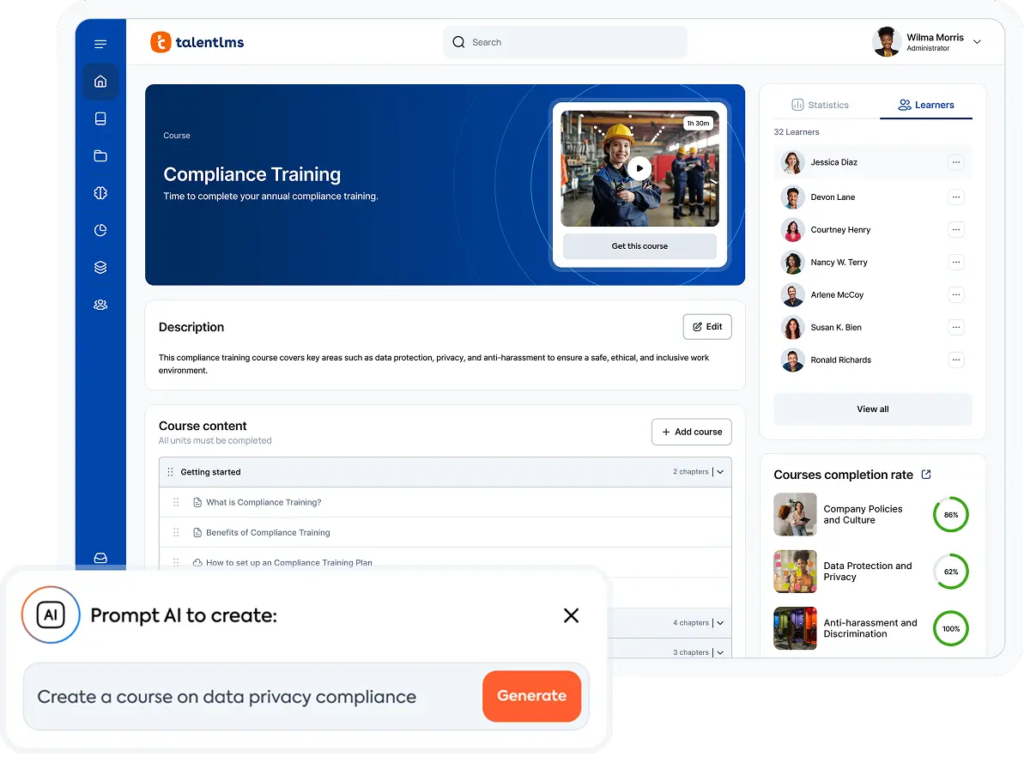
TalentLMS is a cloud-based learning platform built for organizations that want to launch compliance training quickly without building every course from scratch. Its course library includes pre-made content on workplace harassment, GDPR, cybersecurity awareness, and other standard compliance topics, which you can assign as-is or customize to match your policies.
The platform leans into microlearning, so most lessons run around 15 minutes. This is ideal for compliance training, where employees need to absorb specific rules without losing half a workday.
Key features
- Pre-built compliance course library. Ready-to-deploy courses on harassment prevention, data privacy, and other compliance topics save you from building from scratch or sourcing content elsewhere.
- Automated certifications. Set expiration dates on certificates, and TalentLMS will re-enroll learners and send renewal reminders without manual tracking.
- Critical-thinking assessments. Quiz formats test how well learners apply what they’ve learned, not just whether they remember the slide.
- SCORM and xAPI support. Import courses from regulatory bodies or third-party content providers without rebuilding them in the platform.
- Multi-language support. TalentLMS supports 30+ languages, so you can deliver the same compliance course to employees in different countries without setting up separate programs for each region.
- Branching scenarios. Build “what would you do” simulations for situations like reporting harassment or handling sensitive data, so training feels closer to the real job.
Pricing
Free plan available for up to 5 users and 10 courses. Paid plans start at $119/month (for 1–40 users) and scale to $449/month based on user count, with custom pricing for larger organizations.
What users say about TalentLMS
Customers regularly highlight TalentLMS for its short-course format and the breadth of its compliance training content library. The onboarding experience also gets consistent praise, with reviewers crediting the customer success team for a smooth setup.
The most common criticism concerns the look and feel of the platform. Several reviewers mention that the default animation and visual style feel dated, which can dampen learner engagement. Admins also note that the back end takes some time to learn, and a few integrations, such as BambooHR, are somewhat limited. Source
Best for: Smaller teams and first-time course creators who want a visually polished compliance program without a steep learning curve.
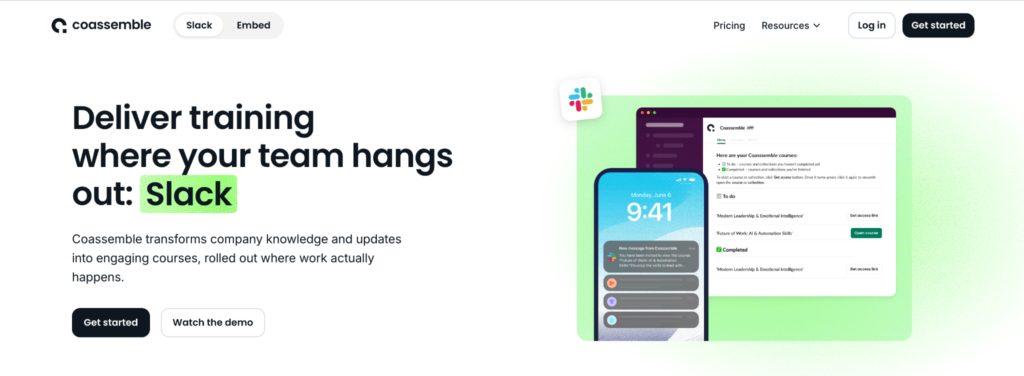
Coassemble is a learning platform built around fast course creation. Its drag-and-drop editor includes 40+ interactive templates, so you can put together a harassment training module or a data privacy refresher in an afternoon, even if you’ve never built a course before.
Coassemble also lets you deliver training directly in Slack. You can share courses with a Slack channel or team member in just a few clicks, and each learner gets a ping to get started right away, without having to create a new login or learn to navigate a new platform.
Key features
- AI document-to-course conversion. Upload existing policy docs or PDFs and turn them into interactive courses in minutes.
- 40+ interactive templates. Build quizzes, scenarios, and knowledge checks from a library of pre-designed formats, no design skills required.
- Custom branding. Apply your logo, colors, and fonts across courses, certificates, and learner dashboards to keep training on-brand.
- SCORM file reporting. Track learner progress on imported SCORM courses with the same analytics you get on native Coassemble content.
- Advanced analytics dashboard. See engagement and completion data in real time, so you can spot disengaged learners before they fall behind on required training.
- Coassemble Embed. Build compliance training directly into your own product or partner portal through Coassemble’s APIs and embeddable components.
Pricing
Coassemble offers a free plan. Paid plans start at $50/month (billed yearly), with custom pricing for larger teams.
What users say about Coassemble
People with no course-building background mention being able to embed media, build interactions, and ship a finished course faster than expected with Coassemble. They also say that the customer support team responds quickly and provides genuinely helpful answers.
On the downside, the platform is missing a few quality-of-life features, like an undo button (which means mistakes have to be reversed manually) and content drip scheduling. Some users have also found that the AI course-generation tool struggles with longer source documents, which is worth considering if you plan to convert lengthy policy PDFs into courses. Source
Best for: Teams that want to convert existing training materials (especially PowerPoint decks) into compliance courses without learning new authoring software.
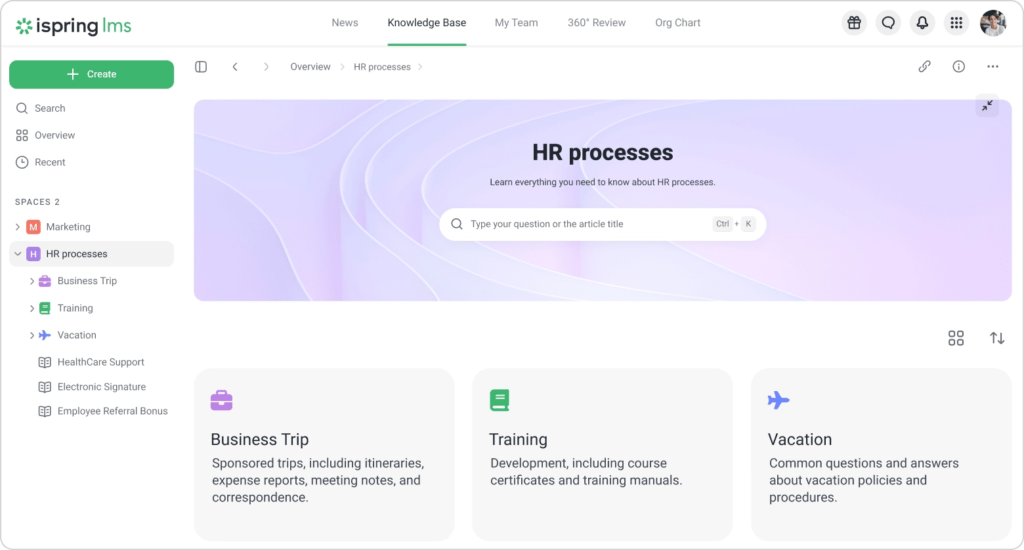
iSpring LMS is a learning platform built for organizations that already have training content in PowerPoint, PDFs, or Word docs and want to turn it into structured online courses fast.
Its standout feature is the iSpring Suite authoring tool, which works as a PowerPoint add-in. You can take an existing compliance deck on workplace safety or anti-bribery rules, add quizzes and interactions inside PowerPoint itself, and publish it to your LMS in a few clicks.
Key features
- Compliance course library. Launch with ready-made courses on compliance, cybersecurity, and other topics from iSpring Academy (or through native integrations with Go1, Udemy, and LinkedIn Learning).
- Detailed learner analytics. See which questions individual learners got wrong, so you can spot patterns and identify weak areas in your compliance curriculum before they show up in an audit.
- Automatic notifications and reminders. Set rules to nudge learners about upcoming deadlines, overdue courses, or expiring certifications without manually emailing each one.
- Learning paths. Sequence courses so employees complete foundational training before moving on to role-specific modules.
- Offline mobile access. Learners can download courses to the iSpring app on iOS or Android and finish training even without an internet connection.
- Customizable certificates. Design certificates with your branding, set expiry dates, and have them auto-issued the moment a learner passes the final assessment.
Pricing
iSpring LMS offers a 30-day free trial. Paid pricing is calculated per learner: $6.91/user/month (for 100 users), $4.46/user/month (for 300 users), and $3.97/user/month (for 500 users). Custom enterprise pricing is available.
What users say about iSpring LMS
Reviewers mainly praise iSpring LMS for two things: how quickly teams can get up and running and the depth of its analytics.
Smaller training teams, including those at law firms and professional services companies, report that the platform’s simplicity enables them to manage compliance programs without dedicated LMS administrators. They also say that the granular reporting (down to which learner missed which question) helps them identify knowledge gaps.
However, they’re not satisfied with iSpring LMS’s knowledge base. They want it built out further or integrated with tools like SharePoint, so iSpring LMS can serve as a true single source of truth for training materials. Source
Best for: Mid-market and enterprise companies running complex compliance programs across multiple roles, regions, or business units.
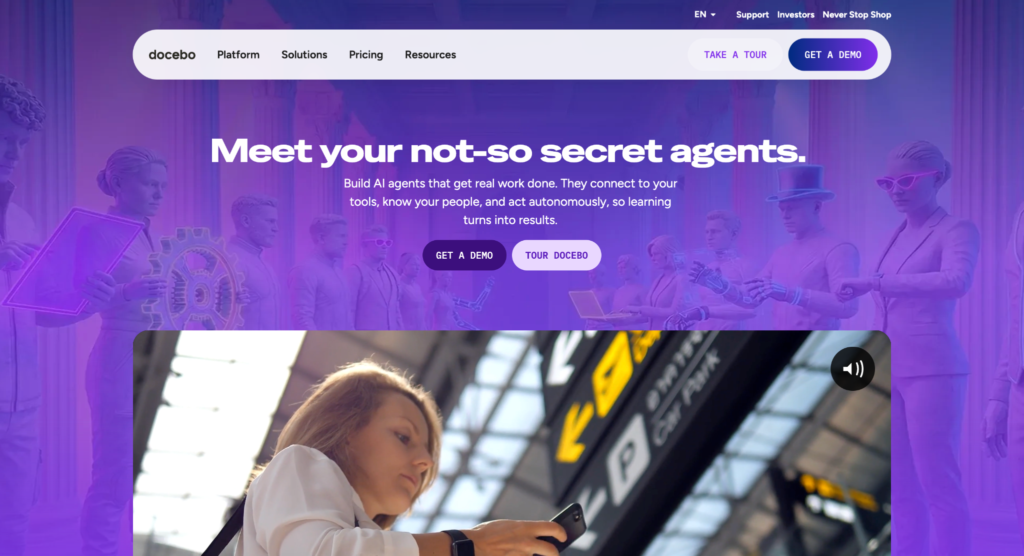
Docebo is an AI-powered learning platform designed for organizations with layered training needs. Its enrollment rules engine automatically assigns courses based on role, department, location, or hire date, so a new finance hire in London receives AML and UK GDPR training on their first day without anyone manually enrolling them.
The platform also handles certifications and retraining cycles natively, with automated re-enrollment as certifications approach expiry.
Key features
- Custom learning paths. Build multi-step training journeys that adjust based on role or completion progress, so employees move through compliance content in a logical sequence.
- AI-powered content suggestions. The platform recommends relevant courses to learners based on their role and past activity, which helps surface refresher material before it’s overdue.
- Multilingual delivery. Run the same compliance program in 40+ languages, with automatic translation tools that cut localization time for global rollouts.
- 400+ third-party integrations. Connect Docebo to your HRIS, SSO, communication, and CRM tools so enrollments, completions, and certifications sync across systems automatically.
- Gamification. Add points, badges, and leaderboards to compliance courses, which helps lift completion rates on training employees might otherwise rush through.
Pricing
Contact Docebo for a custom quote.
What users say about Docebo
Admins love how much Docebo automates once it’s set up. The enrollment rules, role-based learning paths, and course management tools do most of the heavy lifting, and the admin interface stays fast and intuitive even when you’re managing thousands of learners across different functions.
However, users think it takes a lot of effort to get there, especially for small teams without dedicated LMS administrators. They also say the onboarding period can feel overwhelming, even with Docebo’s implementation support. Source
Best for: Organizations training multiple audiences (employees, customers, and partners) with a single compliance program.
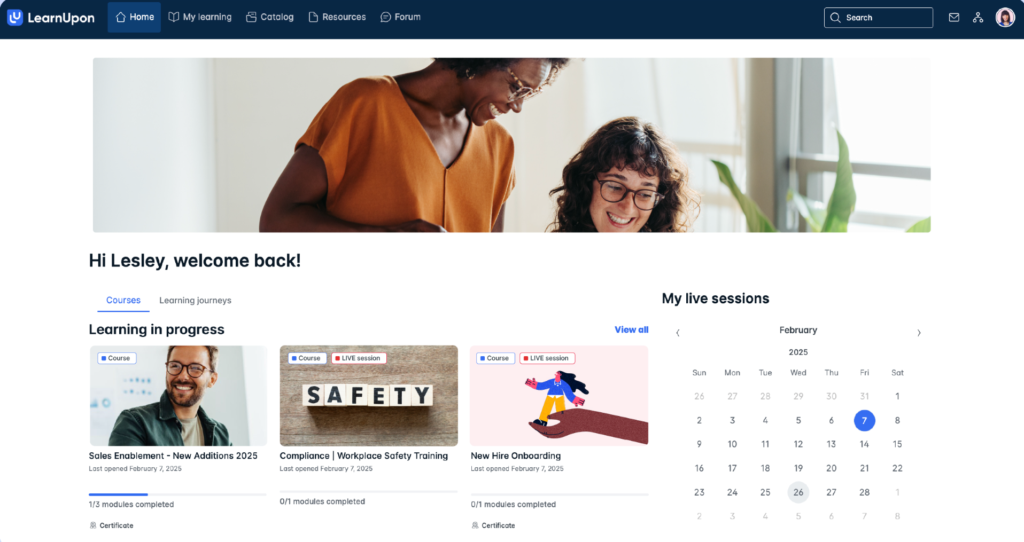
LearnUpon is built for companies that need to deliver training to more than just their internal workforce.
You can set up separate portals for employees, partners, and customers within a single account, each with its own branding, course catalog, and user permissions. That means you can keep internal harassment and ethics training fully separate from the data privacy courses you push out to vendors or contractors.
The platform automates most of the recurring admin work, too. Learners self-enroll from curated catalogs, assessments and certifications run end-to-end without manual setup, and the assessment engine can test, certify, and re-enroll employees on a schedule you define.
Key features
- Multi-portal architecture. Run distinct training environments for internal teams, partners, and customers, each with its own branding and access rules.
- Automated certification engine. Build assessments that automatically enroll, test, and certify learners, with re-enrollment when certifications near expiry.
- Multilingual interface. Serve compliance courses to global teams in 25+ languages, with admin and learner views fully translated.
- Gamification. Add points, badges, and leaderboards to improve engagement on the kind of training employees usually try to rush through.
- 24/7 customer support. Get help around the clock, which is great when an audit deadline is looming, and something breaks at the eleventh hour.
Pricing
Contact LearnUpon for a custom quote.
What users say about LearnUpon LMS
Customers describe LearnUpon’s implementation and customer success teams as genuine strategic partners who care about outcomes, not just ticket resolution, and the initial setup tends to go smoothly because of that hands-on support.
However, several reviewers feel like the customization options are limited and would prefer more control over specific UI and workflow elements. They also flag the discussion forum feature as too limited for organizations that want learners to actively connect and engage inside the platform. Source
Best for: Small teams that need an affordable platform to launch mobile-first, bite-sized compliance courses.
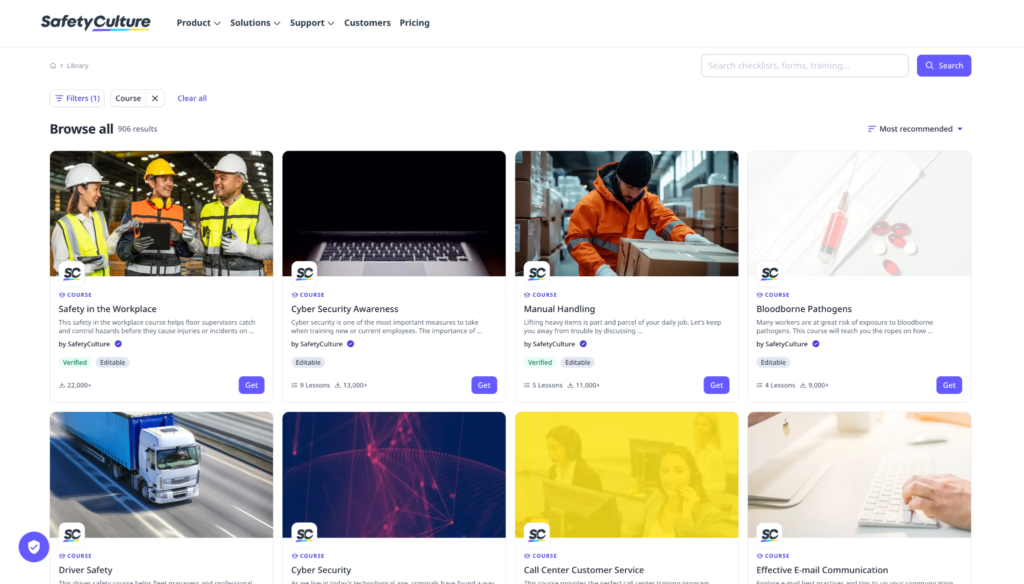
SC Training offers short, mobile-friendly lessons designed for employees who don’t sit at desks. Most courses run a few minutes each, which suits compliance topics like food safety, workplace harassment, or PPE protocols that frontline workers need to absorb between shifts.
The platform’s editable course library (with 1,000+ courses) covers dozens of standard compliance areas, so you can import a ready-made course, tweak it to match your policies, and assign it the same day.
The free plan is unusually generous and includes the course library, the AI authoring tool, customized branding, and gamification features. This makes SC Training one of the few options where a small team can run a full compliance program at no cost, then upgrade as usage or feature needs grow.
Key features
- Editable course library. Import compliance courses on workplace safety, harassment, and other common topics and customize them to fit your policies before assigning.
- Mobile-first learning. Lessons render natively on phones and tablets, which suits frontline workers and field teams who rarely log in from a desktop.
- Microlearning format. Break compliance content into short modules that learners can finish in a few minutes.
- Built-in analytics. Track completions, quiz scores, and engagement at the learner and team level, with audit-ready reports you can export when regulators ask.
- Built-in translation. Auto-translate courses into 100+ languages to help global and multilingual teams stay aligned on the same compliance content.
Pricing
SC Training offers a free plan for up to 10 learners. The paid plan costs $5/month per learner, billed annually, and there’s a custom enterprise plan designed for 500+ active users.
What users say about SC Training
Customers running fully functional compliance programs on the free tier praise the course library, the analytics, and how reliable the platform feels for something they’re not paying for. The microlearning format also gets credit for making compliance training easier to assign and easier for employees to actually finish.
The free plan does have limits, though, which draws back teams pushing out a high volume of courses on short timelines. Reviewers also note that linking to external resources requires workarounds, and the strict file-size requirements for video content force careful planning during course creation. Source
Best for: Compliance teams that want detailed quiz analytics and flexible admin controls to manage training across departments or regions.
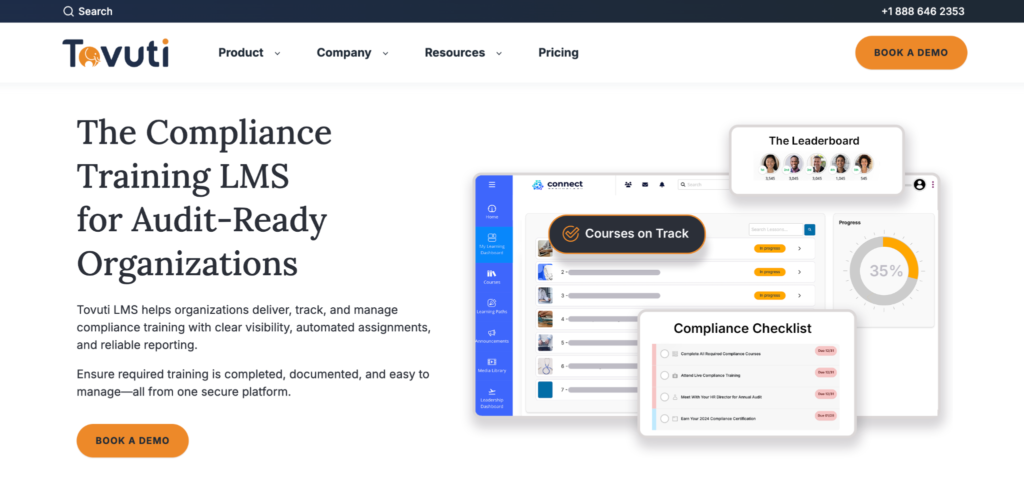
Tovuti is a cloud-based LMS that handles course creation, content delivery, and learner management in one place. Its assessment analytics show exactly how learners performed on each quiz and test, so you can tell whether employees genuinely understand the material or are clicking through to finish.
The platform also gives admins fine-grained control over access. You can set sub-admin permissions so that department heads or regional leads can manage their own teams’ training without access to the full back end.
Tovuti supports both SSO and alternate logins, which matters when an employee is locked out of SSO due to missing a state-mandated training deadline and still needs to complete the overdue course.
Key features
- Built-in course library. Choose from a ready-made catalog of courses and media covering standard compliance topics, then assign them directly or tweak the content to fit your policies.
- Detailed test and quiz analytics. See learner performance question by question, which helps you spot weak areas in your compliance curriculum and adjust the content before issues compound.
- Custom badges and certificates. Design certifications and recognition badges to match your branding, and set them to issue automatically the moment a learner completes a course.
- Sub-admin role flexibility. Grant partial admin access to team leads or regional managers, so they can run their own training without seeing the full developer view.
- SCORM content import. Bring in third-party or regulator-approved SCORM courses and track them alongside your native Tovuti content.
Pricing
Contact Tovuti for a custom quote.
What users say about Tovuti LMS
Reviewers say Tovuti is easy to work with on the admin side. They praise the step-by-step course-building, customizable user fields, and bulk user uploads, and credit the customer support team for being responsive and genuinely helpful.
That said, some users complain that activity reports don’t show users who didn’t complete their training unless they’ve been manually registered for the course. This forces admins to work around the system to see who’s behind. Source
Best for: Organizations with in-house technical resources that want full control over their compliance training environment without licensing fees.
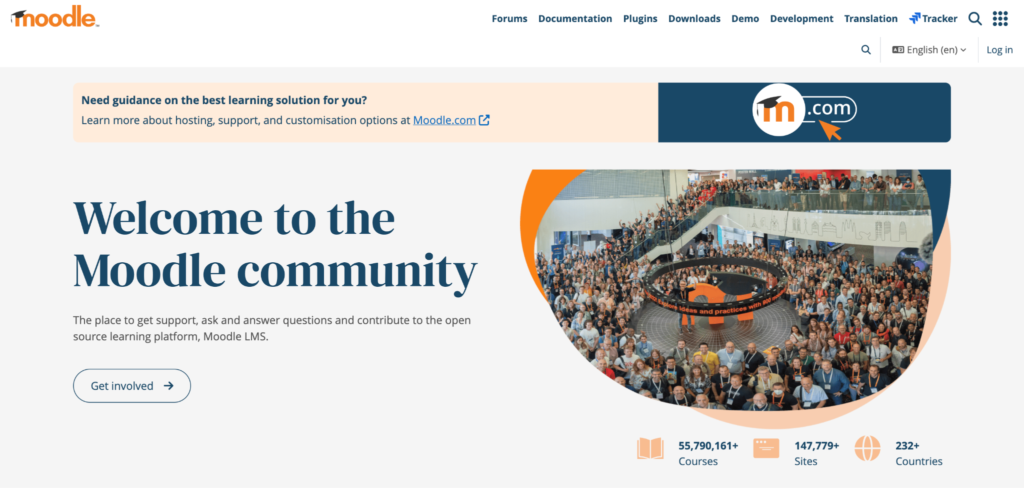
Moodle is an open-source learning platform that lets you build a fully customized compliance training portal from the ground up. Because the source code is open, you can adapt almost anything, including the interface, workflows, integrations, and plugin functionality, to match how your compliance program actually runs, rather than working around a vendor’s defaults.
The trade-off is that Moodle gives you a toolkit, not a turnkey solution. You’ll typically need a developer or technical admin to set it up, maintain it, and configure the security and audit features regulated industries require. For organizations with those resources, Moodle offers a level of customization that most licensed platforms can’t match.
Key features about Moodle
- Unlimited customization through plugins. Choose from 2,000+ community plugins to add features like advanced reporting, custom assessments, or compliance-specific workflows without paying for premium tiers.
- Bulk course creation. Build and deploy multiple compliance courses at once, which is useful for organizations rolling out training across several regulations or business units.
- Multilingual capability. Run Moodle in 100+ languages, with full translations of both the admin and learner views.
- Secure authentication and mass enrollment. Integrate with LDAP, SAML, OAuth, and other enterprise authentication standards, and enroll thousands of learners at once through cohort syncing.
- Peer and self-assessment. Set up assessments in which learners evaluate their own work or their colleagues’ work. This works well for ethics- and judgment-based compliance topics.
Pricing
Moodle is free to self-host. Moodle-certified partners offer paid hosting and support packages with custom pricing.
What users say about Moodle
Administrators who’ve used Moodle to deploy courses across multiple environments agree that the flexibility is unmatched. The open-source nature means you control branding, plugins, workflows, and integrations without licensing constraints, which is why so many universities and large enterprises stay on Moodle long-term.
The downside, however, is administrative complexity. Configuration options run deep and aren’t always organized intuitively, so less experienced admins can easily misconfigure settings or get lost in nested menus. Source
Best for: Mid-market and enterprise teams that want a polished, customizable LMS with strong onboarding support.
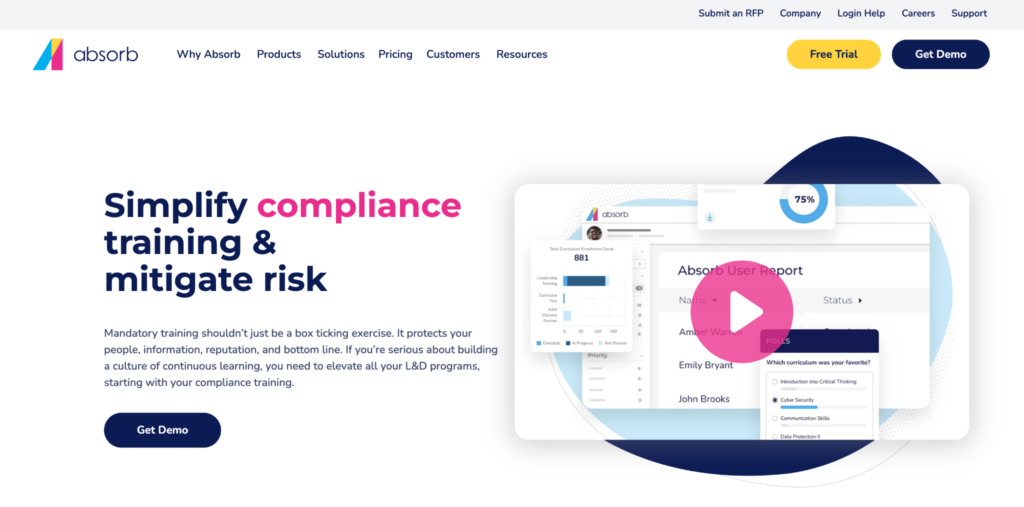
Absorb LMS is a learning platform built for organizations that want to launch compliance training quickly without sacrificing their brand’s look and feel. You can customize the learner dashboard, course pages, and login screens to match your visual identity, so internal training feels like part of your company rather than a third-party tool.
The platform also ships with pre-built courses you can deploy immediately, along with automation features that handle routine admin work such as enrollment, reminders, and certificate issuance.
Key features
- Automated certification management. Issue, track, and renew compliance certifications automatically, with rules tied to course completion and expiry dates.
- Built-in course authoring. Create compliance courses directly in Absorb, then assign them to learners within the same workflow.
- Customizable user interface. Brand the dashboard, course pages, and notifications to match your company’s look.
- AICC and SCORM support. Import regulator-approved or third-party compliance content and track it with the same analytics as native Absorb courses.
- Automated custom reporting. Schedule audit-ready reports to be generated and automatically sent to compliance leads, managers, or external auditors on a set cadence.
Pricing
Contact Absorb for a custom quote.
What users say about Absorb LMS
Users praise Absorb’s support team for their fast responses and open communication during setup. They also appreciate that dedicated customer success managers stay involved long after implementation, making the transition to the platform smoother than many enterprise LMS rollouts.
However, they’re not very keen on the pricing. Some users find newer add-ons like localization too expensive and end up sourcing those features elsewhere. Others want finer control over manager permissions, course cancellation behavior, and waitlisting, which don’t yet have the depth larger teams need. Source
How to choose the right compliance training LMS
There are hundreds of LMS solutions on the market so choosing the best one can be tricky. However, there are certain things you should look out for when selecting a compliance training LMS for your business:
Ease of use
When choosing a compliance training LMS, try to scope out how difficult it is to set up. You don’t want to have to scour forums or watch hours of YouTube videos just to get a basic idea of how it works.
Instead, look for an LMS that has a user-friendly interface and features that are easy to understand. This will make it easier for you to create and deliver your training programs.
Built-in compliance training modules
There are many types of compliance courses you can offer employees in different industries — from sexual harassment laws to OSHA to HIPAA. And each course has to be tailored to your preference and style.
So instead of starting from scratch each time you want to create a course, choose an LMS that has ready-made training modules. All you have to do is tweak the design, maybe add some more personalized information, and you’re good to go.
Customization features
Your compliance training should feel like part of your company, not a third-party portal. The right LMS lets you customize:
- Course content, quizzes, and assessments
- Certificates with your logo and signatures
- Email reminders and notifications
- Login pages and learner dashboards
- The course URL and domain
This matters most for customer-facing or partner compliance training, where a branded experience reinforces trust.
Training assessment features
Ensure that the LMS you’re considering includes features that let you assess your employees’ progress in their training. These features usually include quizzes, scorecards, surveys, and presentations that test your learners’ knowledge of the subject matter.
Device compatibility
Depending on the kind of company you run or work at, your employees aren’t all at desks.
Field technicians, healthcare staff, and frontline workers often work on the go, so your compliance training LMS should run cleanly on every device, including mobile phones, tablets, desktops, and laptops. It should also provide offline access so learners in low-connectivity environments can still finish their courses.
A defensible audit trail
If a regulator asks who completed last year’s HIPAA refresher and when, you should be able to pull that record in under a minute. Your LMS should automatically log:
- Course completions with timestamps
- Quiz and assessment scores
- Policy acknowledgments and e-signatures
- Certificate issue and expiry dates
- Login activity tied to each learner
Without this, you’ll have to rebuild the paper trail manually every time you face an audit.
Automated recertification workflows
Most compliance training isn’t a one-time event. HIPAA, OSHA, anti-harassment, and Anti-Money Laundering (AML) courses all need to be repeated on a set schedule.
Your LMS should automatically re-enroll learners before their certification expires, send reminder emails, and flag anyone who hasn’t completed the refresher in time. That way, you catch lapsed certifications early instead of discovering them during an audit.
SCORM and xAPI support
If you license courses from regulatory bodies or third-party content providers, you need an LMS that can import them.
SCORM and xAPI are the two standards most compliance content is built on. Without support for both, you’ll have to rely solely on what your LMS includes natively, which limits your options when you need industry-specific training.
Multi-jurisdiction handling
Compliance rules vary by location, and your training has to reflect that. For example, harassment training requirements differ across California, New York, Illinois, and other states, and data privacy rules differ across the EU, the UK, and the US.
If you operate across regions, your LMS should automatically assign different course versions to different employee groups, so a California-based hire gets the California-compliant training without anyone having to route it manually.
In-depth reporting and analytics
Generic LMS reports tell you who logged in, while compliance reports tell you who’s at risk.
Look for dashboards that show completion rates by team, department, and location, flag overdue certifications, and let you export audit-ready reports in a few clicks. The faster you can see where the gaps are, the faster you can close them.
Third-party integrations
Your LMS should connect to the HR, payroll, and identity tools you already use. Useful integrations include:
- HRIS platforms like BambooHR, Workday, or Rippling, so new hires get auto-enrolled in onboarding compliance courses
- Single sign-on through Okta, Azure AD, or Google Workspace
- Slack or Teams for reminders and nudges
- Salesforce or HubSpot, if you’re training partners or customers
Without these, you’ll have to manually (re)enroll employees and export CSVs, which is hectic and time-consuming.
Responsive customer support
Compliance deadlines don’t wait, so if your LMS goes down the week before an OSHA audit, you need a support team that can pick up the slack.
Check whether your shortlist of compliance training tools offers 24/7 support, a dedicated customer success manager, and guaranteed response times in their SLA. Free plans rarely include this, which is worth knowing before you commit.
Implementing and using a compliance training LMS effectively
To get the most out of your compliance training LMS, here are seven tips you should keep in mind:
Optimize your courses to run on all devices
Learning becomes much more effective and seamless when employees are able to use different devices — iPads as they commute to work, desktops or laptops at work, and smartphones during lunch — to take compliance courses.
Accommodate the learning needs of all employees
Because people have different learning styles, you shouldn’t take a one-size-fits-all approach to creating compliance courses. Instead, take the learning needs of each employee into consideration while creating courses.
The best way to do this is to use different multimedia in your courses — videos and images for visual learners, audio files for auditory learners, text for readers, and interactivity for kinesthetic learners.
Regularly assess your learners
Delivering a high-quality course to your employees is just half of the equation in compliance training. The other half is assessing their understanding of the subject matter. You can do this by giving them tests, assignments, and quizzes. That way, you’ll get an idea of how well they’re assimilating the training.
Collect feedback from your employees
As you deliver courses to employees, allow them to share feedback and tell you their concerns through online surveys and polls. This gives you valuable insights and helps you identify strengths and weaknesses of your courses so you can improve it for future learners.
Encourage collaboration among learners
If there’s anything the pandemic taught us, it’s that humans are generally social creatures and we thrive when we work with other people toward a shared goal. The same applies in compliance training.
Assigning group projects to employees — especially remote employees — increases collaboration, making it easier for them to understand the subject matter.
Send notifications and reminders to students
Compliance training is not a one-time thing. Sometimes, it’s necessary for employees to retake a training course to remain compliant. This might happen sporadically or at regular intervals.
A good way to get your employees to revisit a course is to send them auto-notifications and reminders after a specific time. This also helps them meet deadlines.
Leverage reports to make decisions
The LMS tools outlined above have in-depth tracking and reporting features that can help you keep a close eye on your employees. You should carefully study the reports your compliance training LMS generates, and use them to make informed decisions about your teaching strategies.
The future of compliance training LMS
Compliance training is shifting from a once-a-year obligation into something more dynamic, personalized, and connected to business risk. Here are three trends driving most of that change.
- AI-generated compliance content
Building a compliance course used to mean weeks of subject-matter-expert interviews, instructional design work, and review cycles. Now, AI is collapsing that timeline.
Compliance teams can now feed regulatory documents, internal policies, or past course materials into AI tools and generate full course outlines, role-specific quiz questions, and scenario-based training in minutes.
The catch is that AI-generated content still requires human review, especially in regulated industries where wording carries legal implications. Teams that benefit most use AI to handle the first draft, then have compliance experts validate the output before it ships to learners.
- Automated regulation tracking
Compliance laws change constantly. A finance team might have to update AML procedures three times a year as new sanctions roll out, and many training programs only catch those changes during annual reviews, leaving a long window of outdated content.
To prevent this, here are some tools that now monitor regulatory bodies directly and flag the moment a law, standard, or guideline changes:
- Libryo translates complex regulations into plain language and shows what’s relevant to each location, which suits companies operating across multiple jurisdictions.
- NAVEX One proactively notifies users when requirements change and connects those updates across policy management, training, and incident workflows.
- FinregE focuses on financial services, monitoring rules from regulators like the SEC, PRA, and ECB, and mapping changes back to internal policies and controls.
Some tools go further by suggesting which courses need updates, which content is outdated, and which employees need to retake the updated training.
- Adaptive learning paths based on role and risk
Many compliance programs still assign the same training to everyone in a department, regardless of how much each person’s daily work actually intersects with regulated activity. That leaves some employees under-trained for the risks they handle every day, while others sit through hours of content that has nothing to do with their actual role.
Adaptive learning paths fix this by tailoring training to two factors:
- Role. What specific regulations and policies apply to this employee’s job?
- Risk exposure. How often does this employee handle sensitive data, financial transactions, customer interactions, or other regulated activities?
A platform with adaptive paths might assign a treasury analyst an extensive anti-fraud module with more scenarios, while a new accounts payable hire gets a shorter foundational version.
As the new hire takes on more responsibility, the system automatically updates their path, so training keeps pace with the risk each person actually carries.
Choose the right compliance training LMS for your business
Businesses in high-risk industries like healthcare, construction, and manufacturing have to follow compliance laws that prevent accidents and protect workers. Failure to do so can lead to safety risks, a damaged reputation, license revocations, security breaches, and steep penalties.
However, live compliance classes don’t scale across remote teams and different time zones, which is where a compliance training LMS comes in. These platforms let you upload compliance-based courses your employees can access anywhere, anytime, and on any device.
The right compliance LMS depends less on features and more on where your program breaks down today.
If your team is chasing renewal reminders through email, rebuilding audit records manually before every review, or assigning the same training to every employee regardless of role or risk exposure, the platform isn’t the problem. The underlying workflows are. The right LMS automates those workflows: enrollment, recertification, reporting, and multi-jurisdiction routing run without someone managing them by hand.
For teams with straightforward programs and limited budgets, lightweight platforms like SC Training or Coassemble give you enough to get started. For organizations running compliance across departments, regions, or multiple learner audiences, you need a platform built for that scale from the start, with SSO, multi-site administration, SCORM support, and audit-ready reporting that holds up when regulators actually ask.
That’s where Thinkific Plus fits. It’s built for mid-market and enterprise compliance teams that need one platform to handle training delivery, certification management, learner tracking, and program reporting without stitching together separate tools.
Talk to the Thinkific Plus team to see if it’s the right fit
FAQs
- What features should I look for in a compliance training LMS?
When choosing an LMS for compliance training, the features you should look for include:
- Course builder
- A course library to ready-to-go compliance courses
- Customization options
- Collaboration tools
- A defensible audit trail
- Device compatibility
- Multi-jurisdication handling
- Automatic (re)certifications
- Reports and analytics
- Integration with third-party tools
- Responsive customer support
- How do I choose the right compliance training LMS for my organization?
To choose the right compliance training LMS for your organization, consider your training requirements. As you consider different options, check which LMS offers all the features you need, such as a course builder, assessment options, collaboration tools, reporting tools, and certificate builders.
Pick a tool that has the right features and matches your budget.
- How much does compliance training software cost?
Pricing varies widely based on team size and features. For example, entry-level platforms like SC Training start at $2.95 per user per month, while mid-market tools like TalentLMS offer tiered monthly plans from $69 to $649.
Enterprise options like Thinkific Plus, Docebo, and Absorb LMS use custom pricing, typically ranging from $10,000 to $50,000+ per year, depending on user count and add-ons.
- What’s the difference between an LMS and compliance training software?
An LMS is a general-purpose platform for creating and managing any kind of online training, from onboarding to product education. Compliance training software, on the other hand, is built specifically for regulated industries, with features like automated recertification workflows and audit-ready reporting that address the unique demands of regulatory training.
Many modern LMS platforms, like Thinkific Plus, TalentLMS, and Absorb LMS, now include compliance-specific features, so the line between the two has blurred in recent years.
- Can an LMS track regulatory certifications automatically?
Yes, most compliance-ready LMS platforms automate certification tracking end-to-end. They issue certificates when learners complete a course, log expiry dates, send renewal reminders, and re-enroll employees when it’s time to recertify.
Platforms like Thinkific Plus, Docebo, and LearnUpon also generate audit-ready reports that show all active and expired certifications.
- Is Moodle good for compliance training?
Moodle works well for compliance training if you have in-house technical resources. As an open-source platform, it gives you full control over customization, plugins, and integrations without licensing fees.
However, Moodle is complex to use, so you’ll need a developer or admin to configure security, audit trails, and recertification workflows that other LMS platforms handle out of the box. For teams without that support, a managed compliance LMS is usually faster to launch.
- How long does it take to implement a compliance LMS?
Implementation timelines range from a few days to several months, depending on the platform, team size, and amount of content involved.
Lightweight platforms like SC Training and Coassemble can launch in under a week, especially with pre-built courses. Mid-market tools like TalentLMS and iSpring typically take 2–4 weeks, while enterprise platforms like Docebo, Absorb, and Thinkific Plus can take 1–3 months for full rollout.
Secure your success with the 2026 Learning Implementation Roadmap
Set your learning program up for success next year with this resource built for learning leaders at every stage. Now’s the time to plan for what’s left of 2026 and get your plans into place.
Download it before it’s too late.
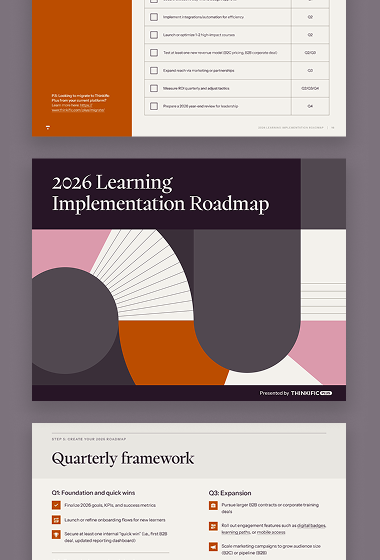
Get the 2026 Learning Implementation Roadmap
A practical guide and template to help you plan for the year and set your employee training program up for success.
This blog post was originally published in 2023 and was updated in June 2026 for relevancy.